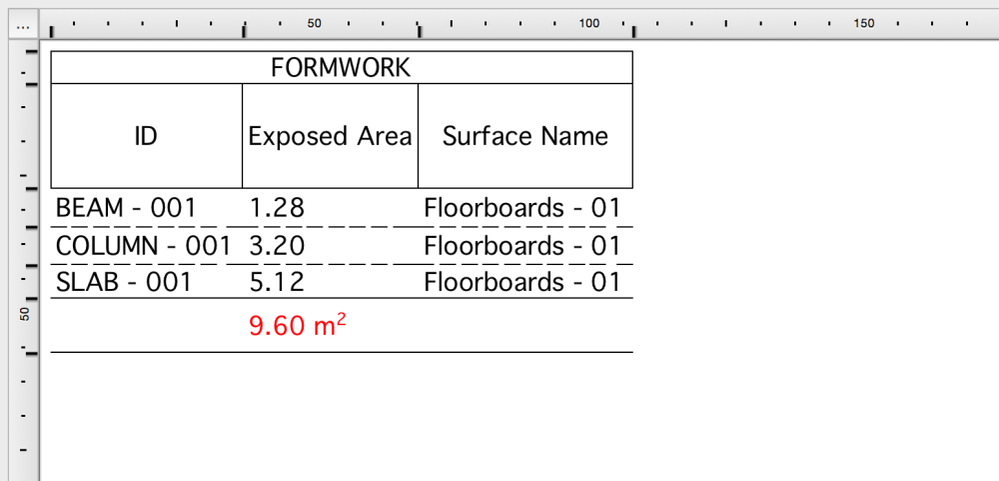
Archicad has two great features which can greatly help contractors with listing formwork quantities more precisely than ever – and faster too
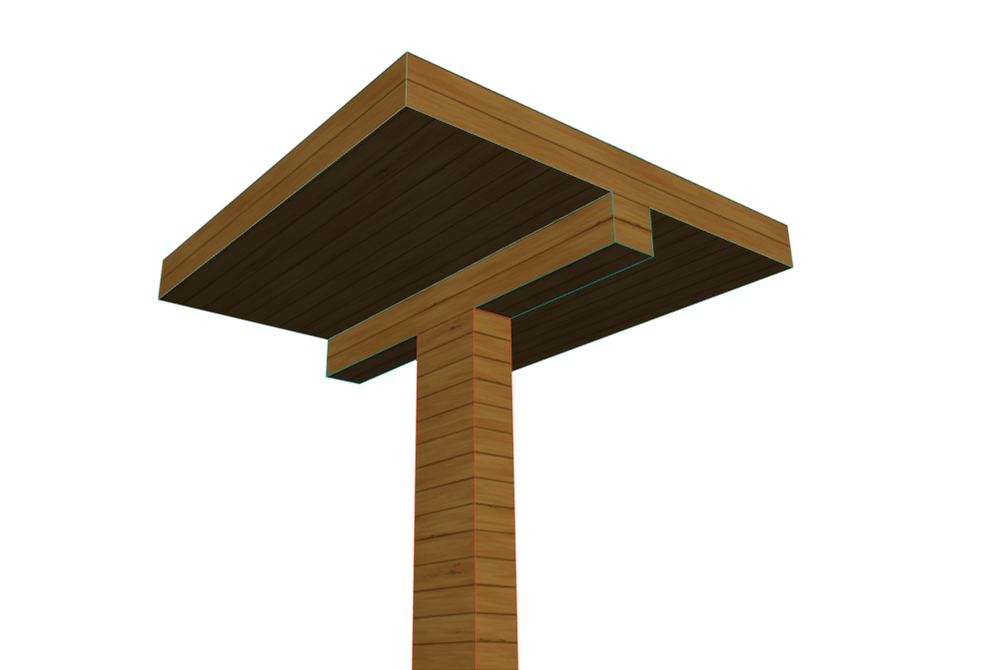
First we will dedicate a Surface to represent formwork materials, then list the surface areas. This has been there for quite some time in earlier versions as well, but some areas could only be added in a cumbersome way, like edge, bottom, top, right side, left side, core areas and so on, one-by-one, giving more and more options as the number of element types were increasing. Not to mention that these areas ignore the surfaces that are adjacent to each other and cover each other.
Archicad has the Surface Painter for faster surface overrides and Exposed Area as a listing parameter. Let’s see how to quickly add and list these areas.
Overriding the Surfaces
1., Launch the Surface Painter from Document/Creative Imaging/Surface Painter.
2., Select a Surface that will represent the formwork, in this case Floorboards – 01, nevertheless you can also create a new, dedicated surface for this purpose. Search the Surface, pick it up by clicking on it and start painting the different sides of the materials, by clicking them one-by one. Use the Infinite Paint Mode for faster overrides or select multiple elements and use Surface Overrides from the Model panel of the element settings dialogs.
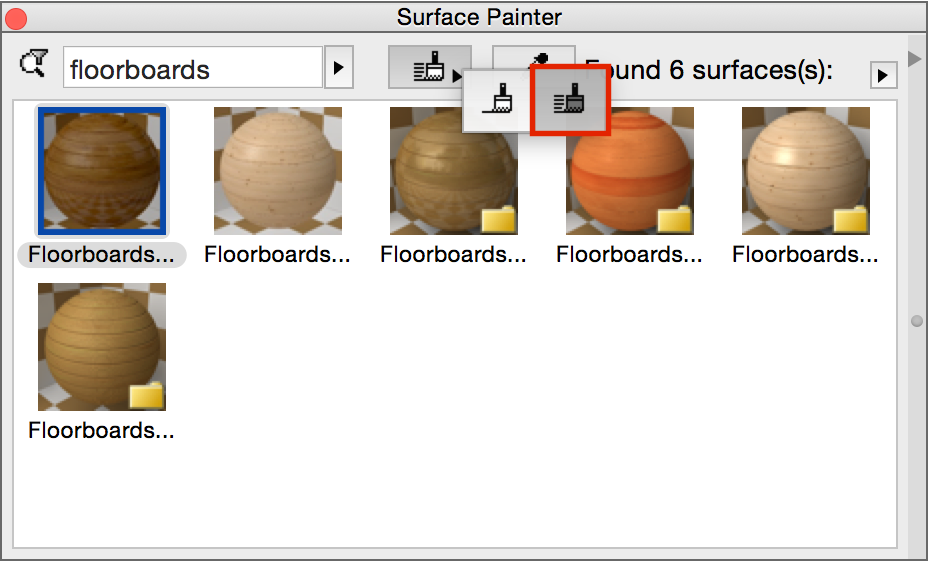
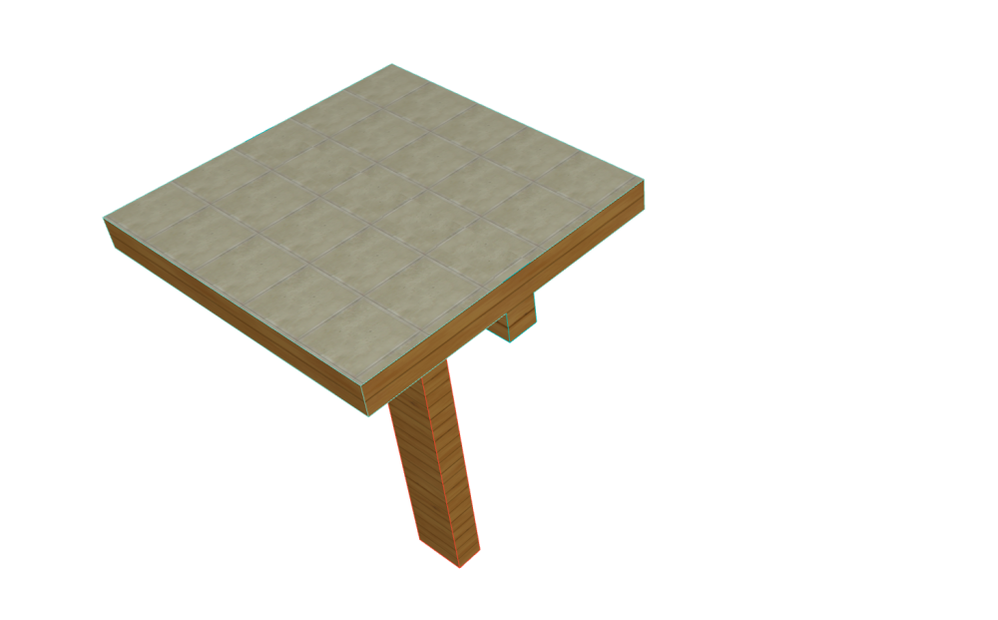
Note: You can select different edges of the slab to be painted, but for example the column will be painted with all its surfaces. This is OK, the Exposed Areas will consider if these faces are visible or not – therefore need formwork or not.
3., Paint only those surfaces that will need formwork.
Scheduling
1., Create a new schedule by clicking on Schedules/surface in the Navigator.
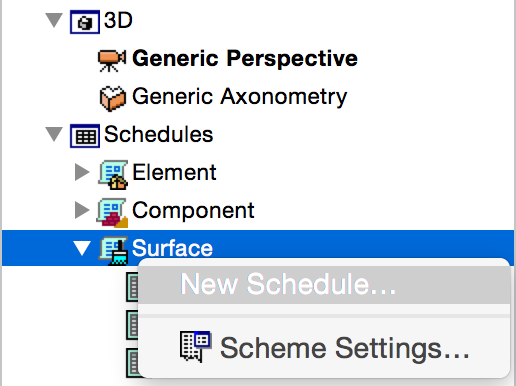
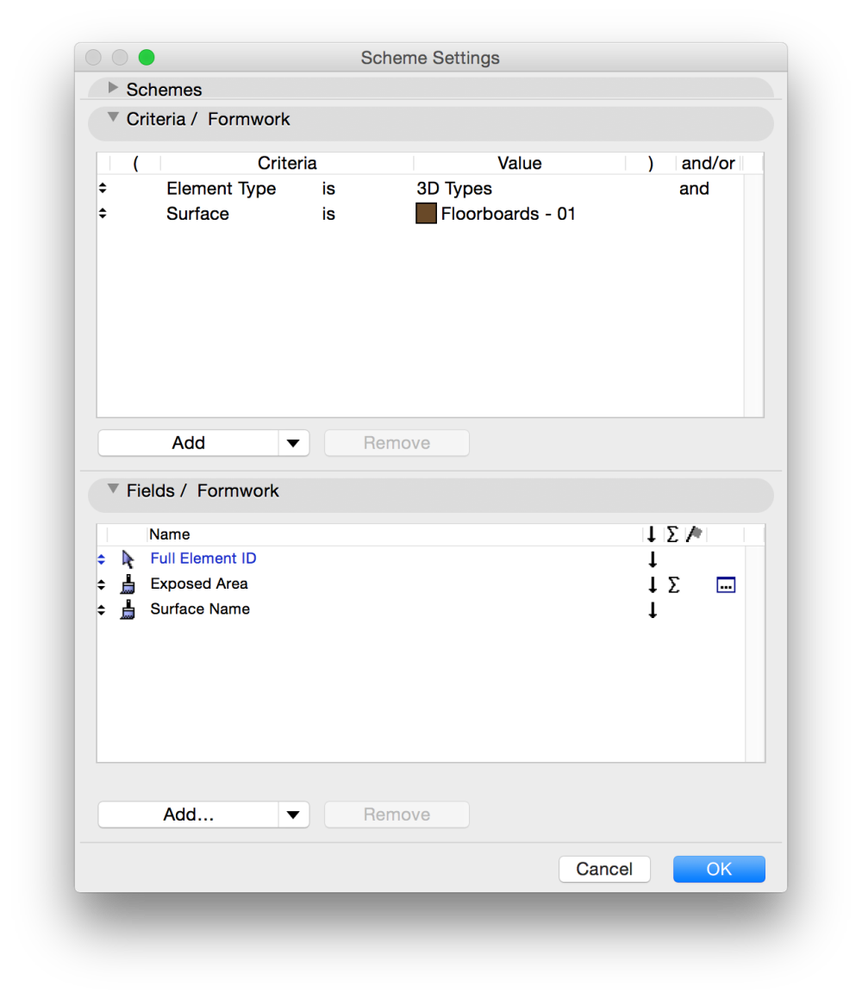
2., Set Criteria:
- All Types or 3D Types as Element Type and
- Surface with Floorboards – 01 (or the Surface that represents your formwork)
with an and condition.
3., Choose the Fields:
- General/Full Element ID
- Surface/Exposed Area
- Surface/Surface Name
4., Add SUM to Exposed Area.
4., Click OK and open the schedule, format it if needed. All visible/exposed areas that are overridden with the formwork surface will be listed in one column, so there is no need for Excel formulas to summarize the different types of Surface Areas.