
Turn on suggestions
Auto-suggest helps you quickly narrow down your search results by suggesting possible matches as you type.
Showing results for
EN
Turn on suggestions
Auto-suggest helps you quickly narrow down your search results by suggesting possible matches as you type.
Showing results for
- English
- :
- Developer Hub
- :
- GDL
- :
- Re: Custom grid with Grid Tool
Options
- Subscribe to RSS Feed
- Mark Topic as New
- Mark Topic as Read
- Pin this post for me
- Bookmark
- Subscribe to Topic
- Mute
- Printer Friendly Page

kuvbur
Advocate
Options
- Mark as New
- Bookmark
- Subscribe
- Mute
- Subscribe to RSS Feed
- Permalink
- Report Inappropriate Content
2020-05-27
11:16 AM
- last edited on
2022-09-26
10:54 PM
by
 Daniel Kassai
Custom grid with Grid Tool
2020-05-27
11:16 AM
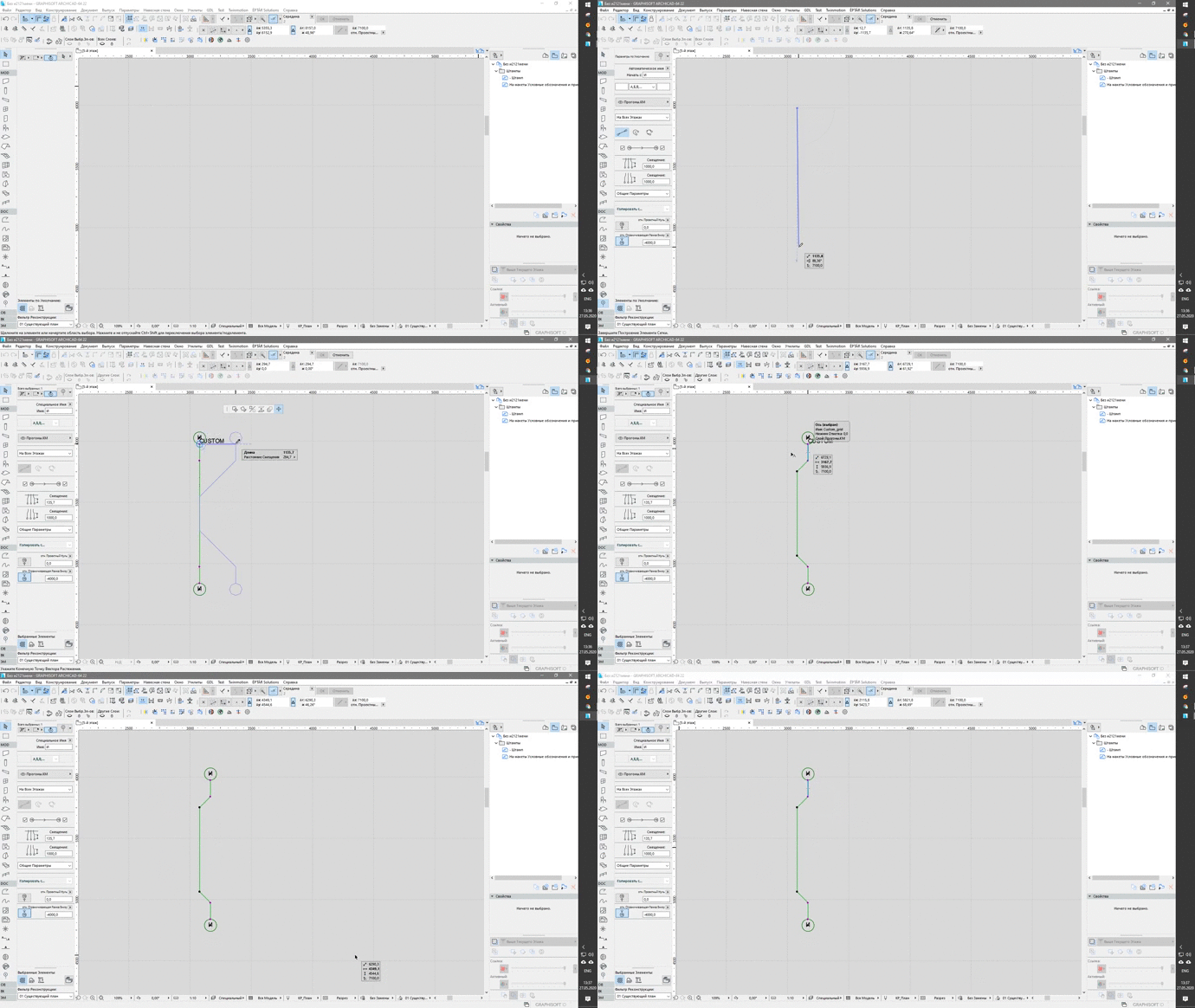
I created custom GDL object for use in the Grid Tool. I can’t replace the standard element.
I tried two ways:
1. Modification of the resources of the Grid Tool.apx.mui (unsuccessful)
2. Through a forward migration script - the method works, but when changing the parameters, the standard object is returned.
In what format is the object stored in the Grid Tool.apx.mui (apparently, the parameter script is separate from the rest of the scripts?) Is there any other way to replace the standard grid object?
I tried two ways:
1. Modification of the resources of the Grid Tool.apx.mui (unsuccessful)
2. Through a forward migration script - the method works, but when changing the parameters, the standard object is returned.
In what format is the object stored in the Grid Tool.apx.mui (apparently, the parameter script is separate from the rest of the scripts?) Is there any other way to replace the standard grid object?
Industrial Architect and Structural Design Engineer, developer of free addon for sync GDL param and properties


Read-Only
Labels:
- Labels:
-
Library (GDL)
2 Replies 2

Nader Belal
Mentor
Options
- Mark as New
- Bookmark
- Subscribe
- Mute
- Subscribe to RSS Feed
- Permalink
- Report Inappropriate Content
2020-05-31 02:42 PM
2020-05-31
02:42 PM
Have you tried to call the standard grid element as a macro, giving it the values that you need, and implement your script to give you the desired result but without interference of the main library part ?
A good friend of mine have once told me that I´m so brute that I´m capable of creating a GDL script capable of creating GDLs. 
kuvbur
Advocate
Options
- Mark as New
- Bookmark
- Subscribe
- Mute
- Subscribe to RSS Feed
- Permalink
- Report Inappropriate Content
2020-06-02 02:12 PM
2020-06-02
02:12 PM
Yes, i tried it, but Grid Tools still use standart grid object, that hardcoded in Grid Tool.apx.mui
Industrial Architect and Structural Design Engineer, developer of free addon for sync GDL param and properties

Didn't find the answer?
Check other topics in this Forum
Back to ForumRead the latest accepted solutions!
Accepted SolutionsStart a new conversation!
Suggested topics
- Building a timber frame from Python: 54 steps, 1,549 elements, and the API traps I hit in Archicad Python API
- macOS: numeric-keypad digits steal focus to the Tracker with numbers in the browser in Archicad C++ API
- ACAPI_Element_Change with libInd swap on IFC-imported door — does element GUID survive? in Archicad C++ API
- Looking for Help Developing a Licensing System for Custom Archicad Tools in Archicad C++ API
- Any workaround for the removed SetActParameters API in Archicad 28/29? in Archicad C++ API
