
Turn on suggestions
Auto-suggest helps you quickly narrow down your search results by suggesting possible matches as you type.
Showing results for
EN
Turn on suggestions
Auto-suggest helps you quickly narrow down your search results by suggesting possible matches as you type.
Showing results for
- English
- :
- Forum
- :
- Visualization
- :
- Re: 3D Perspective generates far too large PDF
Options
- Subscribe to RSS Feed
- Mark Topic as New
- Mark Topic as Read
- Pin this post for me
- Bookmark
- Subscribe to Topic
- Mute
- Printer Friendly Page

Chris Pooley
Enthusiast
Options
- Mark as New
- Bookmark
- Subscribe
- Mute
- Subscribe to RSS Feed
- Permalink
- Report Inappropriate Content
2023-10-30
12:18 AM
- last edited on
2023-11-06
03:25 AM
by
 Laszlo Nagy
3D Perspective generates far too large PDF
2023-10-30
12:18 AM
Hi All,
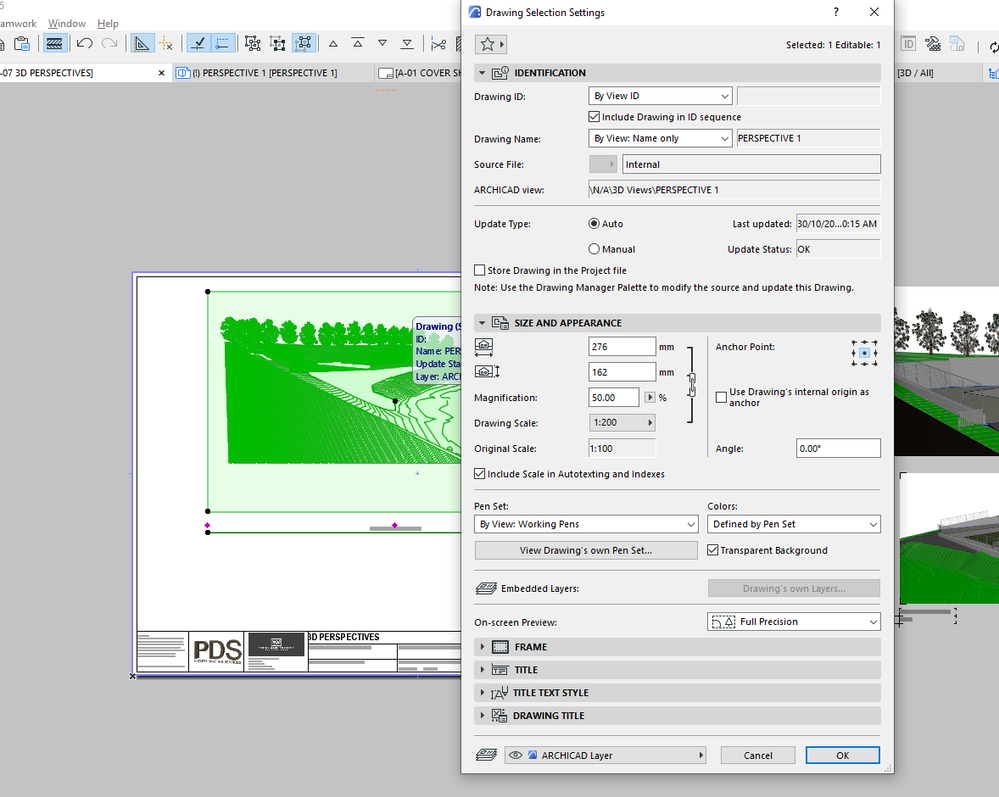
I have had 2 jobs now where I have needed to "snip" a 3D perspective using the windows snipping tool and pasting onto the layout, rather than using a 3D perspective.
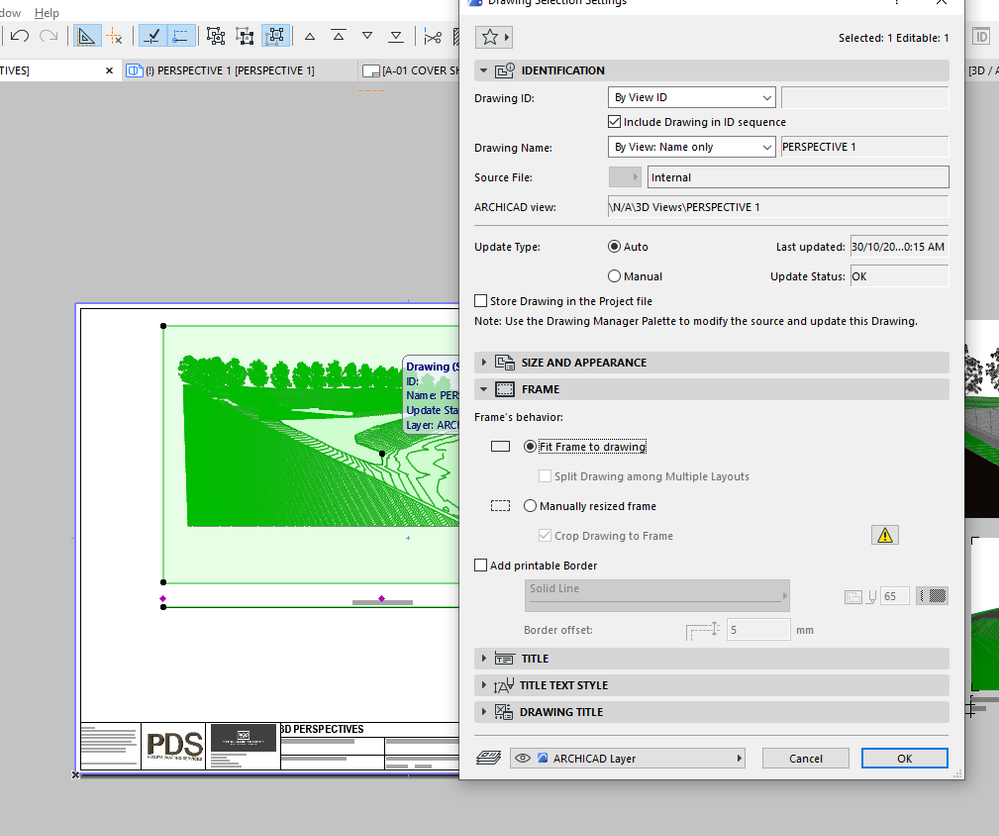
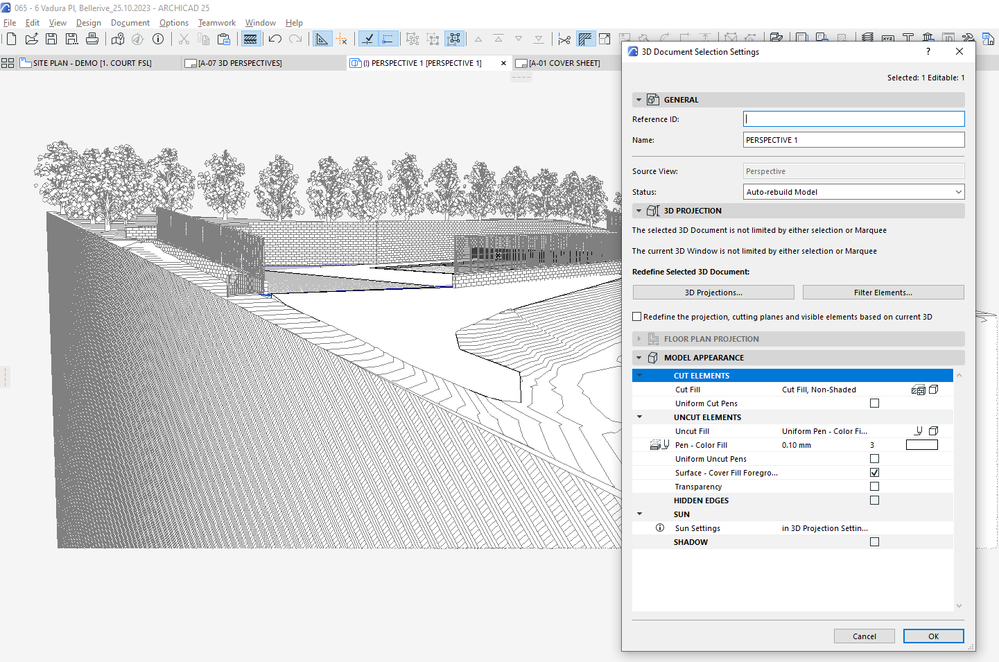
My preferred method would be to use a perspective, but something in my model or settings is having 2 negative effects:-
- taking a VERY long time to update when I open the layout or publish to PDF
- Makes my PDF's too large for my clients to view on their machine's.
I did not have this problems when I was working in A19. I am also not sure what I can show you to to show the problem I am having I have attached some images of my settings, but let me know if any other info would be helpful for troubleshooting.
Thank you
ArchiCAD 19 to 27
Windows 11
Windows 11
Solved! Go to Solution.
Solved
Labels:
- Labels:
-
Camera Tool
-
Other
-
Project Presentation
11 Replies 11

Botonis
Mentor
Options
- Mark as New
- Bookmark
- Subscribe
- Mute
- Subscribe to RSS Feed
- Permalink
- Report Inappropriate Content
2024-03-26 05:25 PM
2024-03-26
05:25 PM
If trees are important try to use the 2d-3d collections of Archiradar with custom settings for 2d and elevations.
You will see a massive decrease of size and increase in detail as they have a lot of settings to choose from.
They are not free but you will use it a lot once you buy them.
Civil Engineer, Enviromental Design MSc. BS ArchitectsVR.
Graphisoft Insider Panelist-Archicad 29. Windows 11. Intel Xeon 2699x2,64 GB RAM, Nvidia ny or personal website3080Ti. 2 Monitors.
Graphisoft Insider Panelist-Archicad 29. Windows 11. Intel Xeon 2699x2,64 GB RAM, Nvidia ny or personal website3080Ti. 2 Monitors.
Chris Pooley
Enthusiast
Options
- Mark as New
- Bookmark
- Subscribe
- Mute
- Subscribe to RSS Feed
- Permalink
- Report Inappropriate Content
2024-03-27 12:04 AM
2024-03-27
12:04 AM
Hi Juan,
Thanks for the reply.
I did not try that, I will try that on my next job.
Using the "Tree Model Simple 25" trees was a good solution as Lazlo suggested.
Thanks again
ArchiCAD 19 to 27
Windows 11
Windows 11

- « Previous
-
- 1
- 2
- Next »
- « Previous
-
- 1
- 2
- Next »
Didn't find the answer?
Check other topics in this Forum
Back to ForumRead the latest accepted solutions!
Accepted SolutionsStart a new conversation!

Suggested topics
- [Python tool] Exporting symbol fills in autocad in Collaboration with other software
- Higher resolution 3d window views on sheets in Documentation
- [ LONG POST ] - I'm a new user, hoping to ask if ArchiCAD is the best program for my use-case. in General discussions
- 3D Perspective generates far too large PDF in Visualization
- Revit IFC Hosting in Collaboration with other software
