cancel
Showing results for 
Search instead for 
Did you mean: 
EN
cancel
Showing results for 
Search instead for 
Did you mean: 

Ability to Publish PDF with "Print as Image" Option

Josh Verran
Advisor

Due to the vectorial nature of fills etc, our PDFs end up lagging and freezing, often to the point where some are unusable. There are workarounds, but these usually involve substituting certain fills for plain or simple ones. That's often not an option when trying to visually annotate different building elements. My mindset is "we've got the resources let's use them". There's websites where you can flatten PDFs but hit and miss success.


Our current most efficient work around is; once we have published the PDF from Archicad, we then open the PDF in Adobe or Foxit and print to the "Microsoft Print to PDF" virtual printer, we then tick "Print as Image".

JoshVerran_0-1701911761269.png


My wish is:
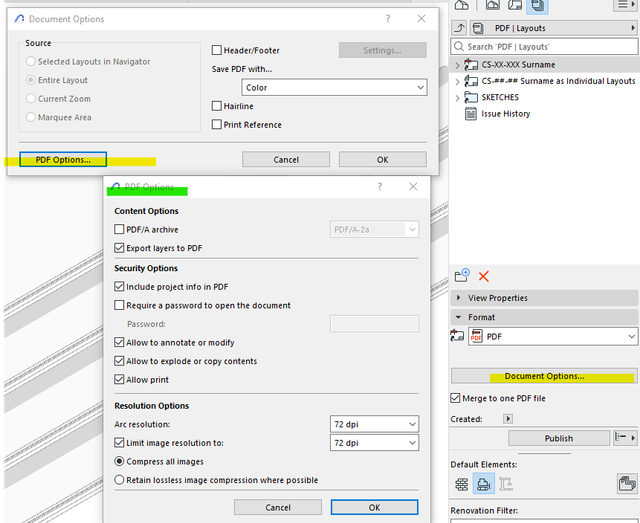
In the Publisher, under Document Options, there should be a "Print as Image" option like above, to avoid the below...
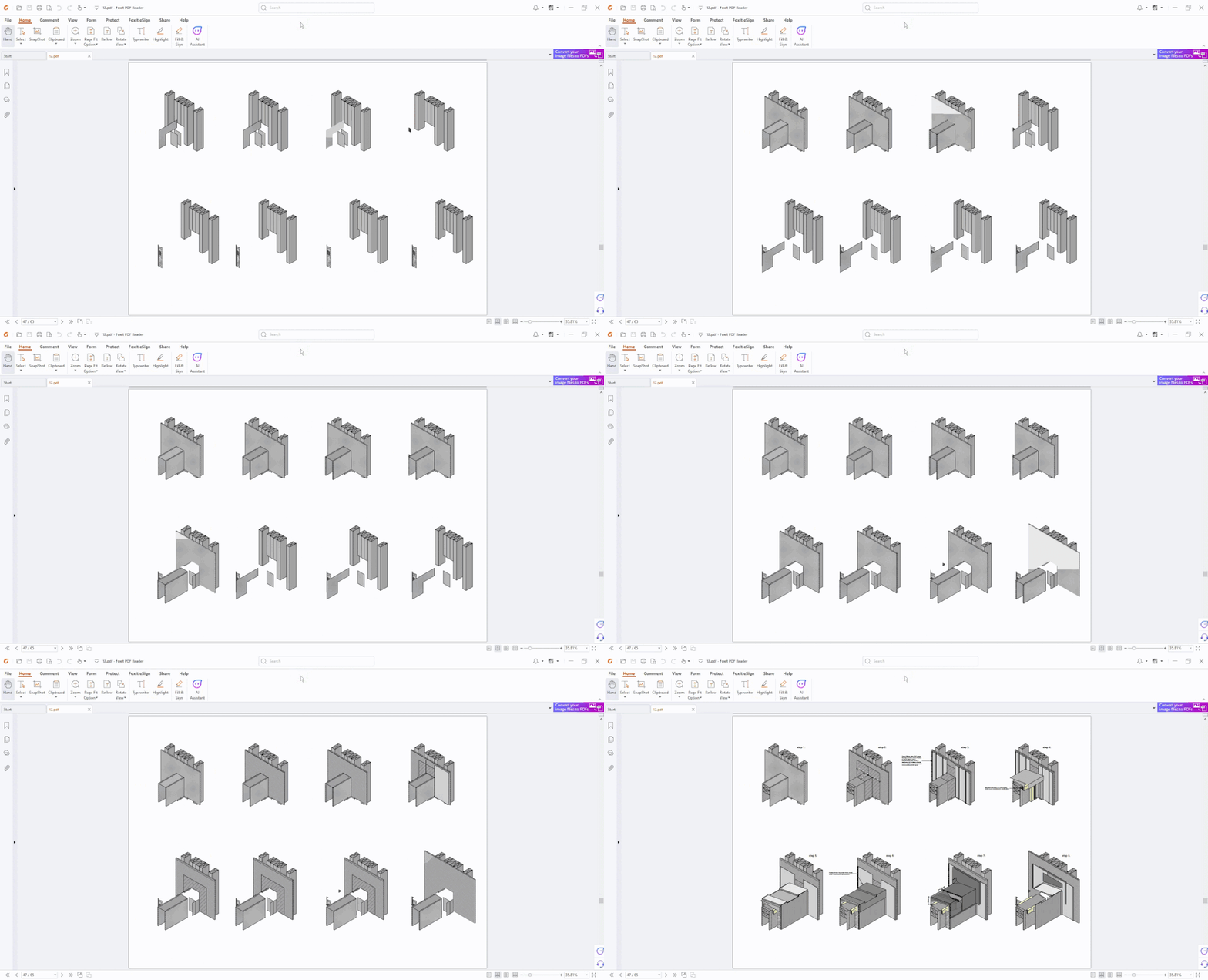
Video Snapshot -_00002 (4).gif


Perhaps in here:

Screenshot 2023-12-07 142046.png

19 Comments
Taupo
Participant

This is a great idea. It has become a real problem, hidden as most people think it's their computer system or PDF software

hugo1529
Newcomer

PDF files reach 150 to 200 MB when we're modeling a project in great detail. We can create the most beautiful models, but if we can't publish them because the PDF is so large, it's pointless. Graphisoft needs to consult with Adobe about this problem; make the PDF flat and small!

Laurentiu
Advocate

@hugo1529 - PDF has been developed by ISO for quite a while now, not by Adobe. I don't think Adobe has anything they can do.

But I do agree that Graphisoft does need to adjust the export options to better manage the resulting file size.

PB
Advisor

Why has this problem not been consigned to history ?


I shudder to think of the time and resources wasted on the useless gimmick that is the AI visualiser in AC29. This fundamental problem in Archicad - lamented for decades - should be addressed as a matter of utmost urgency.


Furthermore, Graphisoft's silence on the matter speaks volumes...Graphisoft, where are you? Response ? Explanation ?...or, better still, a commitment to solve this MAJOR problem in the basic functionality of Archicad !

SimSmi1
Booster

Revit has the option to publish as a raster or vector. I don't like the fact that someone can download my PDF drawings from the UK planning application portal and explode to start using my work

Taupo
Participant

This still has not been addressed by ArchiCAD. The print as image is not an option in Microsoft Print to PDF or other paid for PDF printers. We pay large fees and this is not been fix with clients struggling to open and view PDFs....

Kris Adriaenssens
Participant

I agree.
This is solvable and has a major impact on our operations.
It is very time-consuming to continue engaging third parties to reduce the file size of PDF files.

This is not a secondary problem for our office. It is a primary one.

PB
Advisor

Come on Graphisoft: resolve this ongoing pain point for so many of us!

hugo1529
Contributor

this  drawing gets 25 MB !! as pdf!! not okSchermafbeelding 2026-04-17 092901.jpg

Status
Upvoted

with 116 Votes

Wish details
Product
Labels