
Turn on suggestions
Auto-suggest helps you quickly narrow down your search results by suggesting possible matches as you type.
Showing results for
EN
Turn on suggestions
Auto-suggest helps you quickly narrow down your search results by suggesting possible matches as you type.
Showing results for
- English
- :
- Forum
- :
- Documentation
- :
- Re: Error with lines please see photo attached
Options
- Subscribe to RSS Feed
- Mark Topic as New
- Mark Topic as Read
- Pin this post for me
- Bookmark
- Subscribe to Topic
- Mute
- Printer Friendly Page

cocoloco
Advisor
Options
- Mark as New
- Bookmark
- Subscribe
- Mute
- Subscribe to RSS Feed
- Permalink
- Report Inappropriate Content
2023-02-26
06:27 PM
- last edited on
2023-05-11
12:13 AM
by
 Gordana Radonic
Error with lines please see photo attached
2023-02-26
06:27 PM
Hi!
I can't move by mouse selection of the lines.. I have to do it with keyboard (up and down). This issue is only with lines, nothing else Since new archicad 26 update
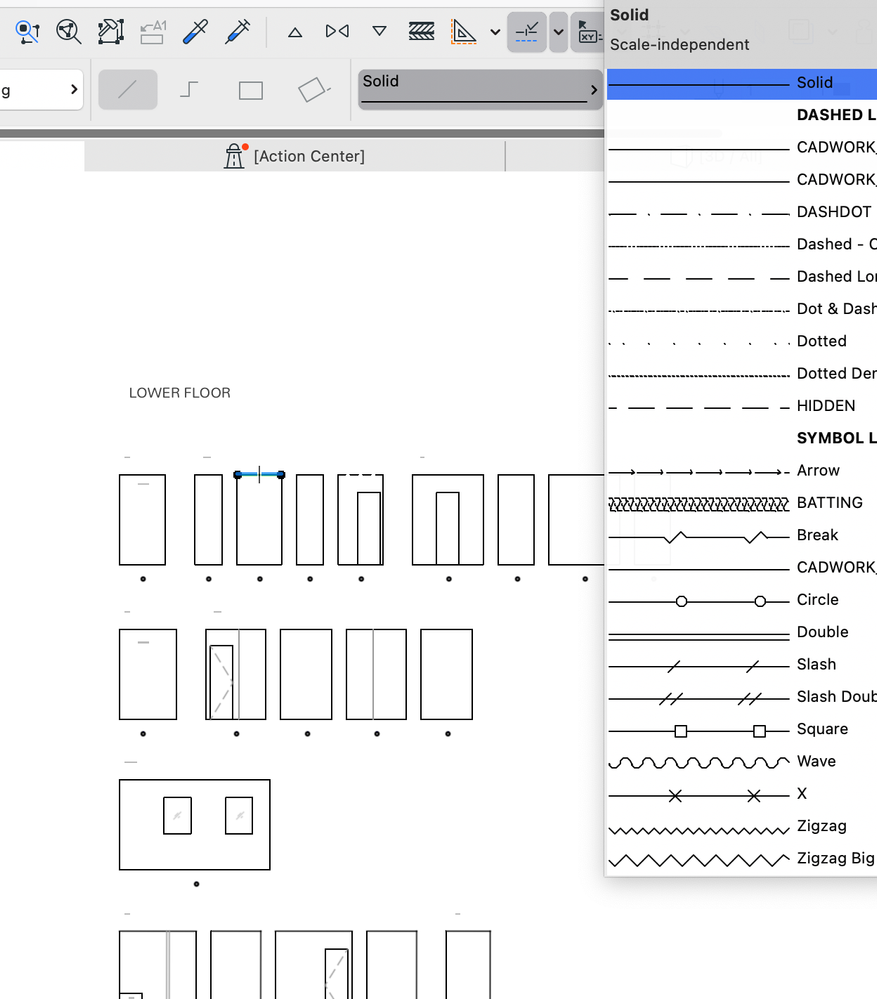
MacBook Pro, Sonoma: 2.6 GHz 6-Core Intel Core i7, Intel 16GB mem,
Archicad Solo 26 and 27 (in testing mode)
Archicad Solo 26 and 27 (in testing mode)
Solved! Go to Solution.
Solved
Labels:
- Labels:
-
Lines & Arcs & Circles
1 Solution
Accepted Solutions

Lee Hankins
Virtuoso
Options
- Mark as New
- Bookmark
- Subscribe
- Mute
- Subscribe to RSS Feed
- Permalink
- Report Inappropriate Content
2023-02-26 06:57 PM
2023-02-26
06:57 PM
The latest update (Update 2) for Archicad 26 fixes this issue in macOS Ventura.
Lee Hankins
ArchiCAD 4.5 - Archicad 29
macOS Tahoe (26.0)
ArchiCAD 4.5 - Archicad 29
macOS Tahoe (26.0)
Solution
4 Replies 4
Lee Hankins
Virtuoso
Options
- Mark as New
- Bookmark
- Subscribe
- Mute
- Subscribe to RSS Feed
- Permalink
- Report Inappropriate Content
2023-02-26 06:57 PM
2023-02-26
06:57 PM
The latest update (Update 2) for Archicad 26 fixes this issue in macOS Ventura.
Lee Hankins
ArchiCAD 4.5 - Archicad 29
macOS Tahoe (26.0)
ArchiCAD 4.5 - Archicad 29
macOS Tahoe (26.0)
Solution
cocoloco
Advisor
Options
- Mark as New
- Bookmark
- Subscribe
- Mute
- Subscribe to RSS Feed
- Permalink
- Report Inappropriate Content
2023-02-26 06:59 PM - edited 2023-02-26 07:20 PM
2023-02-26
06:59 PM
unfortunately archicad did not announce there was update however I found it online and it is fixed.
MacBook Pro, Sonoma: 2.6 GHz 6-Core Intel Core i7, Intel 16GB mem,
Archicad Solo 26 and 27 (in testing mode)
Archicad Solo 26 and 27 (in testing mode)

Barry Kelly
Moderator
Options
- Mark as New
- Bookmark
- Subscribe
- Mute
- Subscribe to RSS Feed
- Permalink
- Report Inappropriate Content
2023-02-27 01:57 AM - edited 2023-02-27 02:00 AM
2023-02-27
01:57 AM
@cocoloco wrote:
unfortunately archicad did not announce there was update however I found it online and it is fixed.
It was announced.
But it is not yet an 'official' update, just a 'preview' update.
It is good to hear this problem has been fixed.
Barry.
One of the forum moderators.
Versions 6.5 to 27
i7-10700 @ 2.9Ghz, 32GB ram, GeForce RTX 2060 (6GB), Windows 10
Lenovo Thinkpad - i7-1270P 2.20 GHz, 32GB RAM, Nvidia T550, Windows 11
Versions 6.5 to 27
i7-10700 @ 2.9Ghz, 32GB ram, GeForce RTX 2060 (6GB), Windows 10
Lenovo Thinkpad - i7-1270P 2.20 GHz, 32GB RAM, Nvidia T550, Windows 11
Lee Hankins
Virtuoso
Options
- Mark as New
- Bookmark
- Subscribe
- Mute
- Subscribe to RSS Feed
- Permalink
- Report Inappropriate Content
2023-02-27 07:35 AM
2023-02-27
07:35 AM
It was fixed in the official Update 2 @Barry Kelly It was a special release for macOS Ventura compatibility.
Lee Hankins
ArchiCAD 4.5 - Archicad 29
macOS Tahoe (26.0)
ArchiCAD 4.5 - Archicad 29
macOS Tahoe (26.0)

Still looking?

Suggested topics
- Rounded Wall Corner displays correctly in Floor Plan but glitches in 3D Document in Modeling
- Door getting offset from complex wall on 3D preview in Modeling
- doors and window missing in reference when publishing layout in Documentation
- Opening outlines not visible in “Structural Core Only” display mode in elevation view in Modeling
- Wall surfaces in Visualization
