
Turn on suggestions
Auto-suggest helps you quickly narrow down your search results by suggesting possible matches as you type.
Showing results for
EN
Turn on suggestions
Auto-suggest helps you quickly narrow down your search results by suggesting possible matches as you type.
Showing results for
- English
- :
- Forum
- :
- Documentation
- :
- Re: Objects showing in red in template
Options
- Subscribe to RSS Feed
- Mark Topic as New
- Mark Topic as Read
- Pin this post for me
- Bookmark
- Subscribe to Topic
- Mute
- Printer Friendly Page

Anonymous
Not applicable
Options
- Mark as New
- Bookmark
- Subscribe
- Mute
- Subscribe to RSS Feed
- Permalink
- Report Inappropriate Content
2021-03-08
05:21 PM
- last edited on
2025-02-06
11:27 AM
by
 Aruzhan Ilaikova
1 Reply 1

Barry Kelly
Moderator
Options
- Mark as New
- Bookmark
- Subscribe
- Mute
- Subscribe to RSS Feed
- Permalink
- Report Inappropriate Content
2021-03-09 02:27 AM
2021-03-09
02:27 AM
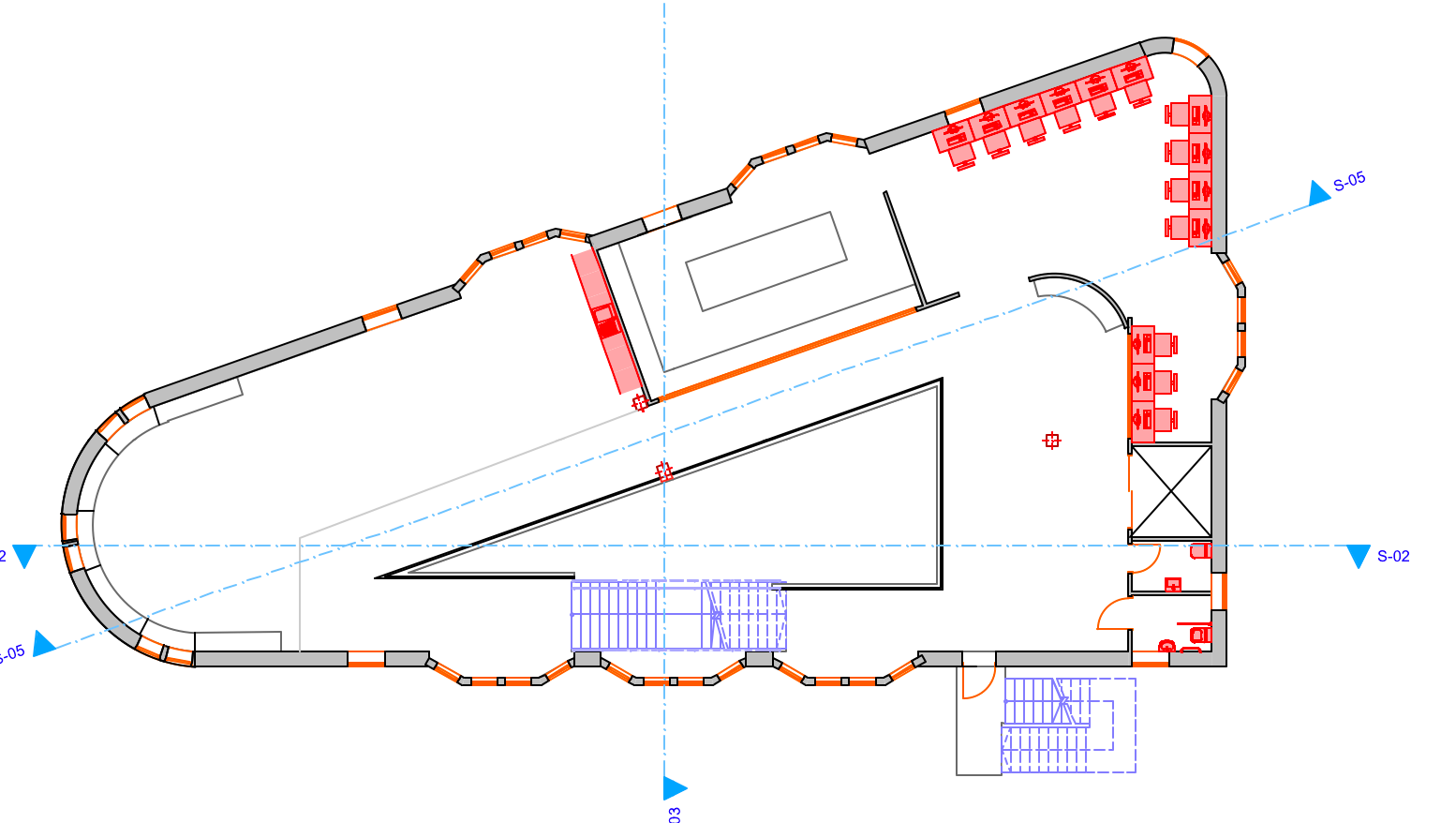
It is probably a Graphic Override or Renovation Filter that is overriding the colours.
Check the settings for that view and make sure the GO and/or RF are set to not override anything.
Barry.
Check the settings for that view and make sure the GO and/or RF are set to not override anything.
Barry.
One of the forum moderators.
Versions 6.5 to 27
i7-10700 @ 2.9Ghz, 32GB ram, GeForce RTX 2060 (6GB), Windows 10
Lenovo Thinkpad - i7-1270P 2.20 GHz, 32GB RAM, Nvidia T550, Windows 11
Versions 6.5 to 27
i7-10700 @ 2.9Ghz, 32GB ram, GeForce RTX 2060 (6GB), Windows 10
Lenovo Thinkpad - i7-1270P 2.20 GHz, 32GB RAM, Nvidia T550, Windows 11
Still looking?
Suggested topics
- Window with adjustable frame extensions (jamb) and automatic insulation return – AC29 / GDL in Modeling
- Template update AC27 to AC29 - Textures missing in Project data & BIM
- Cover fill and object elevation relation in Documentation
- Helvetica texts in Master Layout and GDL objects suddenly not showing on published PDFs in Documentation
- Project origin error, intangible second project origin in 3D view in Modeling
