
Turn on suggestions
Auto-suggest helps you quickly narrow down your search results by suggesting possible matches as you type.
Showing results for
EN
Turn on suggestions
Auto-suggest helps you quickly narrow down your search results by suggesting possible matches as you type.
Showing results for
- English
- :
- Forum
- :
- Installation & update
- :
- Re: 3D Object Preview not visible/ blank white
Options
- Subscribe to RSS Feed
- Mark Topic as New
- Mark Topic as Read
- Pin this post for me
- Bookmark
- Subscribe to Topic
- Mute
- Printer Friendly Page

Anonymous
Not applicable
Options
- Mark as New
- Bookmark
- Subscribe
- Mute
- Subscribe to RSS Feed
- Permalink
- Report Inappropriate Content
2021-08-23 11:29 PM
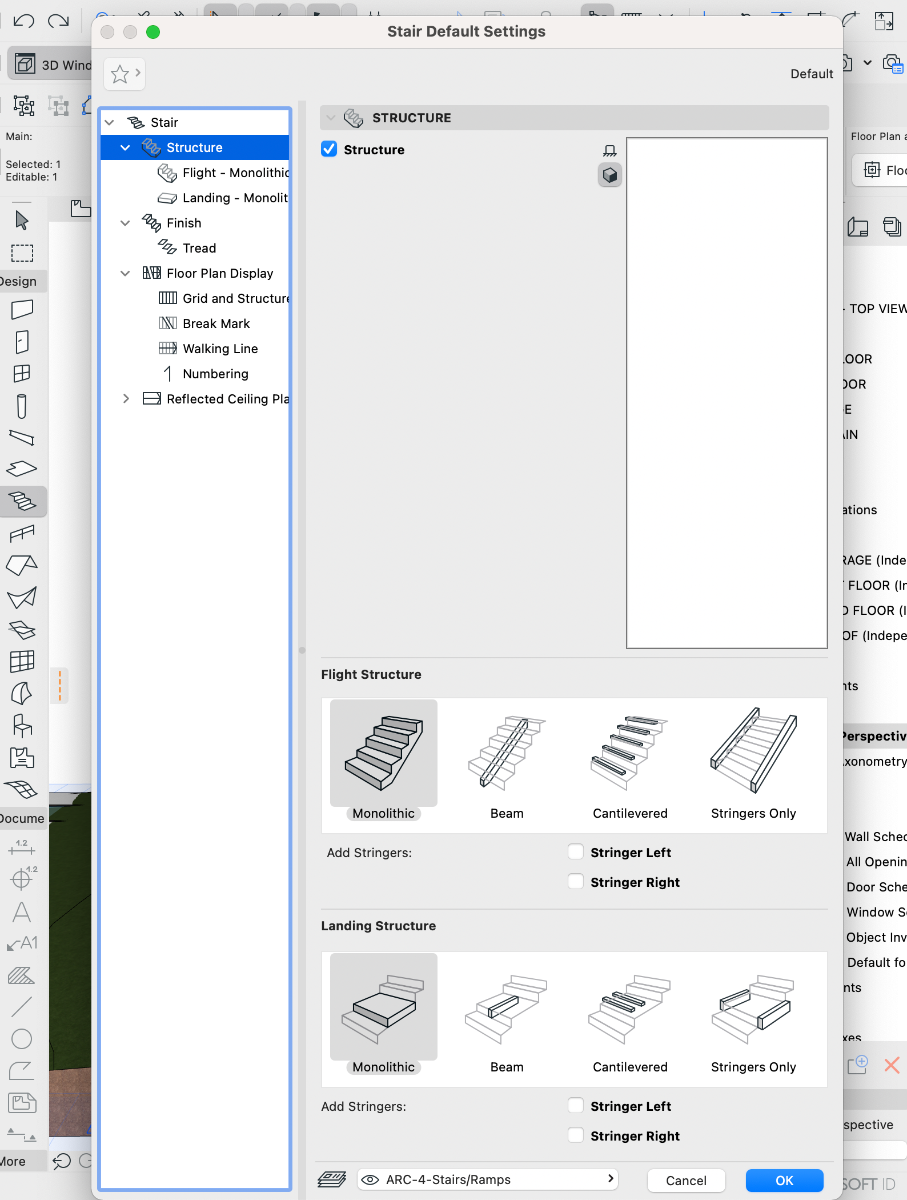
3D Object Preview not visible/ blank white
2021-08-23
11:29 PM

I need help,
thank you!

Solved! Go to Solution.


1 Solution
Accepted Solutions

Barry Kelly
Moderator
Options
- Mark as New
- Bookmark
- Subscribe
- Mute
- Subscribe to RSS Feed
- Permalink
- Report Inappropriate Content
2021-08-24 03:43 AM
2021-08-24
03:43 AM
I think this has been mentioned before.
Try updating your video drivers.
Barry.
Try updating your video drivers.
Barry.
One of the forum moderators.
Versions 6.5 to 27
i7-10700 @ 2.9Ghz, 32GB ram, GeForce RTX 2060 (6GB), Windows 10
Lenovo Thinkpad - i7-1270P 2.20 GHz, 32GB RAM, Nvidia T550, Windows 11
Versions 6.5 to 27
i7-10700 @ 2.9Ghz, 32GB ram, GeForce RTX 2060 (6GB), Windows 10
Lenovo Thinkpad - i7-1270P 2.20 GHz, 32GB RAM, Nvidia T550, Windows 11
Solution
2 Replies 2
Barry Kelly
Moderator
Options
- Mark as New
- Bookmark
- Subscribe
- Mute
- Subscribe to RSS Feed
- Permalink
- Report Inappropriate Content
2021-08-24 03:43 AM
2021-08-24
03:43 AM
I think this has been mentioned before.
Try updating your video drivers.
Barry.
Try updating your video drivers.
Barry.
One of the forum moderators.
Versions 6.5 to 27
i7-10700 @ 2.9Ghz, 32GB ram, GeForce RTX 2060 (6GB), Windows 10
Lenovo Thinkpad - i7-1270P 2.20 GHz, 32GB RAM, Nvidia T550, Windows 11
Versions 6.5 to 27
i7-10700 @ 2.9Ghz, 32GB ram, GeForce RTX 2060 (6GB), Windows 10
Lenovo Thinkpad - i7-1270P 2.20 GHz, 32GB RAM, Nvidia T550, Windows 11
Solution
Anonymous
Not applicable
Options
- Mark as New
- Bookmark
- Subscribe
- Mute
- Subscribe to RSS Feed
- Permalink
- Report Inappropriate Content
2021-08-27 01:47 AM
2021-08-27
01:47 AM
Once again, saved my day.
Thank you so much Barry!
Thank you so much Barry!
Still looking?

Suggested topics
- Which Archicad 30 MCP tool group will you use most? in AI solutions
- Libraries and Polygons in Libraries & objects
- Missing elevations of doors when making a door schedule in Documentation
- gdl custom object snaps back to older version upon opening the file in Libraries & objects
- Starting new projects and looking for history of elements like a bathroom fixtures or any models in Project data & BIM
