
Turn on suggestions
Auto-suggest helps you quickly narrow down your search results by suggesting possible matches as you type.
Showing results for
EN
Turn on suggestions
Auto-suggest helps you quickly narrow down your search results by suggesting possible matches as you type.
Showing results for
Options
- Subscribe to RSS Feed
- Mark Topic as New
- Mark Topic as Read
- Pin this post for me
- Bookmark
- Subscribe to Topic
- Mute
- Printer Friendly Page

Anonymous
Not applicable
Options
- Mark as New
- Bookmark
- Subscribe
- Mute
- Subscribe to RSS Feed
- Permalink
- Report Inappropriate Content
2009-05-16
03:25 PM
- last edited on
2023-05-23
04:54 PM
by
 Rubia Torres
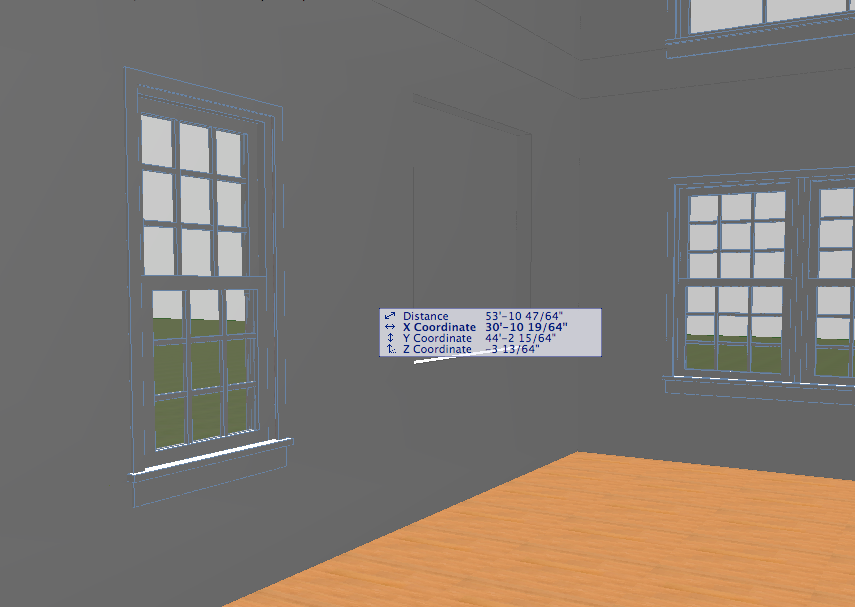
Wall Niche
2009-05-16
03:25 PM
–Javier
AC11 on Mac G5 + OS10.4.11
10 Replies 10
Anonymous
Not applicable
Options
- Mark as New
- Bookmark
- Subscribe
- Mute
- Subscribe to RSS Feed
- Permalink
- Report Inappropriate Content
2018-03-04 11:56 AM
2018-03-04
11:56 AM
I wanted a glass surface in front of it, like an in-wall cabinet with glass door. Anyways, I've just used a slab. Thanks.
One more thing, niches doesn't seem to work on the corner. Is there some other niche object for that?
One more thing, niches doesn't seem to work on the corner. Is there some other niche object for that?
- « Previous
-
- 1
- 2
- Next »
- « Previous
-
- 1
- 2
- Next »
Still looking?

Suggested topics
- After 3 years with Archicad, I'm honestly disappointed in General discussions
- Missing Walls in projects migrated to Archicad 30 in Installation & update
- There will be new renaissance for archicad in General discussions
- if else if in expressions in Project data & BIM
- Archicad Doors and Windows with IfcOpeningElement in Project data & BIM
