Turn on suggestions
Auto-suggest helps you quickly narrow down your search results by suggesting possible matches as you type.
Showing results for
EN
Turn on suggestions
Auto-suggest helps you quickly narrow down your search results by suggesting possible matches as you type.
Showing results for
Options
- Subscribe to RSS Feed
- Mark Topic as New
- Mark Topic as Read
- Pin this post for me
- Bookmark
- Subscribe to Topic
- Mute
- Printer Friendly Page

Anonymous
Not applicable
Options
- Mark as New
- Bookmark
- Subscribe
- Mute
- Subscribe to RSS Feed
- Permalink
- Report Inappropriate Content
2021-06-22
12:46 AM
- last edited on
2023-05-09
03:42 PM
by
 Rubia Torres
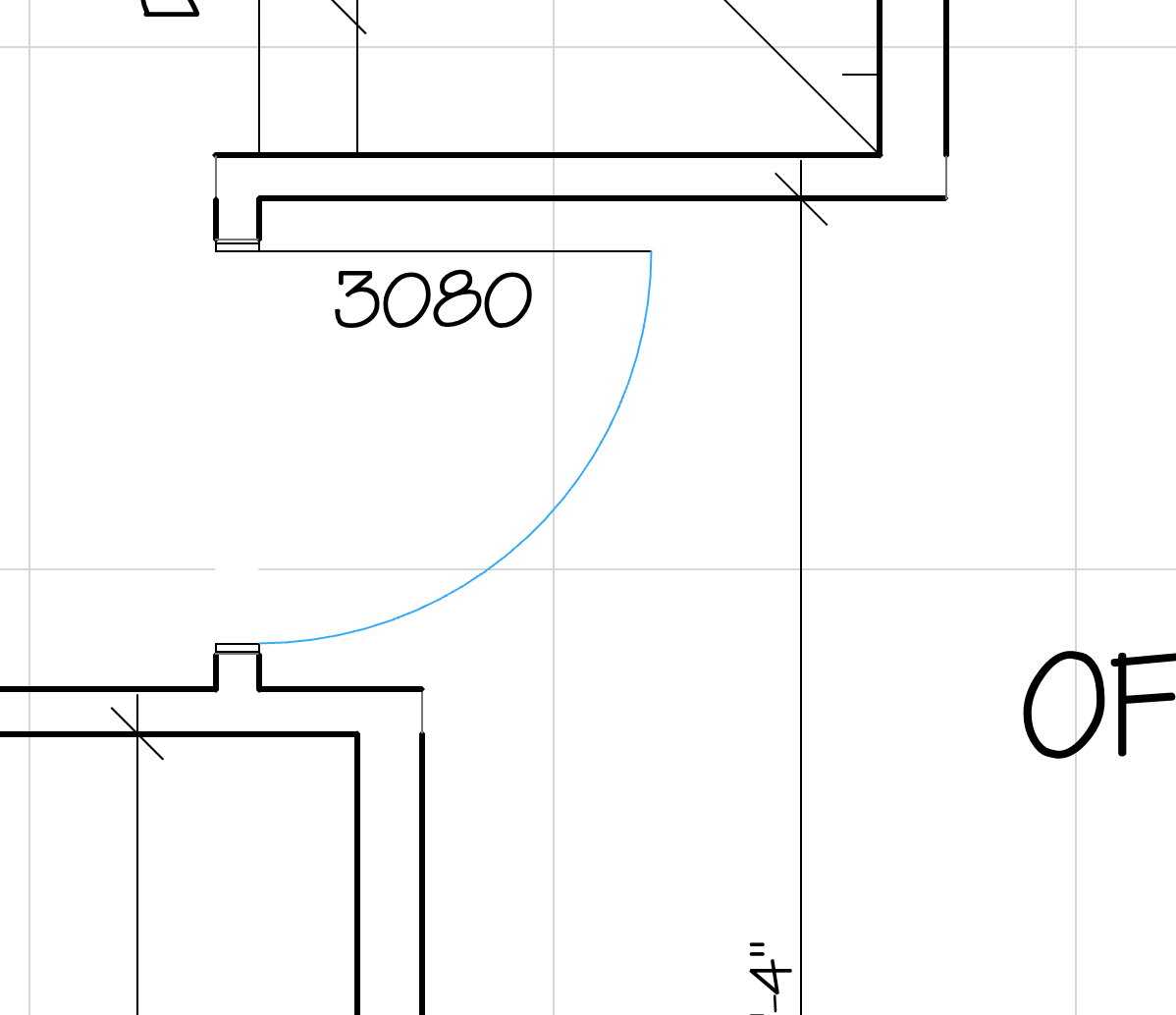
lines are thin/grey where the walls connect?
2021-06-22
12:46 AM
Solved! Go to Solution.
1 Solution
Accepted Solutions

Barry Kelly
Moderator
Options
- Mark as New
- Bookmark
- Subscribe
- Mute
- Subscribe to RSS Feed
- Permalink
- Report Inappropriate Content
2021-06-22 03:23 AM
2021-06-22
03:23 AM
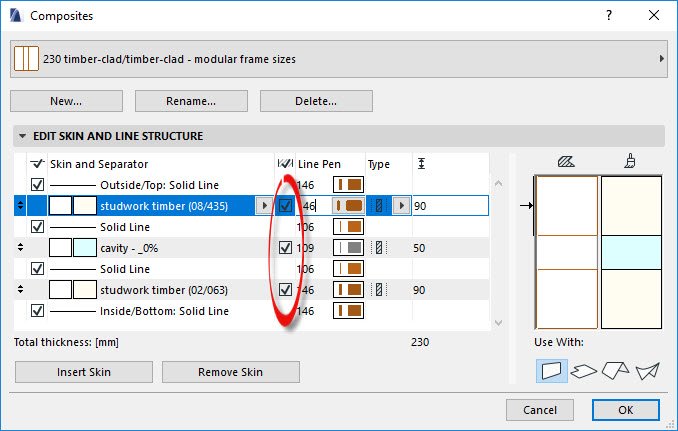
Have a look at the end line option in your composite settings.
I tend to set the end line pen the same as the skin lines, and if you can't or don't want to use the same pen (colour), choose another that at least has the same width.
Barry.
I tend to set the end line pen the same as the skin lines, and if you can't or don't want to use the same pen (colour), choose another that at least has the same width.
Barry.
One of the forum moderators.
Versions 6.5 to 27
i7-10700 @ 2.9Ghz, 32GB ram, GeForce RTX 2060 (6GB), Windows 10
Lenovo Thinkpad - i7-1270P 2.20 GHz, 32GB RAM, Nvidia T550, Windows 11
Versions 6.5 to 27
i7-10700 @ 2.9Ghz, 32GB ram, GeForce RTX 2060 (6GB), Windows 10
Lenovo Thinkpad - i7-1270P 2.20 GHz, 32GB RAM, Nvidia T550, Windows 11
Solution
2 Replies 2
Barry Kelly
Moderator
Options
- Mark as New
- Bookmark
- Subscribe
- Mute
- Subscribe to RSS Feed
- Permalink
- Report Inappropriate Content
2021-06-22 03:23 AM
2021-06-22
03:23 AM
Have a look at the end line option in your composite settings.
I tend to set the end line pen the same as the skin lines, and if you can't or don't want to use the same pen (colour), choose another that at least has the same width.
Barry.
I tend to set the end line pen the same as the skin lines, and if you can't or don't want to use the same pen (colour), choose another that at least has the same width.
Barry.
One of the forum moderators.
Versions 6.5 to 27
i7-10700 @ 2.9Ghz, 32GB ram, GeForce RTX 2060 (6GB), Windows 10
Lenovo Thinkpad - i7-1270P 2.20 GHz, 32GB RAM, Nvidia T550, Windows 11
Versions 6.5 to 27
i7-10700 @ 2.9Ghz, 32GB ram, GeForce RTX 2060 (6GB), Windows 10
Lenovo Thinkpad - i7-1270P 2.20 GHz, 32GB RAM, Nvidia T550, Windows 11
Solution
Anonymous
Not applicable
Options
- Mark as New
- Bookmark
- Subscribe
- Mute
- Subscribe to RSS Feed
- Permalink
- Report Inappropriate Content
2021-06-22 07:51 PM
2021-06-22
07:51 PM
Yes that was it!! Thanks so much!!
Still looking?