
Turn on suggestions
Auto-suggest helps you quickly narrow down your search results by suggesting possible matches as you type.
Showing results for
EN
Turn on suggestions
Auto-suggest helps you quickly narrow down your search results by suggesting possible matches as you type.
Showing results for
- English
- :
- Forum
- :
- Project data & BIM
- :
- Re: Window Element ID order
Options
- Subscribe to RSS Feed
- Mark Topic as New
- Mark Topic as Read
- Pin this post for me
- Bookmark
- Subscribe to Topic
- Mute
- Printer Friendly Page

EH21
Enthusiast
Options
- Mark as New
- Bookmark
- Subscribe
- Mute
- Subscribe to RSS Feed
- Permalink
- Report Inappropriate Content
2022-08-16
04:48 PM
- last edited on
2025-01-30
10:38 AM
by
 Aruzhan Ilaikova
Window Element ID order
2022-08-16
04:48 PM
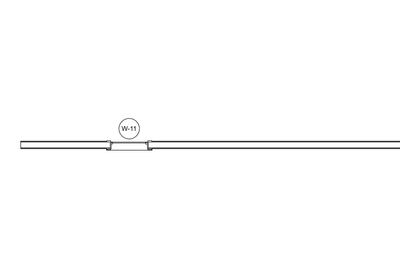
I am working on making a new project template and would like to have window orders start at 01. However, while working on the template, I placed a few windows then deleted them. Do you know how to essentially delete the memory of having placed previous windows so that all future windows to be placed start at 01? Attached photo shows that newly placed window starts at W-11.
Solved! Go to Solution.
1 Solution
Accepted Solutions

Lee Hankins
Virtuoso
Options
- Mark as New
- Bookmark
- Subscribe
- Mute
- Subscribe to RSS Feed
- Permalink
- Report Inappropriate Content
2022-08-16 04:58 PM
2022-08-16
04:58 PM
Just change the ID back to the first number you want to use and the count will restart. You can always renumber them in the order you select them once they are all placed too.
Lee Hankins
ArchiCAD 4.5 - Archicad 29
macOS Tahoe (26.0)
ArchiCAD 4.5 - Archicad 29
macOS Tahoe (26.0)
3 Replies 3
Lee Hankins
Virtuoso
Options
- Mark as New
- Bookmark
- Subscribe
- Mute
- Subscribe to RSS Feed
- Permalink
- Report Inappropriate Content
2022-08-16 04:58 PM
2022-08-16
04:58 PM
Just change the ID back to the first number you want to use and the count will restart. You can always renumber them in the order you select them once they are all placed too.
Lee Hankins
ArchiCAD 4.5 - Archicad 29
macOS Tahoe (26.0)
ArchiCAD 4.5 - Archicad 29
macOS Tahoe (26.0)
EH21
Enthusiast
Options
- Mark as New
- Bookmark
- Subscribe
- Mute
- Subscribe to RSS Feed
- Permalink
- Report Inappropriate Content
2022-08-16 05:16 PM - edited 2022-08-16 05:21 PM
2022-08-16
05:16 PM
Thanks! I did get this to work with the Element ID manager.

Miha_M
Advisor
Options
- Mark as New
- Bookmark
- Subscribe
- Mute
- Subscribe to RSS Feed
- Permalink
- Report Inappropriate Content
2022-08-17 11:09 AM - edited 2022-08-17 11:10 AM
2022-08-17
11:09 AM
I would also suggest you set up as the elements you'll be using on each project as favorites. Here you can set all needed propertis you want with the correct Archicad v.2 classification and corresponding ifc mapping (with the correct numbering (W_01 as your example). You then always select this favorite element for placing it into your project. The toolbar is only for changing parameters (or use the tools you don't have pre-set favorites for). The use of the ID manager will be necessary at some point, as it is almost impossible to have top level structured workflow that wouldn't need some re-numbering.
| Archicad 4.5 - 29
| HP Z840 | 2× E5-2643 v4 | 64 GB RAM | Quadro M5000 | Windows 10 Pro x64
| HP Z4 G4 | W-2245 | 64 GB RAM | RTX A4000 | Windows 11

Didn't find the answer?
Check other topics in this Forum
Back to ForumRead the latest accepted solutions!
Accepted SolutionsStart a new conversation!

Suggested topics
- Issues with 3Dconnexxion CadMouse Pro Wireless in Installation & update
- Ci Tools Keynotes | Archicad Keynotes | Properties | Attributes in Project data & BIM
- Detailing | Better methods of 2d drafting, creation of Blocks , Detail Elements , 2d Objects in Documentation
- Window reveal surfaces disappear in Host file after reindexing in Project data & BIM
- Fill Display Order on Internal Elevations in Modeling
