
Turn on suggestions
Auto-suggest helps you quickly narrow down your search results by suggesting possible matches as you type.
Showing results for
EN
Turn on suggestions
Auto-suggest helps you quickly narrow down your search results by suggesting possible matches as you type.
Showing results for
- English
- :
- Forum
- :
- Visualization
- :
- Re: CINEWARE RENDERING NOT WORKING
Options
- Subscribe to RSS Feed
- Mark Topic as New
- Mark Topic as Read
- Pin this post for me
- Bookmark
- Subscribe to Topic
- Mute
- Printer Friendly Page

cadsph
Enthusiast
Options
- Mark as New
- Bookmark
- Subscribe
- Mute
- Subscribe to RSS Feed
- Permalink
- Report Inappropriate Content
2022-07-21
10:32 AM
- last edited on
2023-05-11
11:20 AM
by
 Noemi Balogh
CINEWARE RENDERING NOT WORKING
2022-07-21
10:32 AM
HI,
I can't render in 3D, CINEWARE keeps crashing.
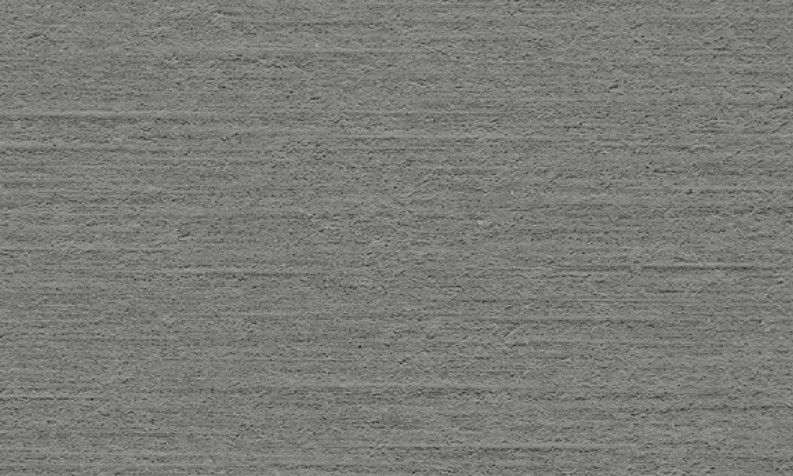
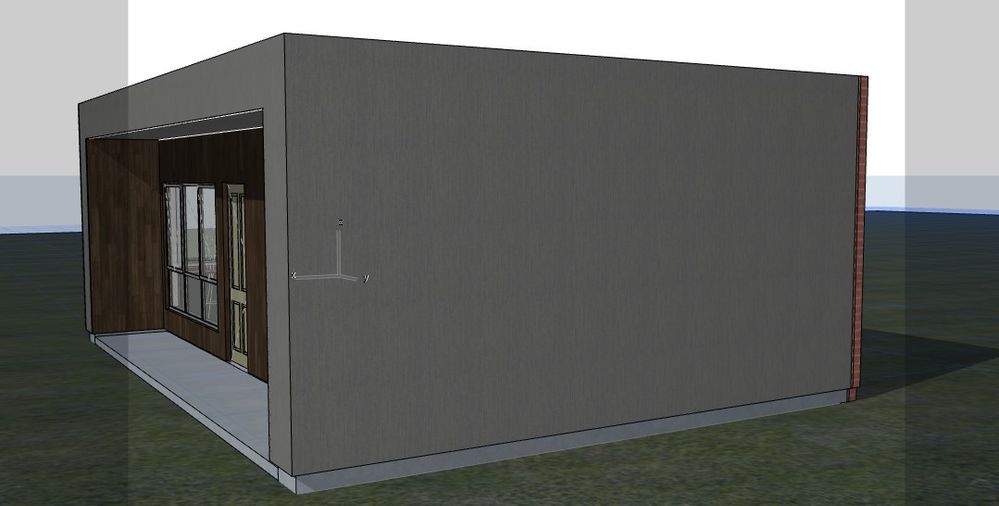
Also, I downloaded a .jpeg of a material surface and created an new surface (please see attached). (cement sheet)
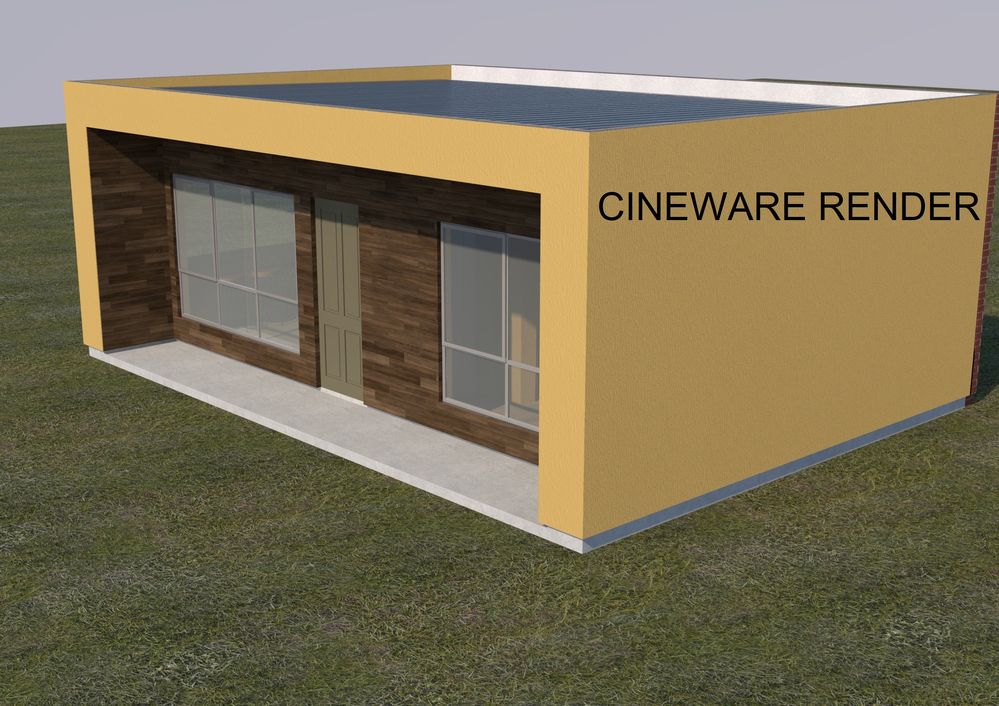
In the model when textures are turned on it looks great. But when I rendered it goes a spongy yellow colour??
(this was before Cineware was crashing.
Solved! Go to Solution.
1 Solution
Accepted Solutions

hevi
Ace
Options
- Mark as New
- Bookmark
- Subscribe
- Mute
- Subscribe to RSS Feed
- Permalink
- Report Inappropriate Content
2022-07-21 11:15 AM
2022-07-21
11:15 AM
7 Replies 7
hevi
Ace
Options
- Mark as New
- Bookmark
- Subscribe
- Mute
- Subscribe to RSS Feed
- Permalink
- Report Inappropriate Content
2022-07-21 10:47 AM - edited 2022-07-21 10:52 AM
2022-07-21
10:47 AM
@cadsph wrote:In the model when textures are turned on it looks great. But when I rendered it goes a spongy yellow colour?
The 3D window uses the basic engine which have different settings than the Cineware engine which likely is why you get a different result. The Cineware engine is more advanced and requires some knowledge to get a good result when creating surfaces.

Barry Kelly
Moderator
Options
- Mark as New
- Bookmark
- Subscribe
- Mute
- Subscribe to RSS Feed
- Permalink
- Report Inappropriate Content
2022-07-21 10:52 AM
2022-07-21
10:52 AM
What are your machine specs, in particular your video card?
Have you updated video drivers?
Have you tried rendering just a single wall or slab - something very simple?
Barry.
One of the forum moderators.
Versions 6.5 to 27
i7-10700 @ 2.9Ghz, 32GB ram, GeForce RTX 2060 (6GB), Windows 10
Lenovo Thinkpad - i7-1270P 2.20 GHz, 32GB RAM, Nvidia T550, Windows 11
Versions 6.5 to 27
i7-10700 @ 2.9Ghz, 32GB ram, GeForce RTX 2060 (6GB), Windows 10
Lenovo Thinkpad - i7-1270P 2.20 GHz, 32GB RAM, Nvidia T550, Windows 11
cadsph
Enthusiast
Options
- Mark as New
- Bookmark
- Subscribe
- Mute
- Subscribe to RSS Feed
- Permalink
- Report Inappropriate Content
2022-07-21 11:09 AM - edited 2022-07-21 11:10 AM
2022-07-21
11:09 AM
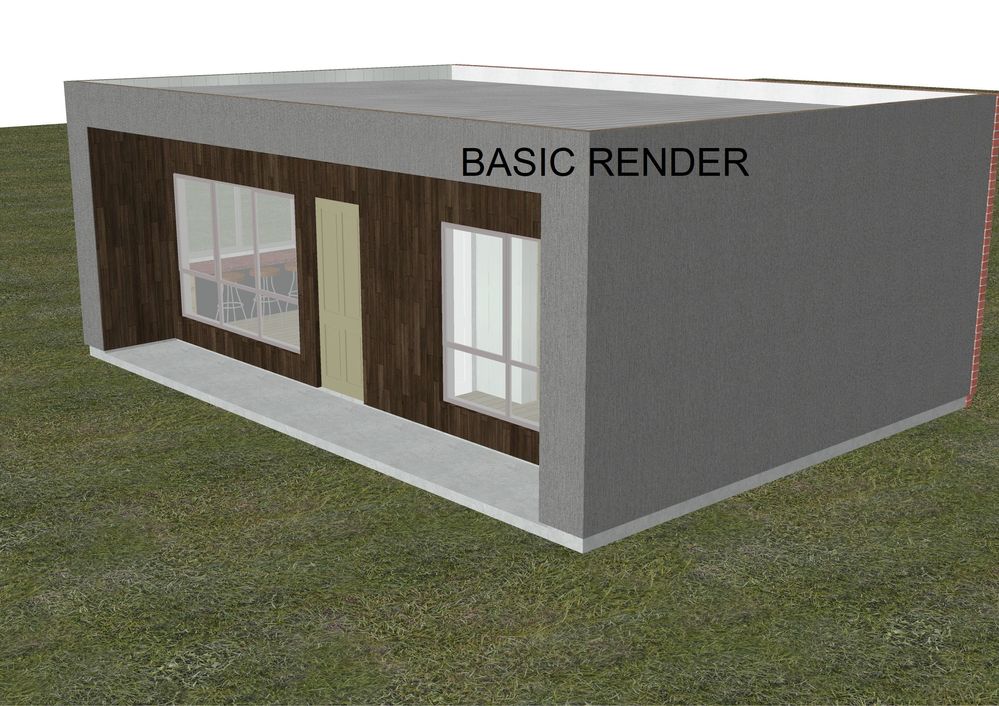
I got into photo-render settings & manged to get it working,
I've uploaded an image of the yellow texture from the .jpeg.
when I use Basic render it comes out the right colour (graphite).
Does anyone know why the texture turns yellow?
hevi
Ace
Options
- Mark as New
- Bookmark
- Subscribe
- Mute
- Subscribe to RSS Feed
- Permalink
- Report Inappropriate Content
2022-07-21 11:15 AM
2022-07-21
11:15 AM
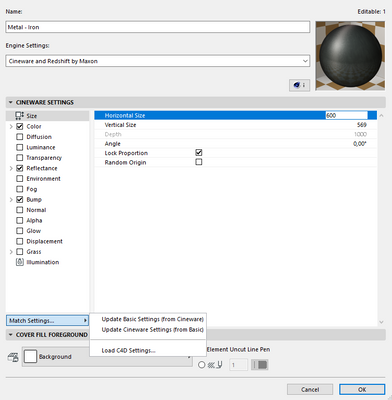
Try using the Match Settings > Update Cineware and see if it gets you a decent result.
cadsph
Enthusiast
Options
- Mark as New
- Bookmark
- Subscribe
- Mute
- Subscribe to RSS Feed
- Permalink
- Report Inappropriate Content
2022-07-22 05:37 AM
2022-07-22
05:37 AM
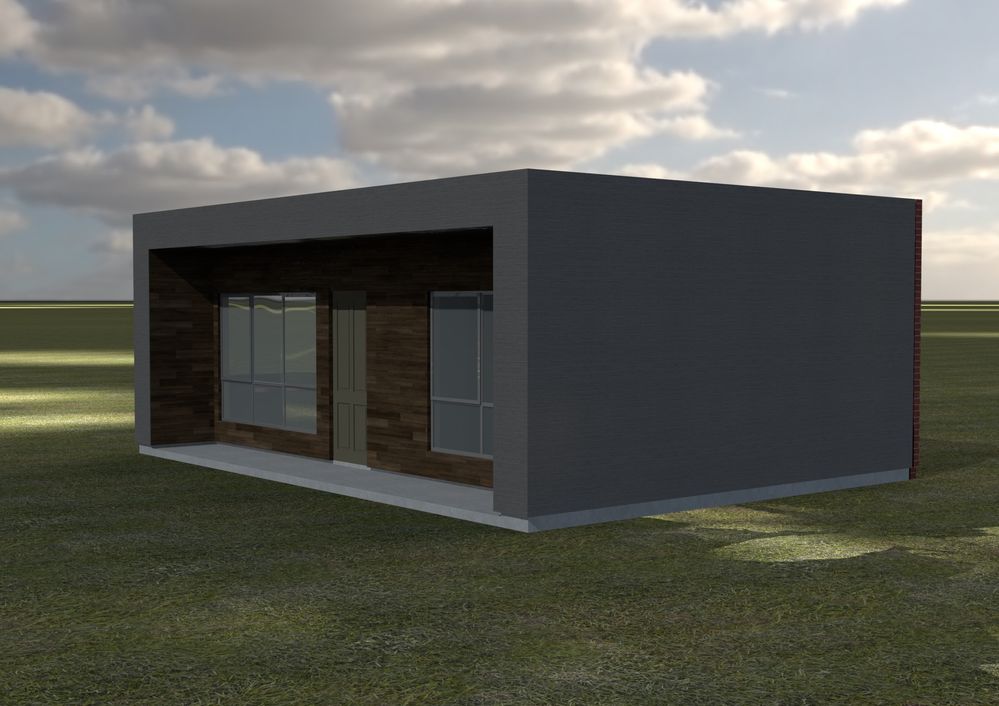
Excellent! when I changed Engine to Cineware - I updated
the match settings from basic & it worked!
Thanks.
cadsph
Enthusiast
Options
- Mark as New
- Bookmark
- Subscribe
- Mute
- Subscribe to RSS Feed
- Permalink
- Report Inappropriate Content
2022-07-22 05:41 AM
2022-07-22
05:41 AM
I've got a Asus Geforce 6GB graphics card on my desktop. So it should be fine.
I've never had a problem with CAD software crashing on my PC before.
but I'll update my driver.
cadsph
Enthusiast
Options
- Mark as New
- Bookmark
- Subscribe
- Mute
- Subscribe to RSS Feed
- Permalink
- Report Inappropriate Content
2022-07-22 05:43 AM
2022-07-22
05:43 AM
Sorry refer to previous post for my reply

Didn't find the answer?
Check other topics in this Forum
Back to ForumRead the latest accepted solutions!
Accepted SolutionsStart a new conversation!

Suggested topics
- After 3 years with Archicad, I'm honestly disappointed in General discussions
- Enscape 4.3 Not Showing in Archicad 29 – Missing Enscape Plugin in Installation & update
- Simple AI rendering Addon in Visualization
- Cineware by maxon add-on has unexpectedly closed. - Windows, all Archicad versions - Solution in Visualization
- The Cineware Render plugin crashes immediately upon running. in Visualization
