
Turn on suggestions
Auto-suggest helps you quickly narrow down your search results by suggesting possible matches as you type.
Showing results for
EN
Turn on suggestions
Auto-suggest helps you quickly narrow down your search results by suggesting possible matches as you type.
Showing results for
- English
- :
- Developer Hub
- :
- Archicad C++ API
- :
- Re: Dropdown menu not working Archicad 26
Options
- Subscribe to RSS Feed
- Mark Topic as New
- Mark Topic as Read
- Pin this post for me
- Bookmark
- Subscribe to Topic
- Mute
- Printer Friendly Page

rafaelaaurelia
Participant
Options
- Mark as New
- Bookmark
- Subscribe
- Mute
- Subscribe to RSS Feed
- Permalink
- Report Inappropriate Content
2022-11-21
06:57 PM
- last edited on
2024-09-17
01:49 PM
by
 Doreena Deng
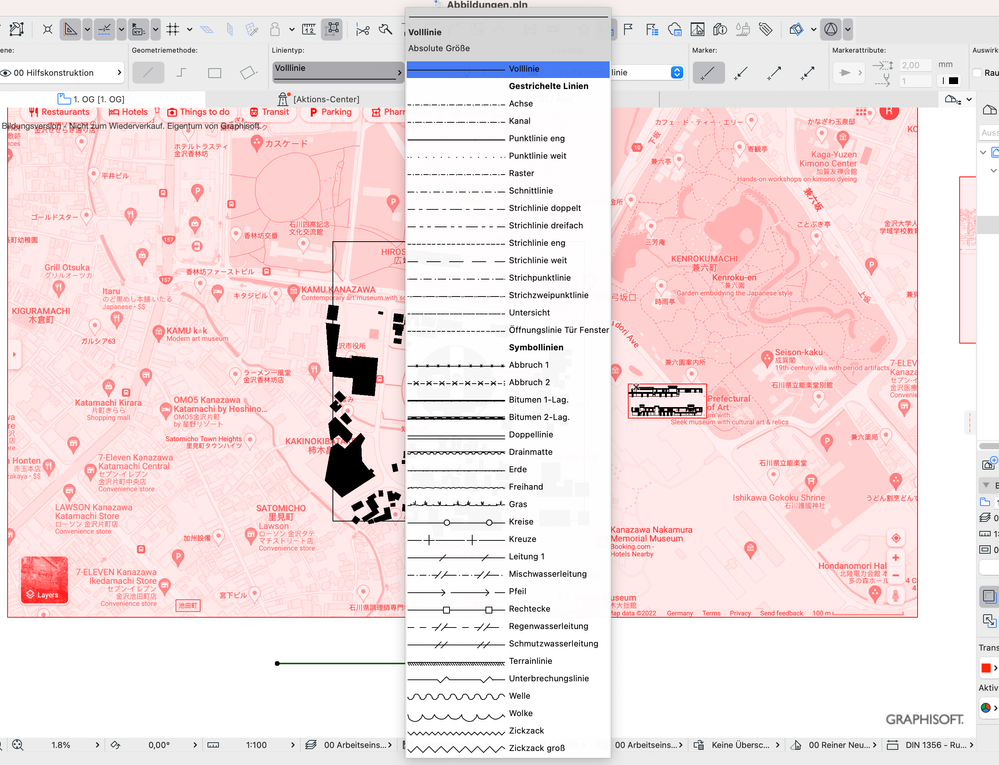
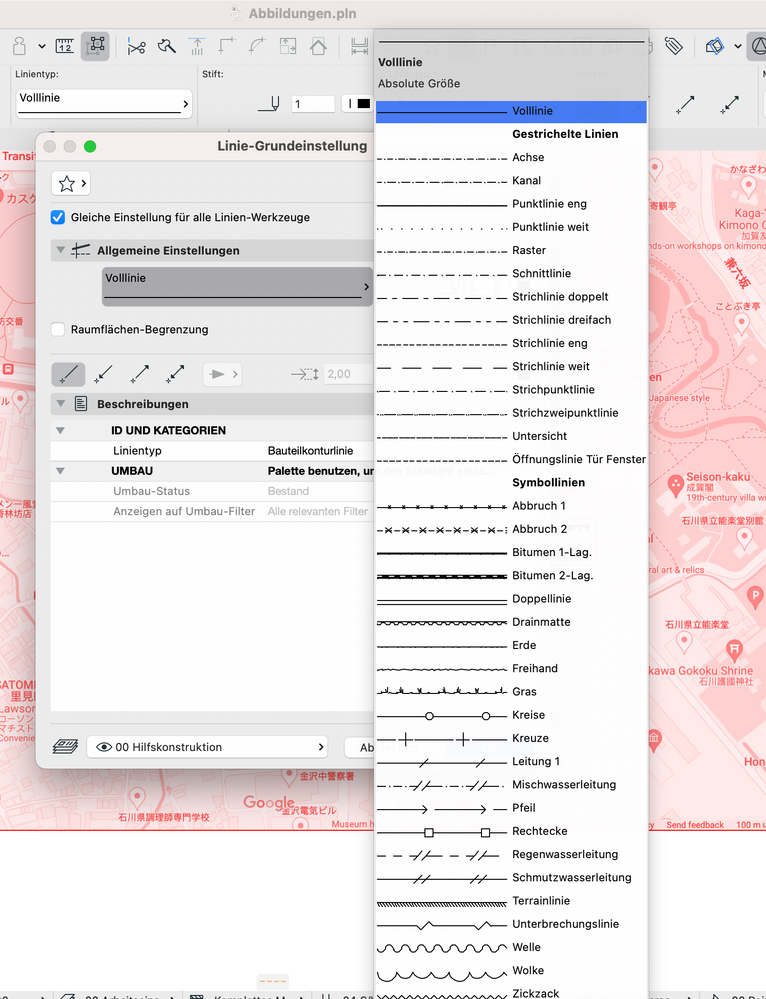
Cannot select Line Type - Archicad 26 / macOS Ventura
2022-11-21
06:57 PM
After the update it seems like my drop down menu its not working... I can't change line types, bc I couldn't click on them. Its stuck on the first choice. Is there any way to solve this problem? Appreciate the help.
Solved! Go to Solution.
2 Solutions
Accepted Solutions

Ole
Expert
Options
- Mark as New
- Bookmark
- Subscribe
- Mute
- Subscribe to RSS Feed
- Permalink
- Report Inappropriate Content
2022-11-21 07:01 PM
2022-11-21
07:01 PM
Known bug on macOS Ventura. Use arrow keys!
ARCHICAD since 4.55 | macOS current | AC 26 current

Karl Ottenstein
Moderator Emeritus
Options
- Mark as New
- Bookmark
- Subscribe
- Mute
- Subscribe to RSS Feed
- Permalink
- Report Inappropriate Content
2022-11-21 07:43 PM
2022-11-21
07:43 PM
For this, and other Ventura bugs/issues, please bookmark this article and check it often for newly discovered issues, or for notification of when Graphisoft might release a bug fixing update:
https://community.graphisoft.com/t5/Setup-License-articles/macOS-13-Ventura/ta-p/359447
Vote for Wish: Copy/Paste in 3D
AC 29 USA and earlier • hardware key • macOS Tahoe 26.7 MacBook Pro M2 Max 12CPU/30GPU cores, 32GB
AC 29 USA and earlier • hardware key • macOS Tahoe 26.7 MacBook Pro M2 Max 12CPU/30GPU cores, 32GB
Solution
6 Replies 6
Ole
Expert
Options
- Mark as New
- Bookmark
- Subscribe
- Mute
- Subscribe to RSS Feed
- Permalink
- Report Inappropriate Content
2022-11-21 07:01 PM
2022-11-21
07:01 PM
Known bug on macOS Ventura. Use arrow keys!
ARCHICAD since 4.55 | macOS current | AC 26 current
rafaelaaurelia
Participant
Options
- Mark as New
- Bookmark
- Subscribe
- Mute
- Subscribe to RSS Feed
- Permalink
- Report Inappropriate Content
2022-11-21 07:32 PM
2022-11-21
07:32 PM
THANK YOU SO MUCH IT WORKED
Karl Ottenstein
Moderator Emeritus
Options
- Mark as New
- Bookmark
- Subscribe
- Mute
- Subscribe to RSS Feed
- Permalink
- Report Inappropriate Content
2022-11-21 07:43 PM
2022-11-21
07:43 PM
For this, and other Ventura bugs/issues, please bookmark this article and check it often for newly discovered issues, or for notification of when Graphisoft might release a bug fixing update:
https://community.graphisoft.com/t5/Setup-License-articles/macOS-13-Ventura/ta-p/359447
Vote for Wish: Copy/Paste in 3D
AC 29 USA and earlier • hardware key • macOS Tahoe 26.7 MacBook Pro M2 Max 12CPU/30GPU cores, 32GB
AC 29 USA and earlier • hardware key • macOS Tahoe 26.7 MacBook Pro M2 Max 12CPU/30GPU cores, 32GB
Solution

Steven_L
Participant
Options
- Mark as New
- Bookmark
- Subscribe
- Mute
- Subscribe to RSS Feed
- Permalink
- Report Inappropriate Content
2023-03-22 03:23 AM
2023-03-22
03:23 AM
Supposedly this is fixed with the latest update but can confirm that the bug is still apparent.
Also i have noticed the building material will bug out there I have to press the dropdown multiple times before options come up. It's almost like a lag.
I hope they get this fixed because its really annoying.
AC25
OS Ventura

StudioGirl
Participant
Options
- Mark as New
- Bookmark
- Subscribe
- Mute
- Subscribe to RSS Feed
- Permalink
- Report Inappropriate Content
2023-05-03 03:05 AM
2023-05-03
03:05 AM
Thanks for this link Karl, I will definitely be book marking that one!
However, I am using Archicad 26 (education version) and am still having trouble with this problem where I can't select the line with my mouse. The link that you provided mentions that this should've been resolved in Archicad 26. Thanks to ole saalmanns comment above I was able to solve this by using the arrow keys. I am a brand new user of Archicad, so I thought I was going mad for a while there, ha ha. I hope it can really be resolved in Archicad 26 soon!
Steven_L
Participant
Options
- Mark as New
- Bookmark
- Subscribe
- Mute
- Subscribe to RSS Feed
- Permalink
- Report Inappropriate Content
2023-05-03 03:10 AM
2023-05-03
03:10 AM
Hi,
I updated my ArchiCAD to the latest yday and the issues have now been resolved. It is worth checking if your ArchiCAD 26 is up to date. Assuming education version can run updates.

Didn't find the answer?
Check other topics in this Forum
Back to ForumRead the latest accepted solutions!
Accepted SolutionsStart a new conversation!

Suggested topics
- How can I extract the actual 3D picture used by a GDL/GSM Library Part? in Archicad C++ API
- Try to Create associative Dimensions with tapir and claude in Archicad Python API
- Building a timber frame from Python: 54 steps, 1,549 elements, and the API traps I hit in Archicad Python API
- Tapioca - UI for python commands in Archicad Python API
- ACAPI_LibraryPart_OpenParameters returns APIERR_GENERAL (-2130313215) for AC9-era GSM -what cause it in Archicad C++ API
