Autotext on Master Layouts is an intelligent Archicad tool that automatically updates documentation-related information in title blocks. However, users needed to add manual text, place specific autotexts for each subset in the Layout Book, or create additional Master Layouts to work around some limitations.
Archicad 26 offers several new user-requested Autotext options and, thus, more useful information is available.
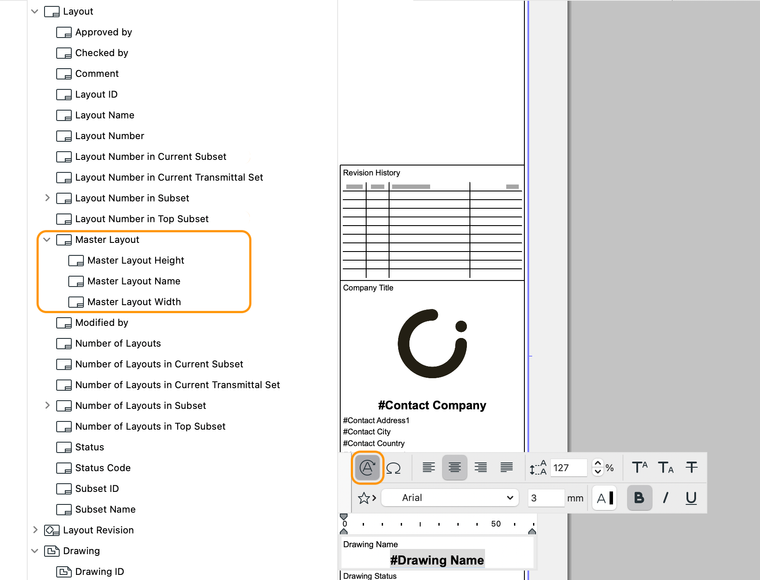
Let layouts indicate their master layout name and size
Use these three new autotexts to display Master Layout information on your layouts:
Use these four new autotexts for automatic handling of subset information on your layouts:
- Layout Number in Current Subset
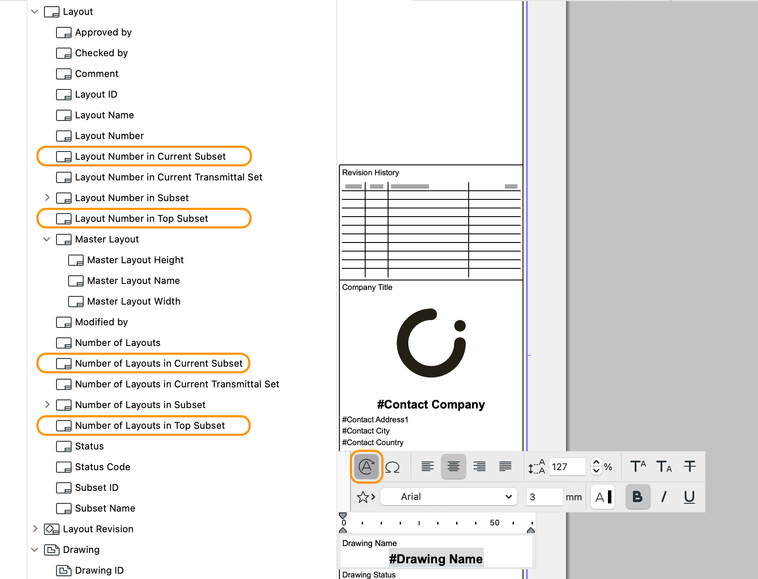
Note that the list of subsets in the autotext picker matches the order of the Layout Book.
Faster, more accurate documentation
Thanks to automated layouts, users can use their time for more creative tasks and have their documentation set ready faster and more efficiently, with more automatically updated information in title blocks.
Workflow note:
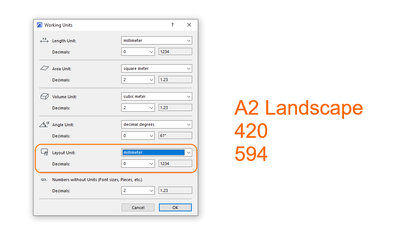
The Layout autotext sizes are linked to ‘Options’ > ‘Project Preferences’ > ‘Working units…’
Learn about all the new documentation features of Archicad 26:
To learn more about all the new features of Archicad 26, read this article.


