
Turn on suggestions
Auto-suggest helps you quickly narrow down your search results by suggesting possible matches as you type.
Showing results for
EN
Turn on suggestions
Auto-suggest helps you quickly narrow down your search results by suggesting possible matches as you type.
Showing results for
- English
- :
- Forum
- :
- Documentation
- :
- Re: Door and Window Markers Missing
Options
- Subscribe to RSS Feed
- Mark Topic as New
- Mark Topic as Read
- Pin this post for me
- Bookmark
- Subscribe to Topic
- Mute
- Printer Friendly Page

tom vincent
Contributor
Options
- Mark as New
- Bookmark
- Subscribe
- Mute
- Subscribe to RSS Feed
- Permalink
- Report Inappropriate Content
2023-06-29
04:10 PM
- last edited on
2023-12-16
08:26 PM
by
 Laszlo Nagy
Door and Window Markers Missing
2023-06-29
04:10 PM
Hi All.
We have an odd thing going on with a teamwork file.
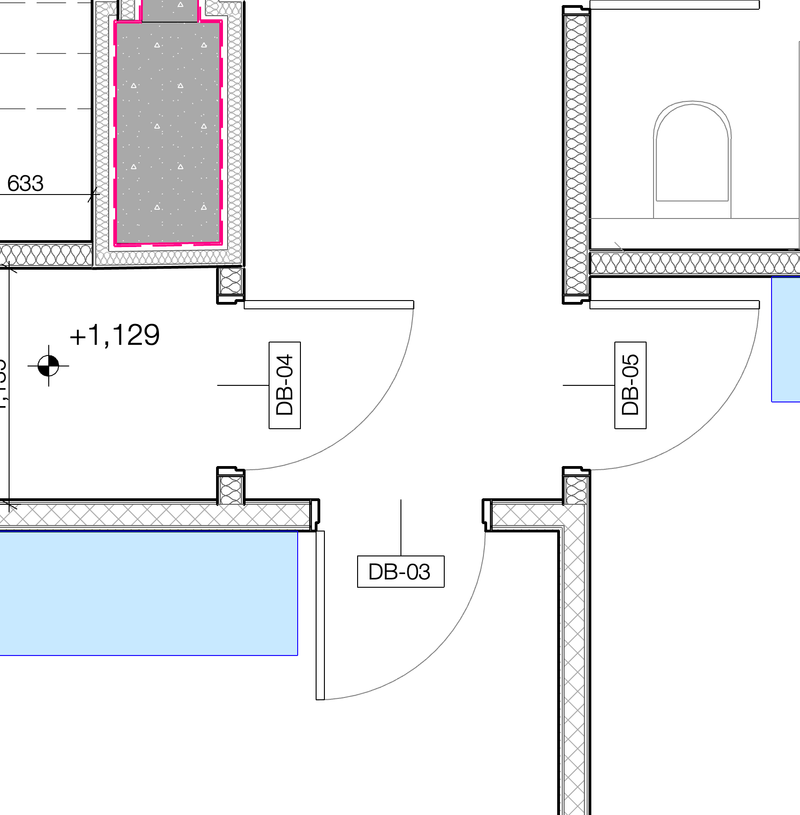
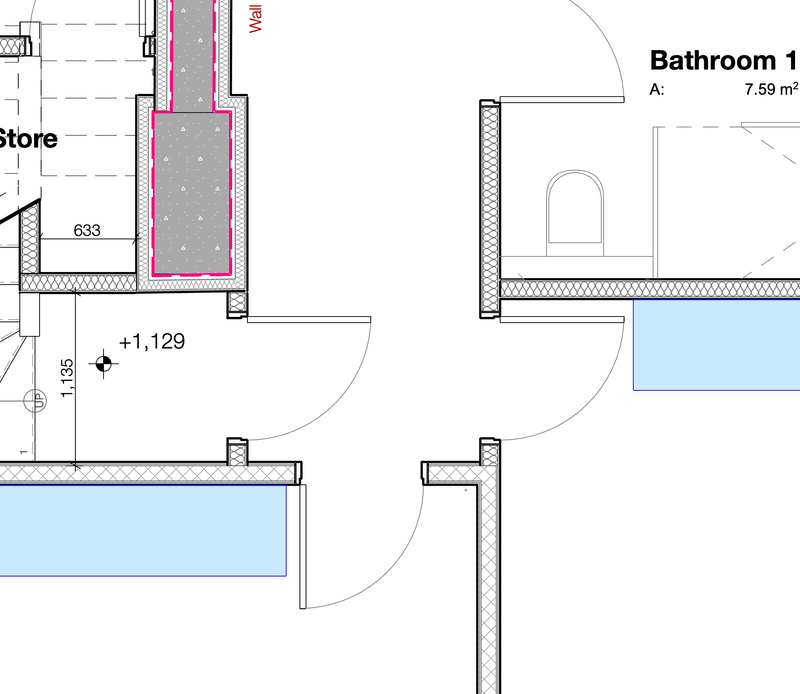
Door and Window markers do not appear in layout view.
However, right click, open source.... and they appear.
The model view option of the saved view is correct. Door and window markers are set to visible.
Any idea what could possibly cause this?
All advice appreciated.
Tom
Labels:
- Labels:
-
Model View Options
12 Replies 12

Patrick M
Virtuoso
Options
- Mark as New
- Bookmark
- Subscribe
- Mute
- Subscribe to RSS Feed
- Permalink
- Report Inappropriate Content
2023-12-13 11:42 PM
2023-12-13
11:42 PM
are all windows set to symbolic? or are they projected or projected w/ overhead?
BIM solutions and trouble shooting (self proclaimed) expert. Using Archicad Version (all of them), on Mac OS (whatever is 1 version older than current)

RWARCHPC
Booster
Options
- Mark as New
- Bookmark
- Subscribe
- Mute
- Subscribe to RSS Feed
- Permalink
- Report Inappropriate Content
2023-12-14 12:14 AM
2023-12-14
12:14 AM
I found the problem: it was the renovation filter. The box that reads "hide opening dimension marker" was checked.
Robert Wilkanowski
Archicad 29
Mac OS '15 Sequoia
Hardware: M4 Max with 16-core CPU, 32-core GPU, 40 core GPU, 16-core Neural Engine, 64GB unified memory
1TB SSD storage
Archicad 29
Mac OS '15 Sequoia
Hardware: M4 Max with 16-core CPU, 32-core GPU, 40 core GPU, 16-core Neural Engine, 64GB unified memory
1TB SSD storage

nkatagi2
Participant
Options
- Mark as New
- Bookmark
- Subscribe
- Mute
- Subscribe to RSS Feed
- Permalink
- Report Inappropriate Content
2026-01-06 01:16 AM
2026-01-06
01:16 AM
Hi Patrick,
We've also been dealing with this for years. You're various posts on this topic keep popping up in my searches for a solution and I share your thoughts and outlook on the situation exactly. It's not just an annoying quirk, it can create SERIOUS issues for a project. Thanks for validating my frustration!
Did you ever find a solution or get any kind of useful response from Graphisoft?
Many threads say that this was a bug that was fixed by the time of AC27. All of our projects are based on a template that was created in AC27 so that can't be accurate.

- « Previous
-
- 1
- 2
- Next »
- « Previous
-
- 1
- 2
- Next »
Still looking?

Suggested topics
- Detail marker as plan in Documentation
- Enscape 4.3 Not Showing in Archicad 29 – Missing Enscape Plugin in Installation & update
- doors and window missing in reference when publishing layout in Documentation
- Window surfaces go missing after reindexing in Project data & BIM
- Starting new projects and looking for history of elements like a bathroom fixtures or any models in Project data & BIM
