
Turn on suggestions
Auto-suggest helps you quickly narrow down your search results by suggesting possible matches as you type.
Showing results for
EN
Turn on suggestions
Auto-suggest helps you quickly narrow down your search results by suggesting possible matches as you type.
Showing results for
- English
- :
- Forum
- :
- Documentation
- :
- Re: Problems placing Vien on layout
Options
- Subscribe to RSS Feed
- Mark Topic as New
- Mark Topic as Read
- Pin this post for me
- Bookmark
- Subscribe to Topic
- Mute
- Printer Friendly Page

stamboldjiev
Participant
Options
- Mark as New
- Bookmark
- Subscribe
- Mute
- Subscribe to RSS Feed
- Permalink
- Report Inappropriate Content
2022-07-27 11:14 AM - last edited on 2022-07-27 11:21 AM by Barry Kelly
Problems placing View on layout
2022-07-27
11:14 AM
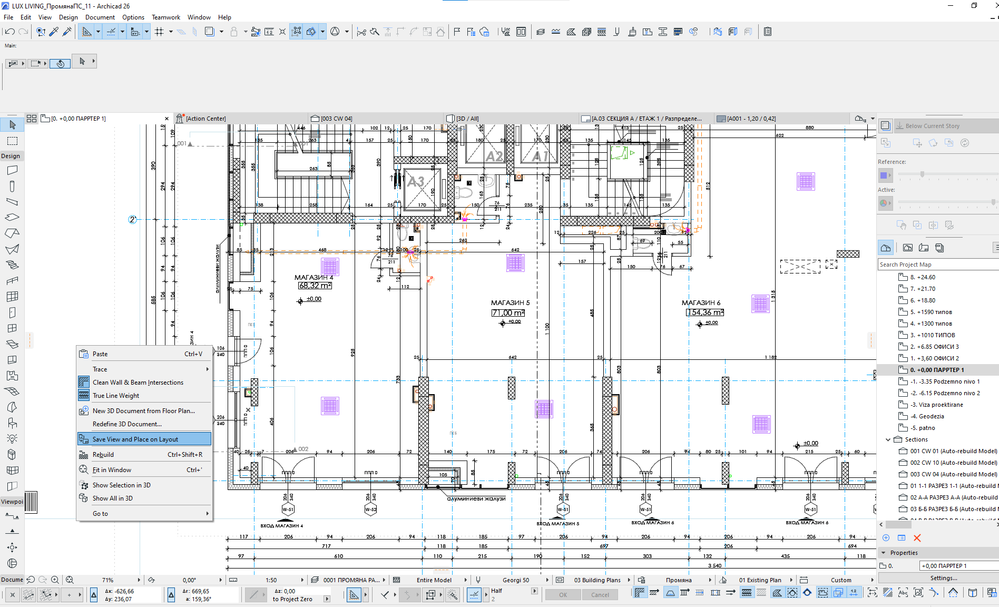
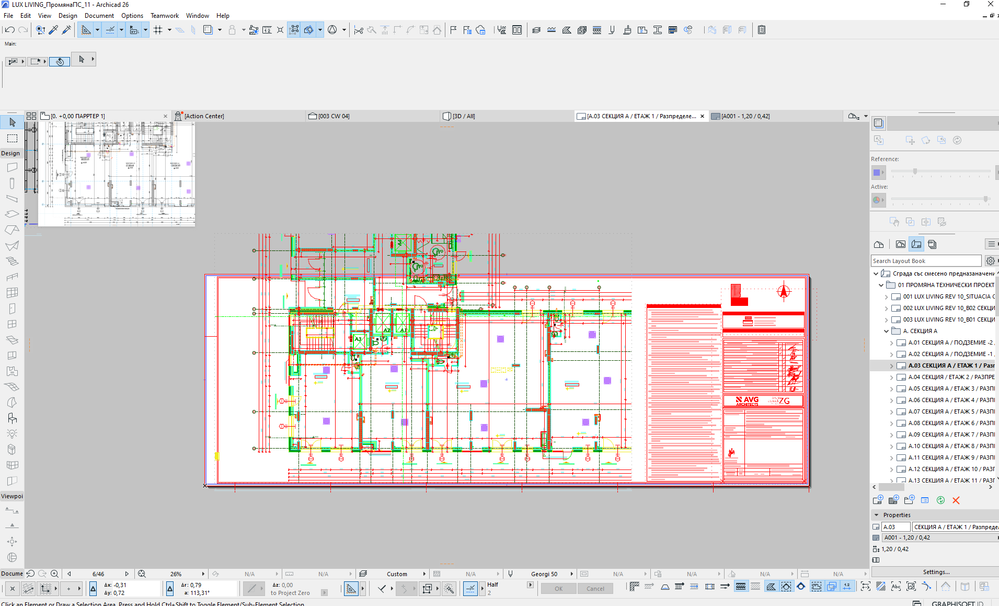
I am having the following problem with both AC 25 and AC 26. Saving a view or placing level from Model space to layout book changes the colors of it. When i check the view settings of the drawing in the layout book everythin is correct. Even if i try to change the colors of the drawing window nothing actually changes. Something went wrong with the file because i had previously set views with correct colors.
Any help is appriciated.

Solved! Go to Solution.
Solved
Read-Only
1 Solution
Accepted Solutions

mija
Enthusiast
Options
- Mark as New
- Bookmark
- Subscribe
- Mute
- Subscribe to RSS Feed
- Permalink
- Report Inappropriate Content
2022-07-27 11:18 AM
2022-07-27
11:18 AM
Check drawing settings on layout. Could be a different pen set.
Go to layout >>> click the drawing >>> right click >>> drawing settings >>> pen set. Should be selected by source file / view.
Archicad 26, build 3001
Montenegro
2 Replies 2
mija
Enthusiast
Options
- Mark as New
- Bookmark
- Subscribe
- Mute
- Subscribe to RSS Feed
- Permalink
- Report Inappropriate Content
2022-07-27 11:18 AM
2022-07-27
11:18 AM
Check drawing settings on layout. Could be a different pen set.
Go to layout >>> click the drawing >>> right click >>> drawing settings >>> pen set. Should be selected by source file / view.
Archicad 26, build 3001
Montenegro
stamboldjiev
Participant
Options
- Mark as New
- Bookmark
- Subscribe
- Mute
- Subscribe to RSS Feed
- Permalink
- Report Inappropriate Content
2022-07-27 11:26 AM
2022-07-27
11:26 AM
Yes, this was the case. Thank you. That was fast reply.

Still looking?

Suggested topics
- Is there a way to hyperlink files in order to place their drawings into a common layout book? in Documentation
- DWG Publisher doesn't resolve AutoText (AutoText is on a Worksheet, placed on Master Layout) in Documentation
- Can't select and move 'drawing title' when there are drawings in one layout. in Libraries & objects
- Native ArchiCAD AI Visualization Plugin - Seeking Feedback in Visualization
- Attribute Index-Nr. with High Numbers ... Known Issues?? in Project data & BIM
