
Turn on suggestions
Auto-suggest helps you quickly narrow down your search results by suggesting possible matches as you type.
Showing results for
EN
Turn on suggestions
Auto-suggest helps you quickly narrow down your search results by suggesting possible matches as you type.
Showing results for
- English
- :
- Forum
- :
- Libraries & objects
- :
- Re: How to remove door custom text
Options
- Subscribe to RSS Feed
- Mark Topic as New
- Mark Topic as Read
- Pin this post for me
- Bookmark
- Subscribe to Topic
- Mute
- Printer Friendly Page

ianpham23
Participant
Options
- Mark as New
- Bookmark
- Subscribe
- Mute
- Subscribe to RSS Feed
- Permalink
- Report Inappropriate Content
2023-05-03
01:35 PM
- last edited on
2023-05-24
09:39 AM
by
 Rubia Torres
How to remove door custom text
2023-05-03
01:35 PM
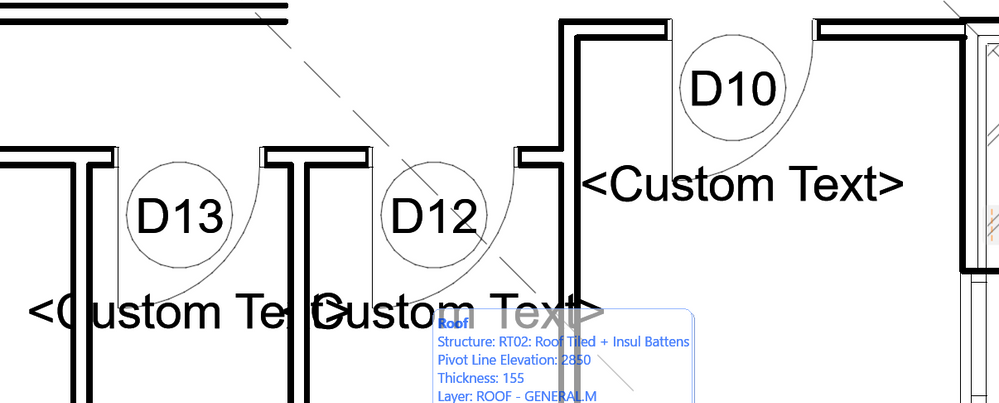
How do i remove door custom text?
2 Replies 2

Ernest Atanasiu
Advisor
Options
- Mark as New
- Bookmark
- Subscribe
- Mute
- Subscribe to RSS Feed
- Permalink
- Report Inappropriate Content
2023-05-03 02:24 PM
2023-05-03
02:24 PM
Look for Door Marker Settings.
arch. ernest atanasiu
AC 10-29 INT/GER/FR on Win 11
AC 10-29 INT/GER/FR on Win 11

AKing11
Participant
Options
- Mark as New
- Bookmark
- Subscribe
- Mute
- Subscribe to RSS Feed
- Permalink
- Report Inappropriate Content
2023-10-02 04:25 AM
2023-10-02
04:25 AM
Go to Door selection settings, Then "Hinge Door Settings". Then "door settings and opening" click Drop down button to "Tags and Labelling" and deselect Custom Text box.
You're welcome.

Didn't find the answer?
Check other topics in this Forum
Back to ForumRead the latest accepted solutions!
Accepted SolutionsStart a new conversation!

Suggested topics
- Introducing the EasyBIM Add-On Suite for Archicad in General discussions
- TIP: Visual Check for custom Dimension Texts in Documentation
- Railing and Curtain Wall in Modeling
- Ghost element appearing in schedule (only one element in model) in Documentation
- ID/Back reference text positioning, drawing title in Documentation
