
Turn on suggestions
Auto-suggest helps you quickly narrow down your search results by suggesting possible matches as you type.
Showing results for
EN
Turn on suggestions
Auto-suggest helps you quickly narrow down your search results by suggesting possible matches as you type.
Showing results for
Options
- Subscribe to RSS Feed
- Mark Topic as New
- Mark Topic as Read
- Pin this post for me
- Bookmark
- Subscribe to Topic
- Mute
- Printer Friendly Page

ScoutTownsend
Contributor
Options
- Mark as New
- Bookmark
- Subscribe
- Mute
- Subscribe to RSS Feed
- Permalink
- Report Inappropriate Content
2022-08-22
02:49 PM
- last edited on
2024-04-10
01:22 PM
by
 Claudius
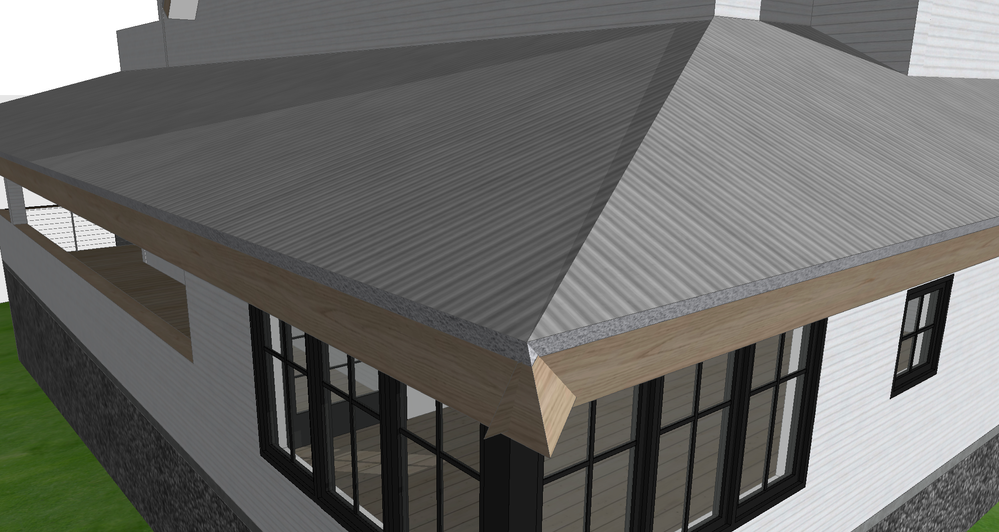
How can I align these two single plane roofs with perpendicular edge angles?
2022-08-22
02:49 PM
Here are two screenshots showing the problem:

9 Replies 9

Barry Kelly
Moderator
Options
- Mark as New
- Bookmark
- Subscribe
- Mute
- Subscribe to RSS Feed
- Permalink
- Report Inappropriate Content
2022-08-22 03:24 PM
2022-08-22
03:24 PM
It looks like you just need to make the edges along the hip vertical.
Barry.
One of the forum moderators.
Versions 6.5 to 27
i7-10700 @ 2.9Ghz, 32GB ram, GeForce RTX 2060 (6GB), Windows 10
Lenovo Thinkpad - i7-1270P 2.20 GHz, 32GB RAM, Nvidia T550, Windows 11
Versions 6.5 to 27
i7-10700 @ 2.9Ghz, 32GB ram, GeForce RTX 2060 (6GB), Windows 10
Lenovo Thinkpad - i7-1270P 2.20 GHz, 32GB RAM, Nvidia T550, Windows 11
ScoutTownsend
Contributor
Options
- Mark as New
- Bookmark
- Subscribe
- Mute
- Subscribe to RSS Feed
- Permalink
- Report Inappropriate Content
2022-08-22 03:33 PM
2022-08-22
03:33 PM
What do you mean by that
ScoutTownsend
Contributor
Options
- Mark as New
- Bookmark
- Subscribe
- Mute
- Subscribe to RSS Feed
- Permalink
- Report Inappropriate Content
2022-08-22 03:36 PM
2022-08-22
03:36 PM
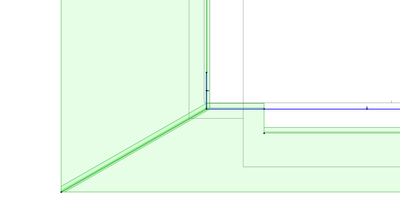
This is how it looks in 2d. Any way to make this look a little cleaner as well?
ScoutTownsend
Contributor
Options
- Mark as New
- Bookmark
- Subscribe
- Mute
- Subscribe to RSS Feed
- Permalink
- Report Inappropriate Content
2022-08-22 03:37 PM
2022-08-22
03:37 PM
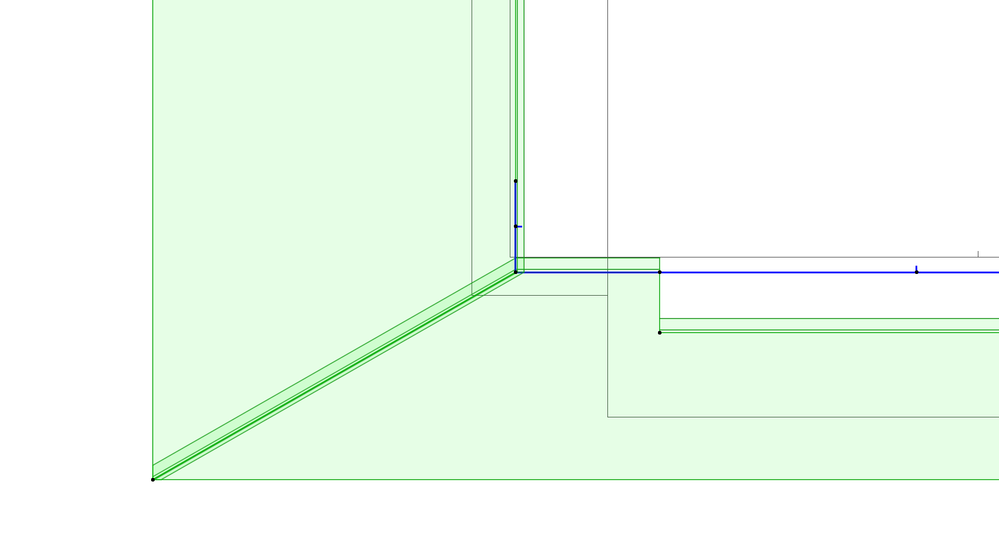
This is how it looks in 2d.
Barry Kelly
Moderator
Options
- Mark as New
- Bookmark
- Subscribe
- Mute
- Subscribe to RSS Feed
- Permalink
- Report Inappropriate Content
2022-08-22 03:41 PM
2022-08-22
03:41 PM
I assume you have single plane roofs.
You need to make the joining edges of the roof planes vertical.

Barry.
One of the forum moderators.
Versions 6.5 to 27
i7-10700 @ 2.9Ghz, 32GB ram, GeForce RTX 2060 (6GB), Windows 10
Lenovo Thinkpad - i7-1270P 2.20 GHz, 32GB RAM, Nvidia T550, Windows 11
Versions 6.5 to 27
i7-10700 @ 2.9Ghz, 32GB ram, GeForce RTX 2060 (6GB), Windows 10
Lenovo Thinkpad - i7-1270P 2.20 GHz, 32GB RAM, Nvidia T550, Windows 11
Barry Kelly
Moderator
Options
- Mark as New
- Bookmark
- Subscribe
- Mute
- Subscribe to RSS Feed
- Permalink
- Report Inappropriate Content
2022-08-22 03:50 PM
2022-08-22
03:50 PM
The vertical edges will make the plan cleaner as the top and bottom edge will be on top of one another.
Or there is an option in Project Preferences > Legacy, where you can show single plane roofs in plan as they were before we got multi-plane roofs.
i.e. you won't see the edges for the top and bottom surface, just the edge on the top surface.

Barry.
One of the forum moderators.
Versions 6.5 to 27
i7-10700 @ 2.9Ghz, 32GB ram, GeForce RTX 2060 (6GB), Windows 10
Lenovo Thinkpad - i7-1270P 2.20 GHz, 32GB RAM, Nvidia T550, Windows 11
Versions 6.5 to 27
i7-10700 @ 2.9Ghz, 32GB ram, GeForce RTX 2060 (6GB), Windows 10
Lenovo Thinkpad - i7-1270P 2.20 GHz, 32GB RAM, Nvidia T550, Windows 11
ScoutTownsend
Contributor
Options
- Mark as New
- Bookmark
- Subscribe
- Mute
- Subscribe to RSS Feed
- Permalink
- Report Inappropriate Content
2022-08-22 03:56 PM
2022-08-22
03:56 PM
Is there a way to connect them with perpendicular roof edges though?
Barry Kelly
Moderator
Options
- Mark as New
- Bookmark
- Subscribe
- Mute
- Subscribe to RSS Feed
- Permalink
- Report Inappropriate Content
2022-08-22 04:03 PM
2022-08-22
04:03 PM
No.
Because they are different pitches, when you trim one roof to the other, they will join with a bisecting angle.
If they were the same pitch you wouldn't have the problem because the bisecting angle would actually be vertical.
Barry.
One of the forum moderators.
Versions 6.5 to 27
i7-10700 @ 2.9Ghz, 32GB ram, GeForce RTX 2060 (6GB), Windows 10
Lenovo Thinkpad - i7-1270P 2.20 GHz, 32GB RAM, Nvidia T550, Windows 11
Versions 6.5 to 27
i7-10700 @ 2.9Ghz, 32GB ram, GeForce RTX 2060 (6GB), Windows 10
Lenovo Thinkpad - i7-1270P 2.20 GHz, 32GB RAM, Nvidia T550, Windows 11

Andrii Levko
Expert
Options
- Mark as New
- Bookmark
- Subscribe
- Mute
- Subscribe to RSS Feed
- Permalink
- Report Inappropriate Content
2022-08-23 09:01 AM
2022-08-23
09:01 AM
Hi.
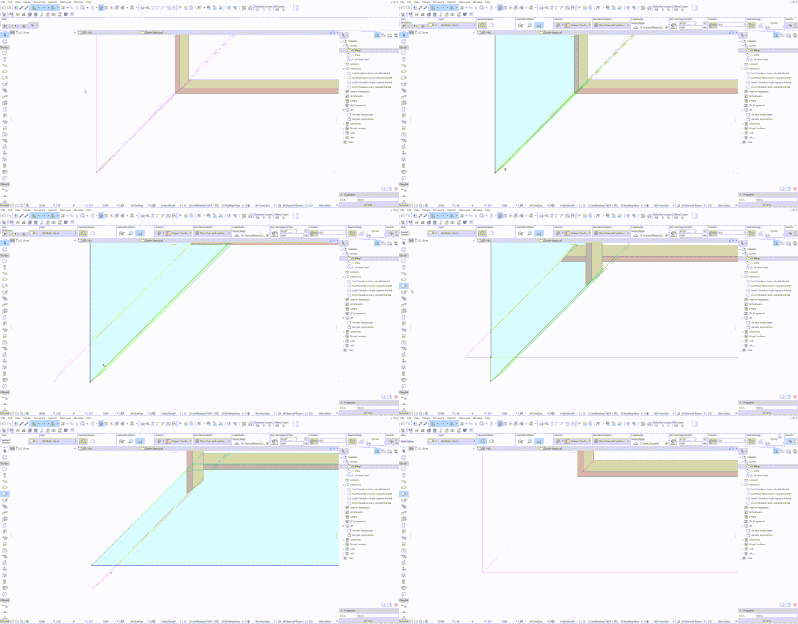
this happens often as you change the angle of the roof, you have to trim the roof to the roof.
1. You pull out two roofs so that they cross each other.
2. Select one roof on your plan and with the selecting roof Tool pressing Ctrl click on the edge of another roof, so one edge is cut.
3. Doing the same for another part of the roof
See GIF, I do this by pressing Ctrl.
Andrii
AC 8.1 - 28 INT/POL 3001
Win11
AC 8.1 - 28 INT/POL 3001
Win11

Still looking?

Suggested topics
- Dimension Perpendicular to Angled Line in Documentation
- Intersection of beams of the same complex profile, but different offset modifiers in Modeling
- Offset for lines and single walls in Modeling
- Save Custom-Shape Doors or Windows - Cut Non-Perpendicular Holes in Walls in Libraries & objects
- Mesh slope labels in Documentation
