
Turn on suggestions
Auto-suggest helps you quickly narrow down your search results by suggesting possible matches as you type.
Showing results for
EN
Turn on suggestions
Auto-suggest helps you quickly narrow down your search results by suggesting possible matches as you type.
Showing results for
Options
- Subscribe to RSS Feed
- Mark Topic as New
- Mark Topic as Read
- Pin this post for me
- Bookmark
- Subscribe to Topic
- Mute
- Printer Friendly Page

cassie
Contributor
Options
- Mark as New
- Bookmark
- Subscribe
- Mute
- Subscribe to RSS Feed
- Permalink
- Report Inappropriate Content
2022-04-30 06:10 AM
Interior Documentation - Tile Setout
2022-04-30
06:10 AM
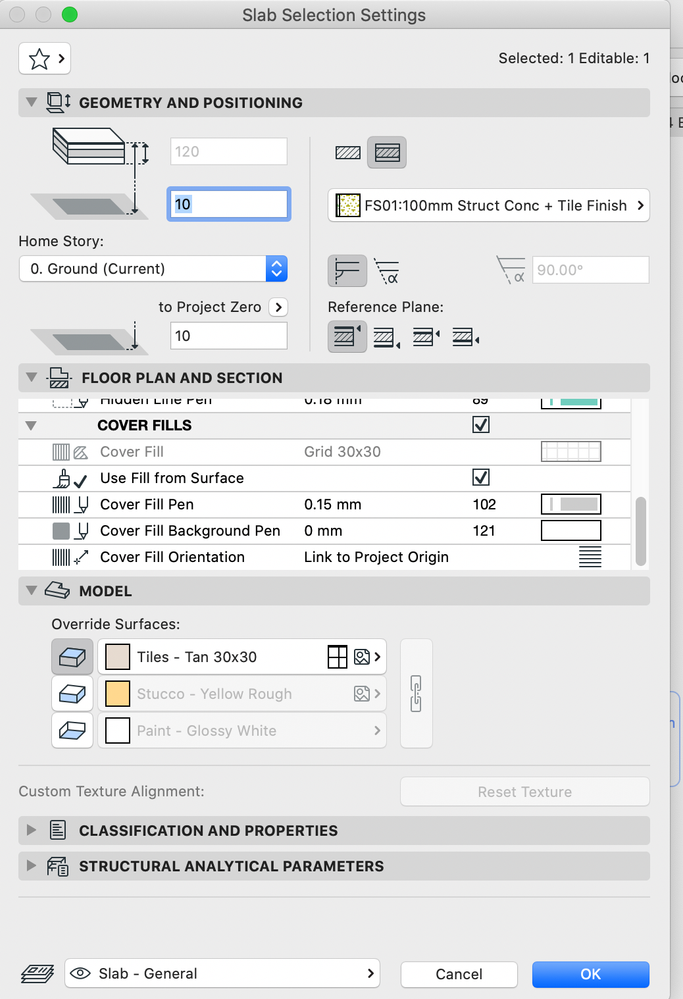
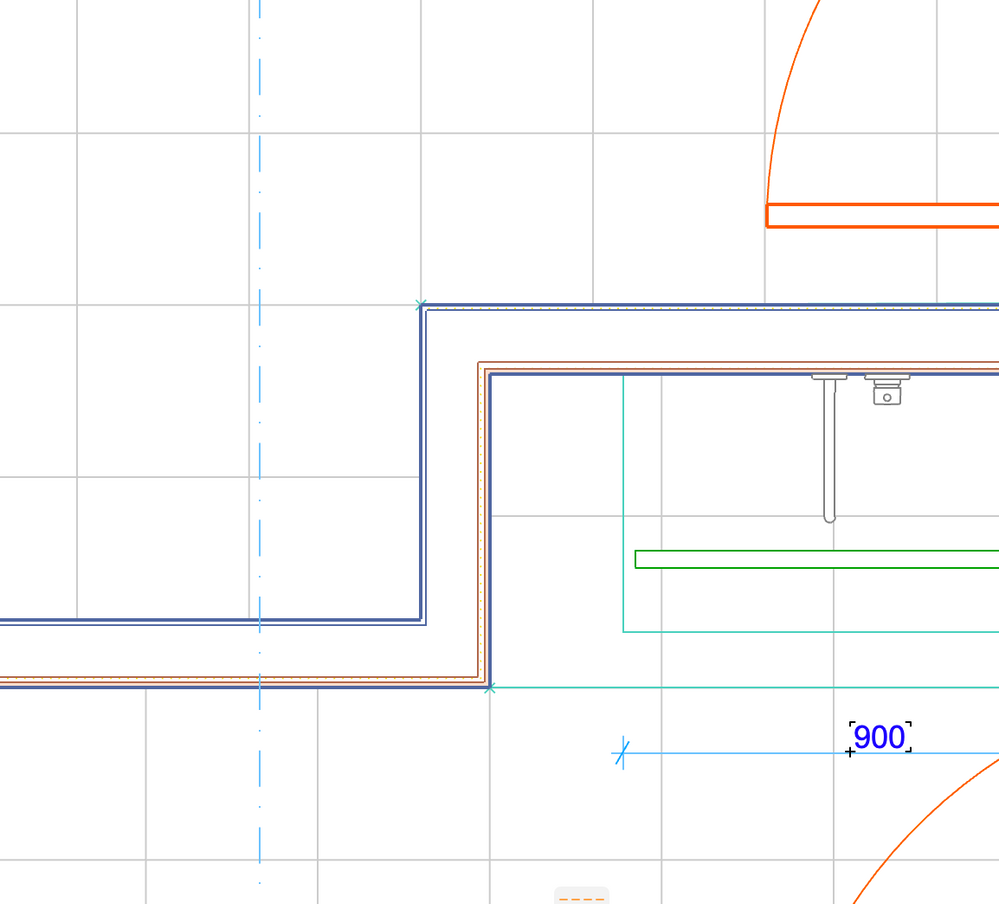
Hi there, I am trying to set out my tiles in a small interior plan.
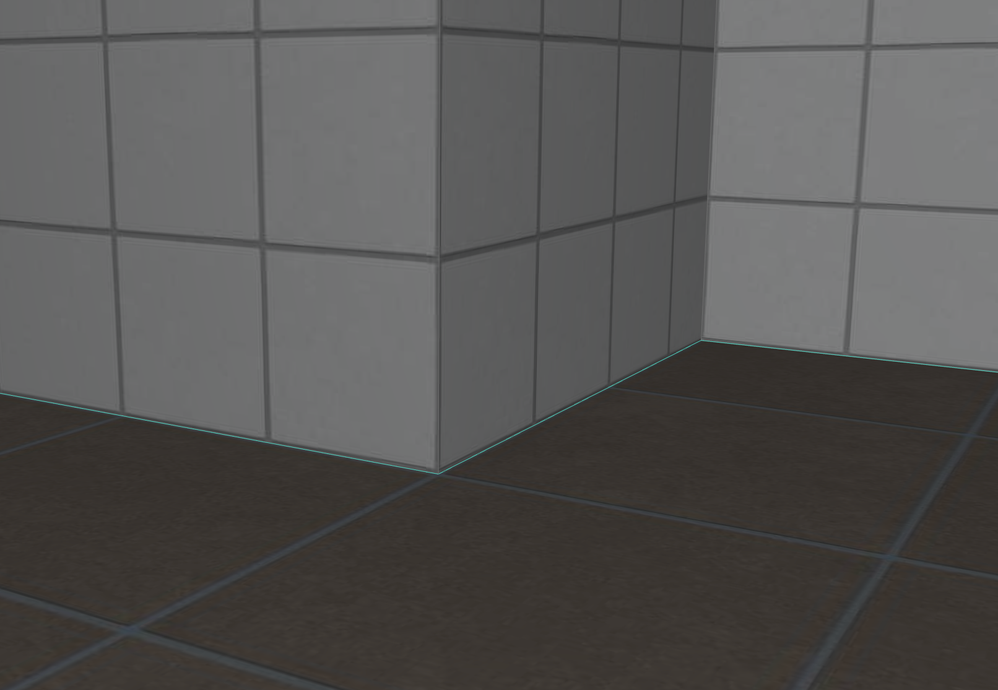
In 3D, they all look correct as I have aligned in 3D.
BUT...
In plan, they are still not aligning.
(Elevations are working)
Any thoughts? Thank you!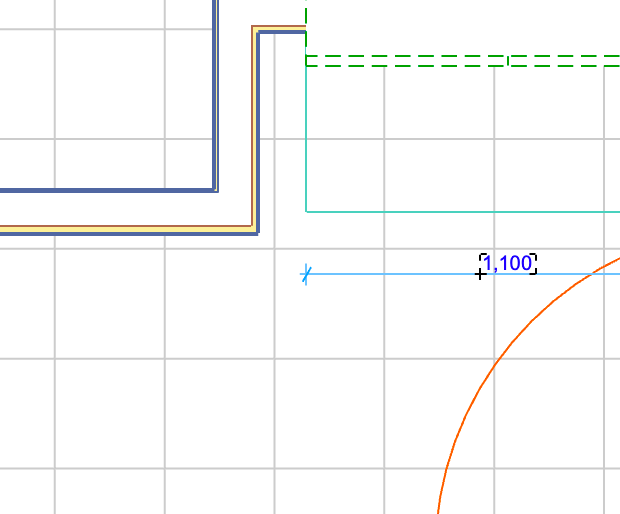
Solved! Go to Solution.
Solved
Read-Only
1 Solution
Accepted Solutions

Gerry Leonor
Advisor
Options
- Mark as New
- Bookmark
- Subscribe
- Mute
- Subscribe to RSS Feed
- Permalink
- Report Inappropriate Content
2022-04-30 08:05 AM
2022-04-30
08:05 AM
in the Floor Plan & Section Tab, go down to the Cover Fill Orientation & set it to "Link to Fill Origin"
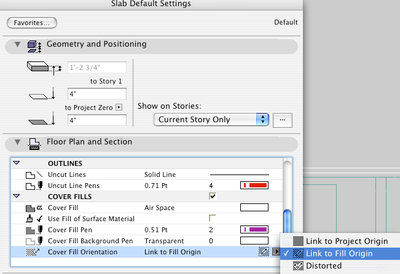
a new origin line will appear & you'll be able to align it to the setout point where you need it to be. this line will also dictate the angle of the cover fill, should you need to.
Set Orientation of Vectorial or Symbol Fill Patterns (Graphisoft.com)
scroll down to the section: "Link to Fill Origin"
AC27 | Win11 | 64Gb RAM | Intel i7 13700F | RTX 4070 Ti
>come join our unofficial Discord server
https://discord.gg/XGHjyvutt8
>come join our unofficial Discord server
https://discord.gg/XGHjyvutt8
Solution
3 Replies 3
Gerry Leonor
Advisor
Options
- Mark as New
- Bookmark
- Subscribe
- Mute
- Subscribe to RSS Feed
- Permalink
- Report Inappropriate Content
2022-04-30 08:05 AM
2022-04-30
08:05 AM
in the Floor Plan & Section Tab, go down to the Cover Fill Orientation & set it to "Link to Fill Origin"
a new origin line will appear & you'll be able to align it to the setout point where you need it to be. this line will also dictate the angle of the cover fill, should you need to.
Set Orientation of Vectorial or Symbol Fill Patterns (Graphisoft.com)
scroll down to the section: "Link to Fill Origin"
AC27 | Win11 | 64Gb RAM | Intel i7 13700F | RTX 4070 Ti
>come join our unofficial Discord server
https://discord.gg/XGHjyvutt8
>come join our unofficial Discord server
https://discord.gg/XGHjyvutt8
Solution

runxel
Moderator
Options
- Mark as New
- Bookmark
- Subscribe
- Mute
- Subscribe to RSS Feed
- Permalink
- Report Inappropriate Content
2022-05-02 12:12 PM
2022-05-02
12:12 PM
For anybody stumbling over this thread later (and wondering, what happened):
Yes, it worked before. Then GS changed something and the 2D and the 3D were not longer in sync. Hopefully one day those two will no longer be disjunct. The devs said they are working on it, albeit with not much of a priority...
Lucas Becker | AC 29 on Mac (Sequoia) | Graphisoft Insider Panelist | Akroter.io – high-end GDL objects | Author of Runxel's Archicad Wiki | Editor at SelfGDL | Developer of the GDL plugin for Sublime Text
My List of AC shortcomings & bugs | I Will Piledrive You If You Mention AI Again |
POSIWID – The Purpose Of a System Is What It Does /// «Furthermore, I consider that Carth... yearly releases must be destroyed»
My List of AC shortcomings & bugs | I Will Piledrive You If You Mention AI Again |
POSIWID – The Purpose Of a System Is What It Does /// «Furthermore, I consider that Carth... yearly releases must be destroyed»
cassie
Contributor
Options
- Mark as New
- Bookmark
- Subscribe
- Mute
- Subscribe to RSS Feed
- Permalink
- Report Inappropriate Content
2022-05-06 04:06 AM
2022-05-06
04:06 AM
Thanks so much Gerry - that worked !

Still looking?

Suggested topics
- Tips for Library Management in BIMcloud – Outdated Objects and Updates in Libraries & objects
- Automatic dimensions in Interior Elevations? in Documentation
- TIP: Keynote Sharing - Linking Information to Elements and Adding Parameters in Documentation
- SketchUp object textures missing on elevations and sections in Libraries & objects
- Design Process Question in Modeling
