
Turn on suggestions
Auto-suggest helps you quickly narrow down your search results by suggesting possible matches as you type.
Showing results for
EN
Turn on suggestions
Auto-suggest helps you quickly narrow down your search results by suggesting possible matches as you type.
Showing results for
Options
- Subscribe to RSS Feed
- Mark Topic as New
- Mark Topic as Read
- Pin this post for me
- Bookmark
- Subscribe to Topic
- Mute
- Printer Friendly Page

BoonMa
Newcomer
Options
- Mark as New
- Bookmark
- Subscribe
- Mute
- Subscribe to RSS Feed
- Permalink
- Report Inappropriate Content
2022-06-14 08:26 AM
The Roof looks different than what I first created it in the Floor Plan.
2022-06-14
08:26 AM
Hi, I wonder if anyone has had the same problem.
I created a gable roof that looks alright at first in the floor plan.
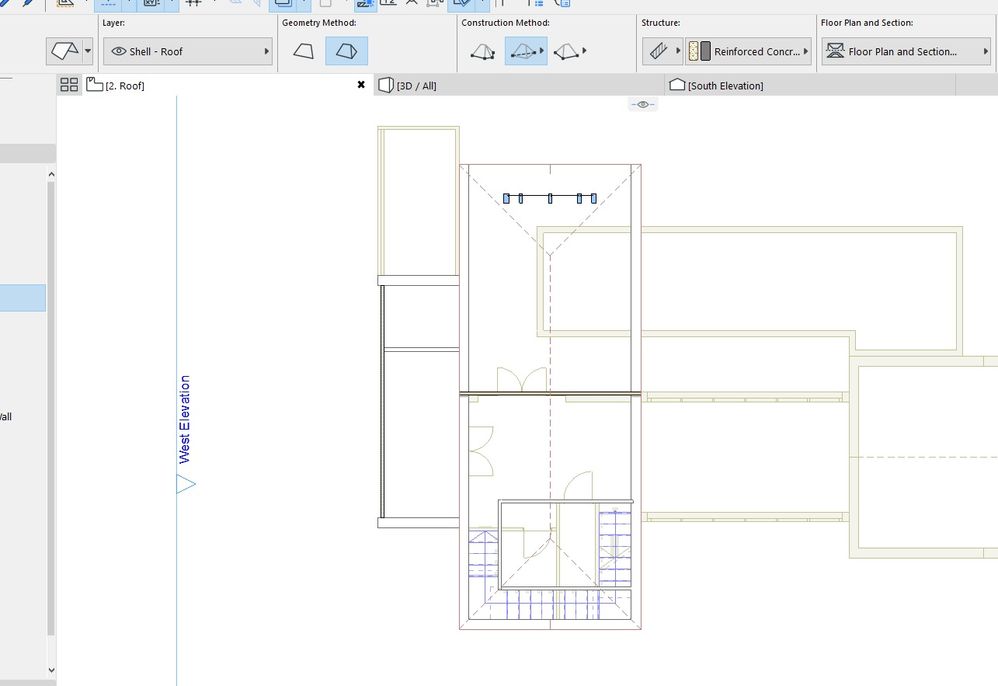
But for some mysterious reason, it doesn't look like a Gable roof at all later on. As you can see, it looks a lot different than when I first created it.
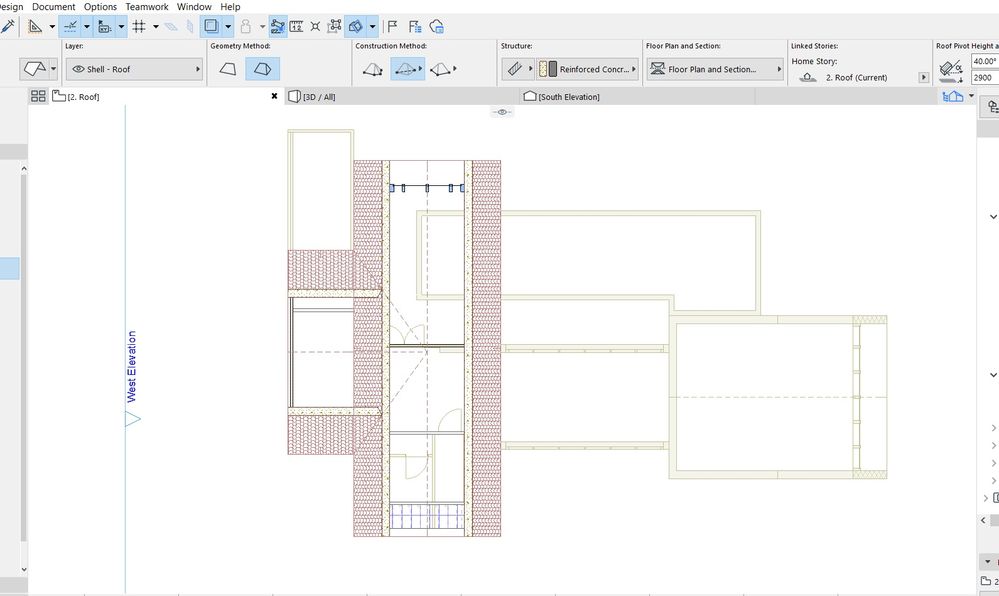
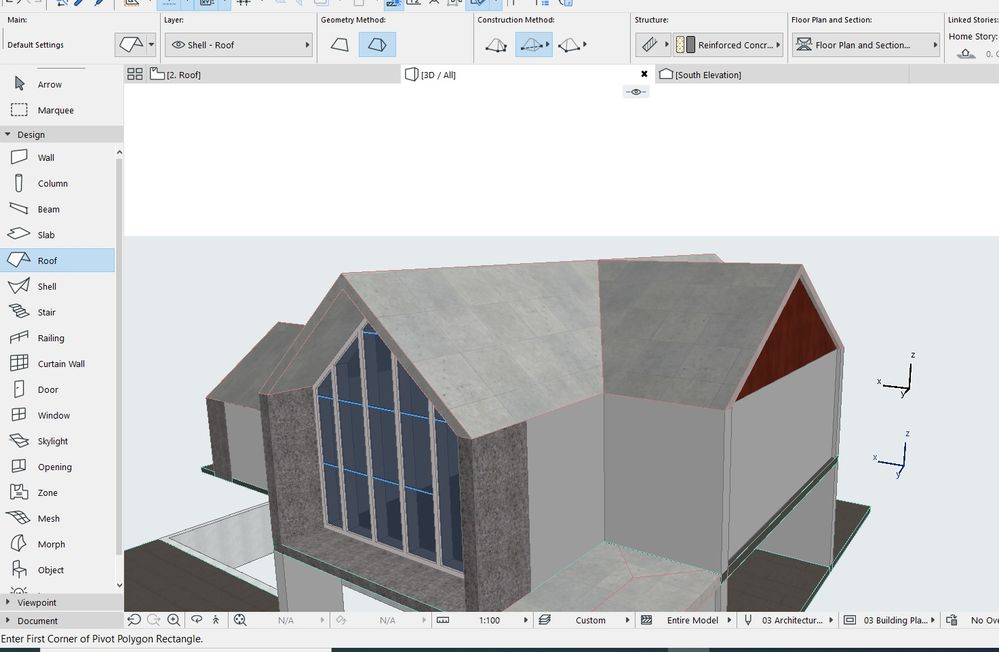
Although, it looks fine in 3D View. So I'm wondering if anyone would be so kind to give me some advice to fix this, thank you.
Solved! Go to Solution.
Solved
Read-Only
1 Solution
Accepted Solutions

Lingwisyer
Guru
Options
- Mark as New
- Bookmark
- Subscribe
- Mute
- Subscribe to RSS Feed
- Permalink
- Report Inappropriate Content
2022-06-14 09:39 AM
2022-06-14
09:39 AM
Are you talking about how it is cut in your second image? That would be due to your Floor Plan Display setting for the roof together with your Floor Plan Cut Plane (FPCP) settings.
If you are not wanting it to be cut on that story, you can either create a View with a different FPCP or change the roofs Floor Plan Display to Outlines Only.
Ling.
| AC22-29 AUS 3200 | Help Those Help You - Add a Signature |
| Self-taught, bend it till it breaks | Creating a Thread |
| Win11 | i9 10850K | 64GB | RX6600 | Win11 | 7800X3D | 32GB | RTX5070TI |
2 Replies 2
Lingwisyer
Guru
Options
- Mark as New
- Bookmark
- Subscribe
- Mute
- Subscribe to RSS Feed
- Permalink
- Report Inappropriate Content
2022-06-14 09:39 AM
2022-06-14
09:39 AM
Are you talking about how it is cut in your second image? That would be due to your Floor Plan Display setting for the roof together with your Floor Plan Cut Plane (FPCP) settings.
If you are not wanting it to be cut on that story, you can either create a View with a different FPCP or change the roofs Floor Plan Display to Outlines Only.
Ling.
| AC22-29 AUS 3200 | Help Those Help You - Add a Signature |
| Self-taught, bend it till it breaks | Creating a Thread |
| Win11 | i9 10850K | 64GB | RX6600 | Win11 | 7800X3D | 32GB | RTX5070TI |
BoonMa
Newcomer
Options
- Mark as New
- Bookmark
- Subscribe
- Mute
- Subscribe to RSS Feed
- Permalink
- Report Inappropriate Content
2022-06-14 10:21 AM
2022-06-14
10:21 AM
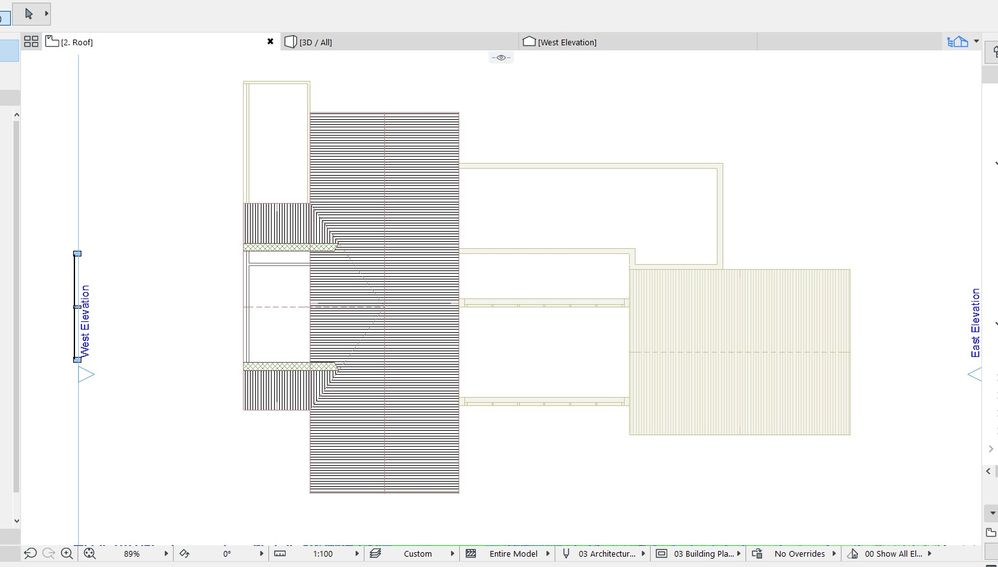
Thank you, sir. It looks a little bit better now.

Still looking?
Suggested topics
- Want to Hire someone to Translate a large Microstation 3d Project in General discussions
- Automatic mesh hatching on floorplan in Documentation
- TIP: Visual Check for custom Dimension Texts in Documentation
- doors and window missing in reference when publishing layout in Documentation
- Can't create custom opening (grayed out) in Modeling
