
Turn on suggestions
Auto-suggest helps you quickly narrow down your search results by suggesting possible matches as you type.
Showing results for
EN
Turn on suggestions
Auto-suggest helps you quickly narrow down your search results by suggesting possible matches as you type.
Showing results for
Options
- Subscribe to RSS Feed
- Mark Topic as New
- Mark Topic as Read
- Pin this post for me
- Bookmark
- Subscribe to Topic
- Mute
- Printer Friendly Page

Anonymous
Not applicable
Options
- Mark as New
- Bookmark
- Subscribe
- Mute
- Subscribe to RSS Feed
- Permalink
- Report Inappropriate Content
2021-03-23
01:58 AM
- last edited on
2023-05-24
07:20 PM
by
 Rubia Torres
morph line: thickness and linetype in 3D
2021-03-23
01:58 AM
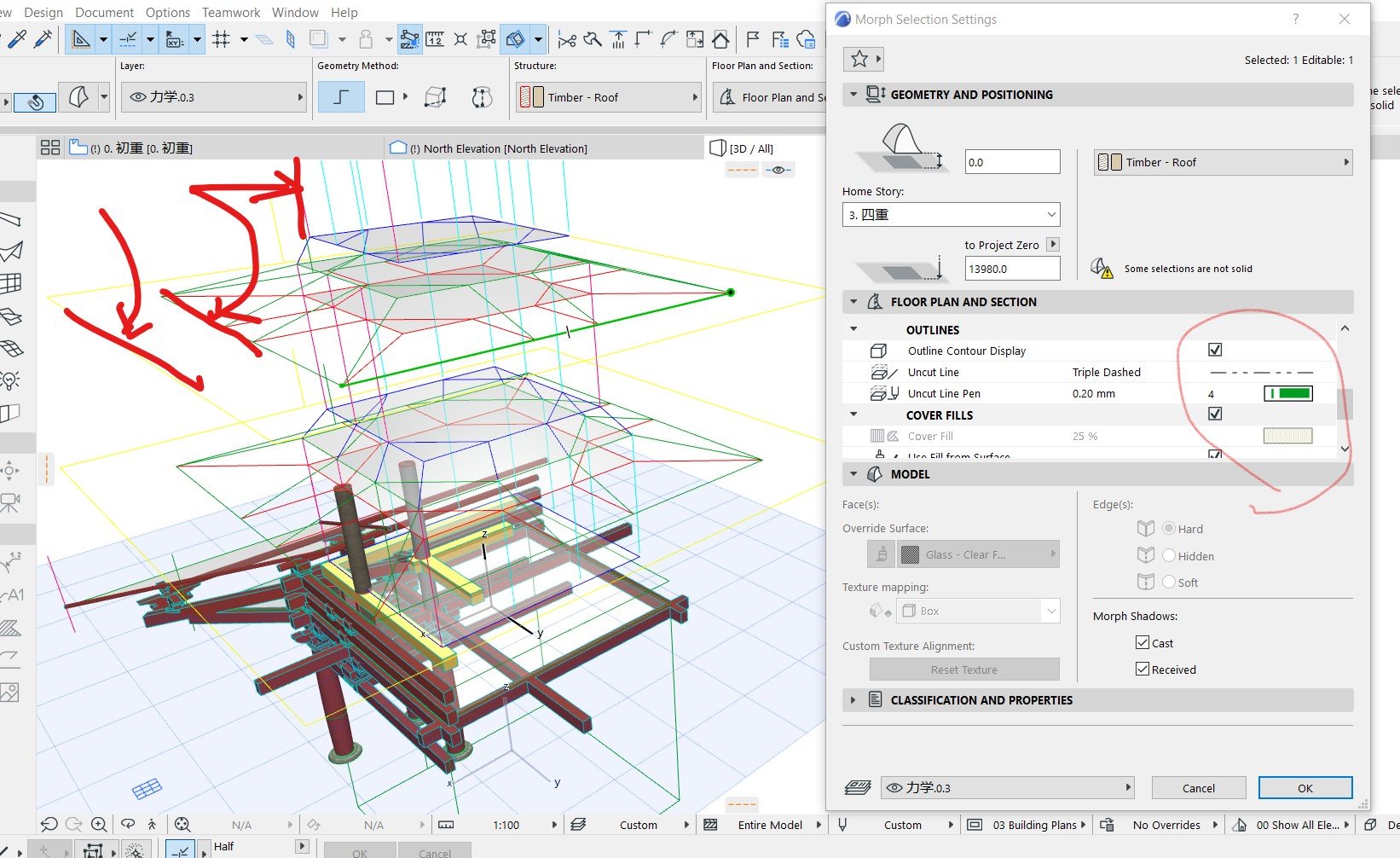
I want to show 3D line thicker and better with dotted type in 3D view,
any way to make it?
Thanks
Solved! Go to Solution.

1 Solution
Accepted Solutions

Barry Kelly
Moderator
Options
- Mark as New
- Bookmark
- Subscribe
- Mute
- Subscribe to RSS Feed
- Permalink
- Report Inappropriate Content
2021-03-23 03:28 AM
2021-03-23
03:28 AM
I have moved this post (and another of yours).
Please do not post everything in 'Archicad+' section.
Try to find an appropriate section of the forum to ask your questions.
Lines in 3D do not have a thickness based on the pen colour.
The only way I know to display thicker lines is to create a 3D Document and turn on the 'true line weight' option.
I do not know any way of creating a dashed or dotted line in 3D - as far as I know they are always solid.
It is possible in GDL, but that is really just a series of short solid lines with gaps in between.
Barry.
Please do not post everything in 'Archicad+' section.
Try to find an appropriate section of the forum to ask your questions.
Lines in 3D do not have a thickness based on the pen colour.
The only way I know to display thicker lines is to create a 3D Document and turn on the 'true line weight' option.
I do not know any way of creating a dashed or dotted line in 3D - as far as I know they are always solid.
It is possible in GDL, but that is really just a series of short solid lines with gaps in between.
Barry.
One of the forum moderators.
Versions 6.5 to 27
i7-10700 @ 2.9Ghz, 32GB ram, GeForce RTX 2060 (6GB), Windows 10
Lenovo Thinkpad - i7-1270P 2.20 GHz, 32GB RAM, Nvidia T550, Windows 11
Versions 6.5 to 27
i7-10700 @ 2.9Ghz, 32GB ram, GeForce RTX 2060 (6GB), Windows 10
Lenovo Thinkpad - i7-1270P 2.20 GHz, 32GB RAM, Nvidia T550, Windows 11
2 Replies 2
Barry Kelly
Moderator
Options
- Mark as New
- Bookmark
- Subscribe
- Mute
- Subscribe to RSS Feed
- Permalink
- Report Inappropriate Content
2021-03-23 03:28 AM
2021-03-23
03:28 AM
I have moved this post (and another of yours).
Please do not post everything in 'Archicad+' section.
Try to find an appropriate section of the forum to ask your questions.
Lines in 3D do not have a thickness based on the pen colour.
The only way I know to display thicker lines is to create a 3D Document and turn on the 'true line weight' option.
I do not know any way of creating a dashed or dotted line in 3D - as far as I know they are always solid.
It is possible in GDL, but that is really just a series of short solid lines with gaps in between.
Barry.
Please do not post everything in 'Archicad+' section.
Try to find an appropriate section of the forum to ask your questions.
Lines in 3D do not have a thickness based on the pen colour.
The only way I know to display thicker lines is to create a 3D Document and turn on the 'true line weight' option.
I do not know any way of creating a dashed or dotted line in 3D - as far as I know they are always solid.
It is possible in GDL, but that is really just a series of short solid lines with gaps in between.
Barry.
One of the forum moderators.
Versions 6.5 to 27
i7-10700 @ 2.9Ghz, 32GB ram, GeForce RTX 2060 (6GB), Windows 10
Lenovo Thinkpad - i7-1270P 2.20 GHz, 32GB RAM, Nvidia T550, Windows 11
Versions 6.5 to 27
i7-10700 @ 2.9Ghz, 32GB ram, GeForce RTX 2060 (6GB), Windows 10
Lenovo Thinkpad - i7-1270P 2.20 GHz, 32GB RAM, Nvidia T550, Windows 11
Anonymous
Not applicable
Options
- Mark as New
- Bookmark
- Subscribe
- Mute
- Subscribe to RSS Feed
- Permalink
- Report Inappropriate Content
2021-03-24 02:06 AM
2021-03-24
02:06 AM
OK Thanks Barry
Still looking?

Suggested topics
- How to model curved vertical wood slat wall paneling + fluted glass wall. Efficient workflow? in Modeling
- Import DWG and assign different Archicad linetypes to Autocad ones, based on LT scale in Collaboration with other software
- Morph-Spiral line in 3D in Modeling
- How to apply thickness to a morph face in Modeling
- Elliptical profile surface, thickness in Parametric design
