on 2018-08-0807:41 PM - edited on 2022-10-1810:15 AM by Giovana Benvenuto
There are two ways to label stairs in a section: manually (one by one) or automatically.
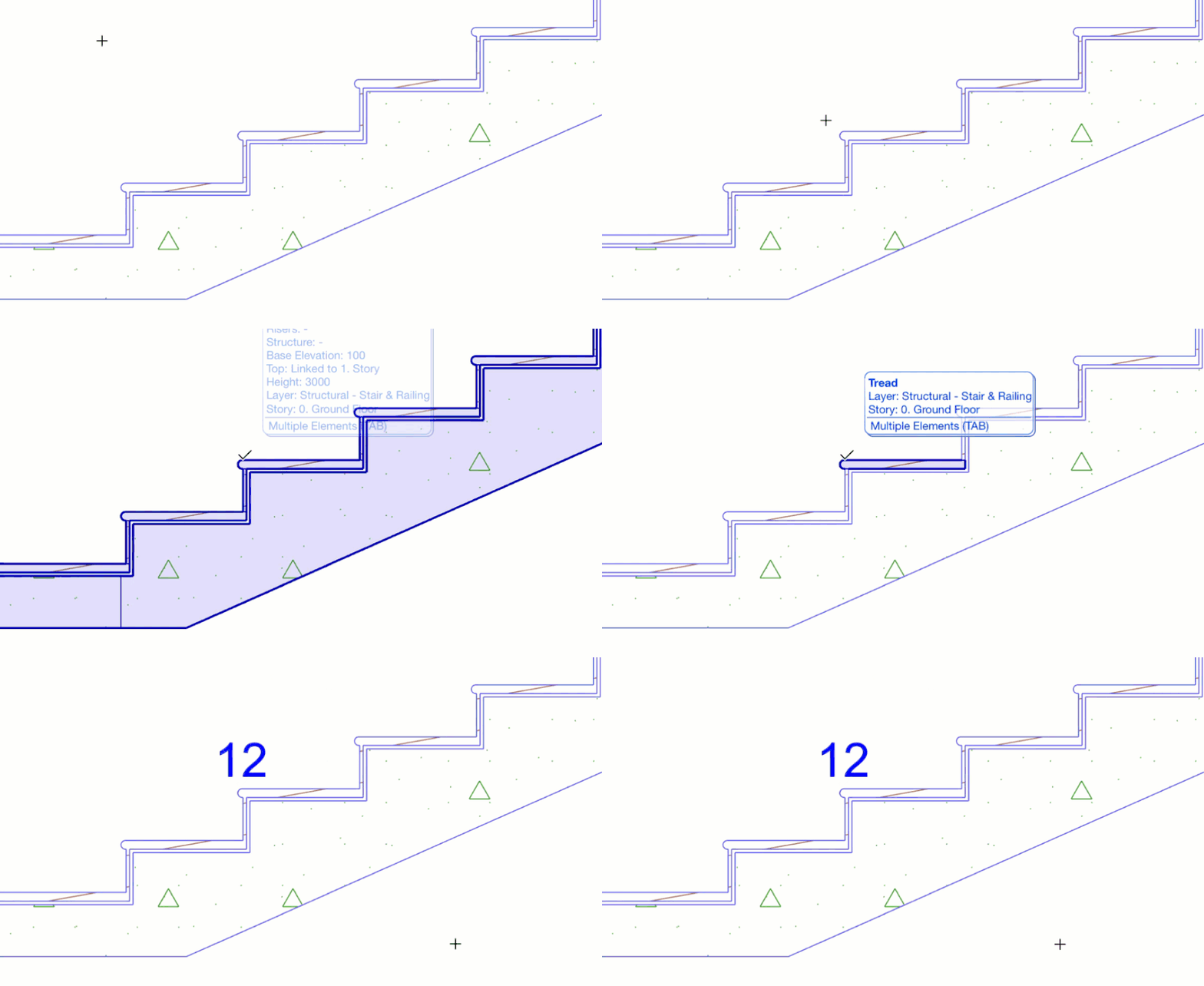
The manual way is to use the Label Tool, find the Stair Riser Step Index and Stair Tread Step Index from the favorites, which are included in the default Archicad template.
To create this favorite you will need to use an Autotext Label and insert the "Step index" or the "Flight index" depending on which sub-element we would like to Label.
select the Label Tool with the preferred favorite
make sure the geometry method is set to Associative
hover above one of the stair's hotspots
select the Tread by using the Tab button
place the Label
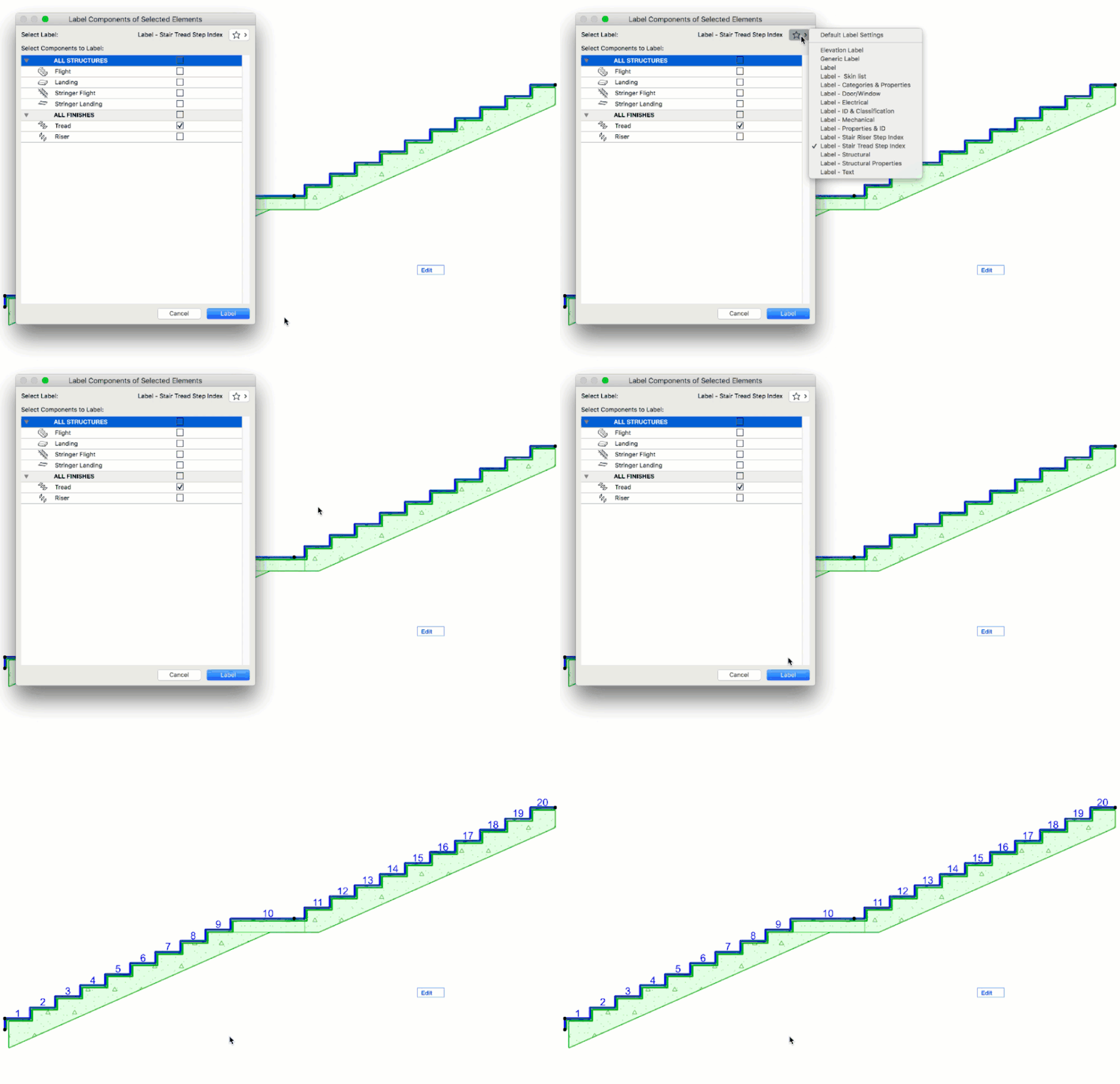
The automatic way is to use the function under Document/Annotation/Label Components of selected elements
select the Stair in a Section view
go to Document/Annotation/Label Components of selected elements
a dialog will pop-up with a number of options
select the subelements to label
select the Label type in the upper right corner
press LABEL
This way your Stair will be labeled straight away. Read more at Labelling Stairs.