
Turn on suggestions
Auto-suggest helps you quickly narrow down your search results by suggesting possible matches as you type.
Showing results for
EN
Turn on suggestions
Auto-suggest helps you quickly narrow down your search results by suggesting possible matches as you type.
Showing results for
- English
- :
- Forum
- :
- Documentation
- :
- 3D view on layout
Options
- Subscribe to RSS Feed
- Mark Topic as New
- Mark Topic as Read
- Pin this post for me
- Bookmark
- Subscribe to Topic
- Mute
- Printer Friendly Page

Polar Bear
Booster
Options
- Mark as New
- Bookmark
- Subscribe
- Mute
- Subscribe to RSS Feed
- Permalink
- Report Inappropriate Content
2021-08-12
08:02 PM
- last edited on
2023-05-26
12:01 AM
by
 Gordana Radonic
3D view on layout
2021-08-12
08:02 PM
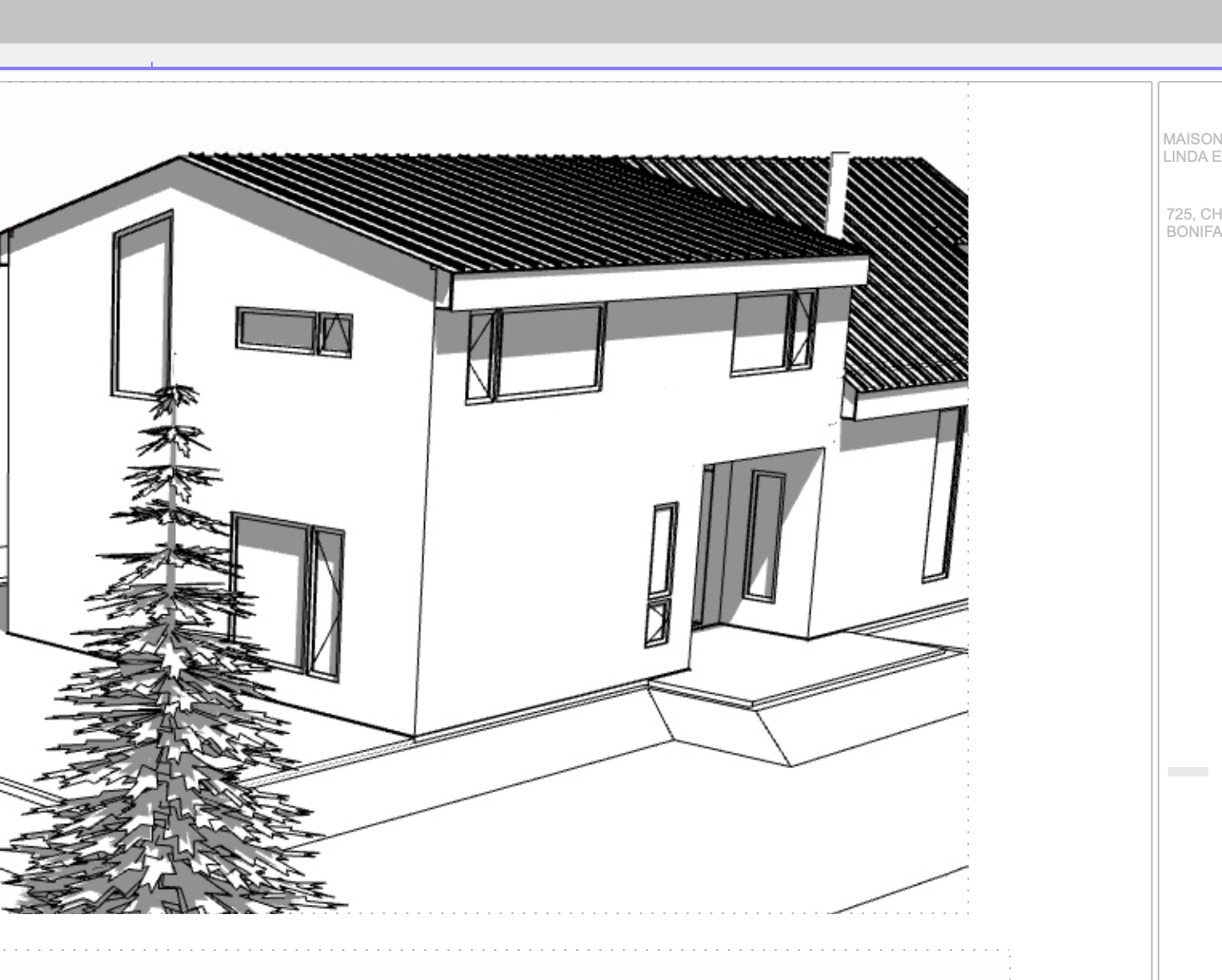
It's been three hours that i've been searching for a very simple thing: my 3D views placed on layout aren't clear!
I have seen some tutorials on enlarging the windows etc. But can't believe it's the way the software was designed to operate. Help please!
Thanks a lot!
Archicad 25 - 5010
Macbook pro 13" /Big sur 11.4 + External 4K 27"
Macbook pro 13" /Big sur 11.4 + External 4K 27"
3 Replies 3

Gerald Hoffman
Expert
Options
- Mark as New
- Bookmark
- Subscribe
- Mute
- Subscribe to RSS Feed
- Permalink
- Report Inappropriate Content
2021-08-12 11:50 PM
2021-08-12
11:50 PM
Hi Polar Bear,
Are these 3D Document Views that you are trying to place? Or are they screen shots of 3D Views. Perhaps you could post an image of what it looks like.
Cheers,
Are these 3D Document Views that you are trying to place? Or are they screen shots of 3D Views. Perhaps you could post an image of what it looks like.
Cheers,
Gerald Hoffman
“The simplification of anything is always sensational” GKC
Archicad 4.55 - 29-Latest USA
2024 M4 Max MacBook Pro-macOS 15.5 (128GB (16 Core CPU + 40 Core GPU)
“The simplification of anything is always sensational” GKC
Archicad 4.55 - 29-Latest USA
2024 M4 Max MacBook Pro-macOS 15.5 (128GB (16 Core CPU + 40 Core GPU)
Polar Bear
Booster
Options
- Mark as New
- Bookmark
- Subscribe
- Mute
- Subscribe to RSS Feed
- Permalink
- Report Inappropriate Content
2021-08-12 11:57 PM

Gerald Hoffman
Expert
Options
- Mark as New
- Bookmark
- Subscribe
- Mute
- Subscribe to RSS Feed
- Permalink
- Report Inappropriate Content
2021-08-13 12:03 AM
2021-08-13
12:03 AM
Polar Bear,
AFAIK the only way to reduce pixelation is to create a larger image as these are raster and not vector images. You can do a rendering and make the output size quite a bit larger and then shrink it down when placing on the sheet. If there is a better way I would like to know it to.
Cheers,
AFAIK the only way to reduce pixelation is to create a larger image as these are raster and not vector images. You can do a rendering and make the output size quite a bit larger and then shrink it down when placing on the sheet. If there is a better way I would like to know it to.
Cheers,
Gerald Hoffman
“The simplification of anything is always sensational” GKC
Archicad 4.55 - 29-Latest USA
2024 M4 Max MacBook Pro-macOS 15.5 (128GB (16 Core CPU + 40 Core GPU)
“The simplification of anything is always sensational” GKC
Archicad 4.55 - 29-Latest USA
2024 M4 Max MacBook Pro-macOS 15.5 (128GB (16 Core CPU + 40 Core GPU)

Still looking?
Suggested topics
