
Turn on suggestions
Auto-suggest helps you quickly narrow down your search results by suggesting possible matches as you type.
Showing results for
EN
Turn on suggestions
Auto-suggest helps you quickly narrow down your search results by suggesting possible matches as you type.
Showing results for
- English
- :
- Forum
- :
- Documentation
- :
- Re: Plans Not Showing In Layout Book
Options
- Subscribe to RSS Feed
- Mark Topic as New
- Mark Topic as Read
- Pin this post for me
- Bookmark
- Subscribe to Topic
- Mute
- Printer Friendly Page

RafaelMA
Booster
Options
- Mark as New
- Bookmark
- Subscribe
- Mute
- Subscribe to RSS Feed
- Permalink
- Report Inappropriate Content
2021-11-09 08:51 AM
Plans Not Showing In Layout Book
2021-11-09
08:51 AM
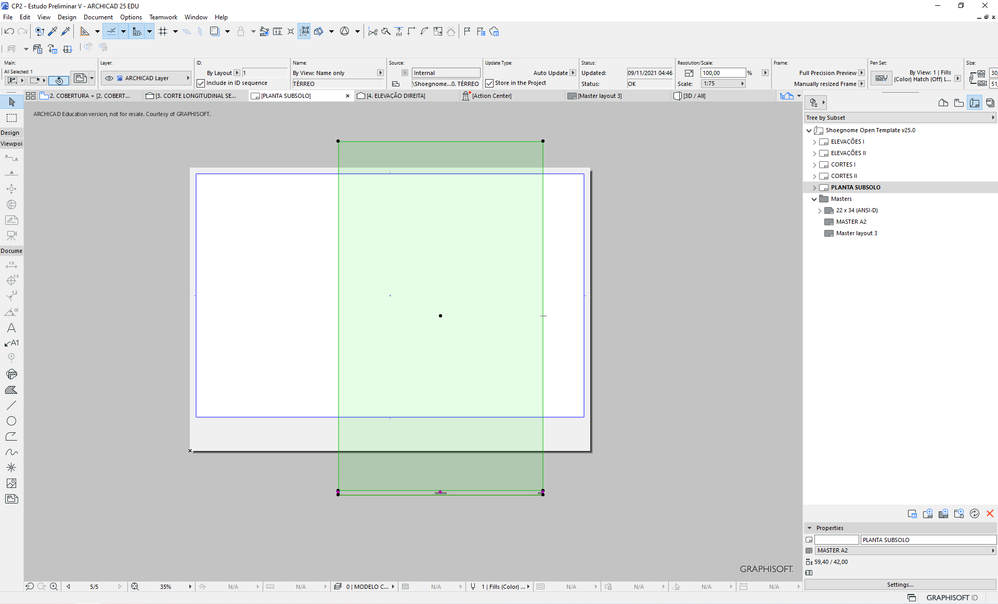
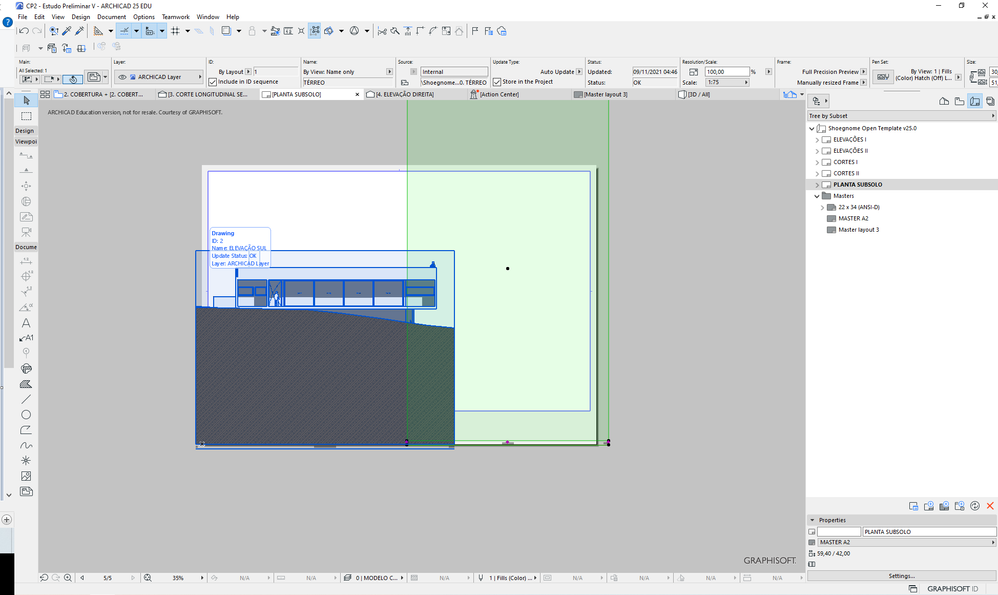
I'm having issues with placing plans on a layout. All the plans that I place appear blank.
Curiously enough that doesn't happen with sections or elevations, just plans.
I'm attaching images below.
Cheers
Solved! Go to Solution.
Solved
Read-Only
1 Solution
Accepted Solutions

Barry Kelly
Moderator
Options
- Mark as New
- Bookmark
- Subscribe
- Mute
- Subscribe to RSS Feed
- Permalink
- Report Inappropriate Content
2021-11-09 09:08 AM
2021-11-09
09:08 AM
The first thing I would try is to set the the drawing frame to 'fit to drawing'.
Currently you have it as 'manually resized', so I am assuming it is not looking at the are where the plan actually is.
Barry.
One of the forum moderators.
Versions 6.5 to 27
i7-10700 @ 2.9Ghz, 32GB ram, GeForce RTX 2060 (6GB), Windows 10
Lenovo Thinkpad - i7-1270P 2.20 GHz, 32GB RAM, Nvidia T550, Windows 11
Versions 6.5 to 27
i7-10700 @ 2.9Ghz, 32GB ram, GeForce RTX 2060 (6GB), Windows 10
Lenovo Thinkpad - i7-1270P 2.20 GHz, 32GB RAM, Nvidia T550, Windows 11
Solution
5 Replies 5
Barry Kelly
Moderator
Options
- Mark as New
- Bookmark
- Subscribe
- Mute
- Subscribe to RSS Feed
- Permalink
- Report Inappropriate Content
2021-11-09 09:08 AM
2021-11-09
09:08 AM
The first thing I would try is to set the the drawing frame to 'fit to drawing'.
Currently you have it as 'manually resized', so I am assuming it is not looking at the are where the plan actually is.
Barry.
One of the forum moderators.
Versions 6.5 to 27
i7-10700 @ 2.9Ghz, 32GB ram, GeForce RTX 2060 (6GB), Windows 10
Lenovo Thinkpad - i7-1270P 2.20 GHz, 32GB RAM, Nvidia T550, Windows 11
Versions 6.5 to 27
i7-10700 @ 2.9Ghz, 32GB ram, GeForce RTX 2060 (6GB), Windows 10
Lenovo Thinkpad - i7-1270P 2.20 GHz, 32GB RAM, Nvidia T550, Windows 11
Solution
RafaelMA
Booster
Options
- Mark as New
- Bookmark
- Subscribe
- Mute
- Subscribe to RSS Feed
- Permalink
- Report Inappropriate Content
2021-11-09 03:47 PM
2021-11-09
03:47 PM
I actually read another similar thread that suggested that, and I thought I had tried it, but it turns out I was looking in the wrong place.
Your solution worked. Thank you very much!

Marko Vuckovic
Contributor
Options
- Mark as New
- Bookmark
- Subscribe
- Mute
- Subscribe to RSS Feed
- Permalink
- Report Inappropriate Content
2022-07-07 06:36 PM
2022-07-07
06:36 PM
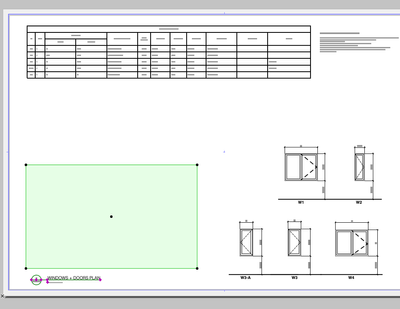
"Fit to drawing" option makes it even worse for me. The window frame totally disappears. Any other suggestions? Thanks
Barry Kelly
Moderator
Options
- Mark as New
- Bookmark
- Subscribe
- Mute
- Subscribe to RSS Feed
- Permalink
- Report Inappropriate Content
2022-07-08 03:16 AM
2022-07-08
03:16 AM
The window frame has moved to fit to the drawing.
Zoom out and you will find it off in the distance somewhere.
Then just drag it back to where you want it.
I am assuming you may have modelled a little distance away from the Project Origin in Archicad?
Barry.
One of the forum moderators.
Versions 6.5 to 27
i7-10700 @ 2.9Ghz, 32GB ram, GeForce RTX 2060 (6GB), Windows 10
Lenovo Thinkpad - i7-1270P 2.20 GHz, 32GB RAM, Nvidia T550, Windows 11
Versions 6.5 to 27
i7-10700 @ 2.9Ghz, 32GB ram, GeForce RTX 2060 (6GB), Windows 10
Lenovo Thinkpad - i7-1270P 2.20 GHz, 32GB RAM, Nvidia T550, Windows 11
Marko Vuckovic
Contributor
Options
- Mark as New
- Bookmark
- Subscribe
- Mute
- Subscribe to RSS Feed
- Permalink
- Report Inappropriate Content
2022-07-08 06:50 PM - edited 2022-07-08 06:51 PM
2022-07-08
06:50 PM
Thanks Barry, this is exactly what happened. I didn't assume I was so off the Project Origin's coordinates.

Still looking?

Suggested topics
- Is there a way to hyperlink files in order to place their drawings into a common layout book? in Documentation
- all text missing on plan layouts in Documentation
- Nothing shows except on a sheet that has the floor plan in Modeling
- Cover Fill on Ceiling Slab not showing in Plan in Documentation
- Viewport with open Tab turning items red in Documentation
