
Turn on suggestions
Auto-suggest helps you quickly narrow down your search results by suggesting possible matches as you type.
Showing results for
EN
Turn on suggestions
Auto-suggest helps you quickly narrow down your search results by suggesting possible matches as you type.
Showing results for
- English
- :
- Forum
- :
- Libraries & objects
- :
- Re: Windows and doors - section and floor plans
Options
- Subscribe to RSS Feed
- Mark Topic as New
- Mark Topic as Read
- Pin this post for me
- Bookmark
- Subscribe to Topic
- Mute
- Printer Friendly Page

Anonymous
Not applicable
Options
- Mark as New
- Bookmark
- Subscribe
- Mute
- Subscribe to RSS Feed
- Permalink
- Report Inappropriate Content
2016-01-12
10:19 PM
- last edited on
2023-05-24
12:30 PM
by
 Rubia Torres
Windows and doors - section and floor plans
2016-01-12
10:19 PM
1 Reply 1

 NCornia
Graphisoft Alumni
Options
- Mark as New
- Bookmark
- Subscribe
- Mute
- Subscribe to RSS Feed
- Permalink
- Report Inappropriate Content
2016-01-13 01:52 AM
2016-01-13
01:52 AM
Hi laz89,
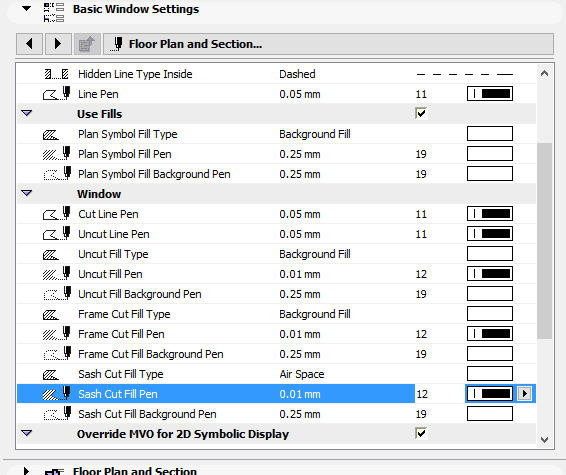
In the Section Settings there is a control that will display distant areas differently than the foreground. Right-click the Section in your Navigator or Organizer and choose Section Settings... then look for Marked Distant Area" under the Model Display panel.
- It could also be the Renovation filter.
- Or the PenSet applied to that particular view.
I hope this helps.
Best regards,
In the Section Settings there is a control that will display distant areas differently than the foreground. Right-click the Section in your Navigator or Organizer and choose Section Settings... then look for Marked Distant Area" under the Model Display panel.
- It could also be the Renovation filter.
- Or the PenSet applied to that particular view.
I hope this helps.
Best regards,
Nicholas Cornia
Technical Support Team - GRAPHISOFT North America
Tutorials
GRAPHISOFT Help Center
Technical Support Team - GRAPHISOFT North America
Tutorials
GRAPHISOFT Help Center
Didn't find the answer?
Check other topics in this Forum
Back to ForumRead the latest accepted solutions!
Accepted SolutionsStart a new conversation!

