
Turn on suggestions
Auto-suggest helps you quickly narrow down your search results by suggesting possible matches as you type.
Showing results for
EN
Turn on suggestions
Auto-suggest helps you quickly narrow down your search results by suggesting possible matches as you type.
Showing results for
- English
- :
- Forum
- :
- Libraries & objects
- :
- Re: Snap reference circle problems
Options
- Subscribe to RSS Feed
- Mark Topic as New
- Mark Topic as Read
- Pin this post for me
- Bookmark
- Subscribe to Topic
- Mute
- Printer Friendly Page

D_BRANDT
Contributor
Options
- Mark as New
- Bookmark
- Subscribe
- Mute
- Subscribe to RSS Feed
- Permalink
- Report Inappropriate Content
2019-12-04
02:03 PM
- last edited on
2025-07-16
03:12 PM
by
 Aruzhan Ilaikova
Snap reference circle problems
2019-12-04
02:03 PM
Hi,
I've been working in Archicad for a year now, but still find it difficult getting used to the snap reference circle that appears when using a point as a snap reference.
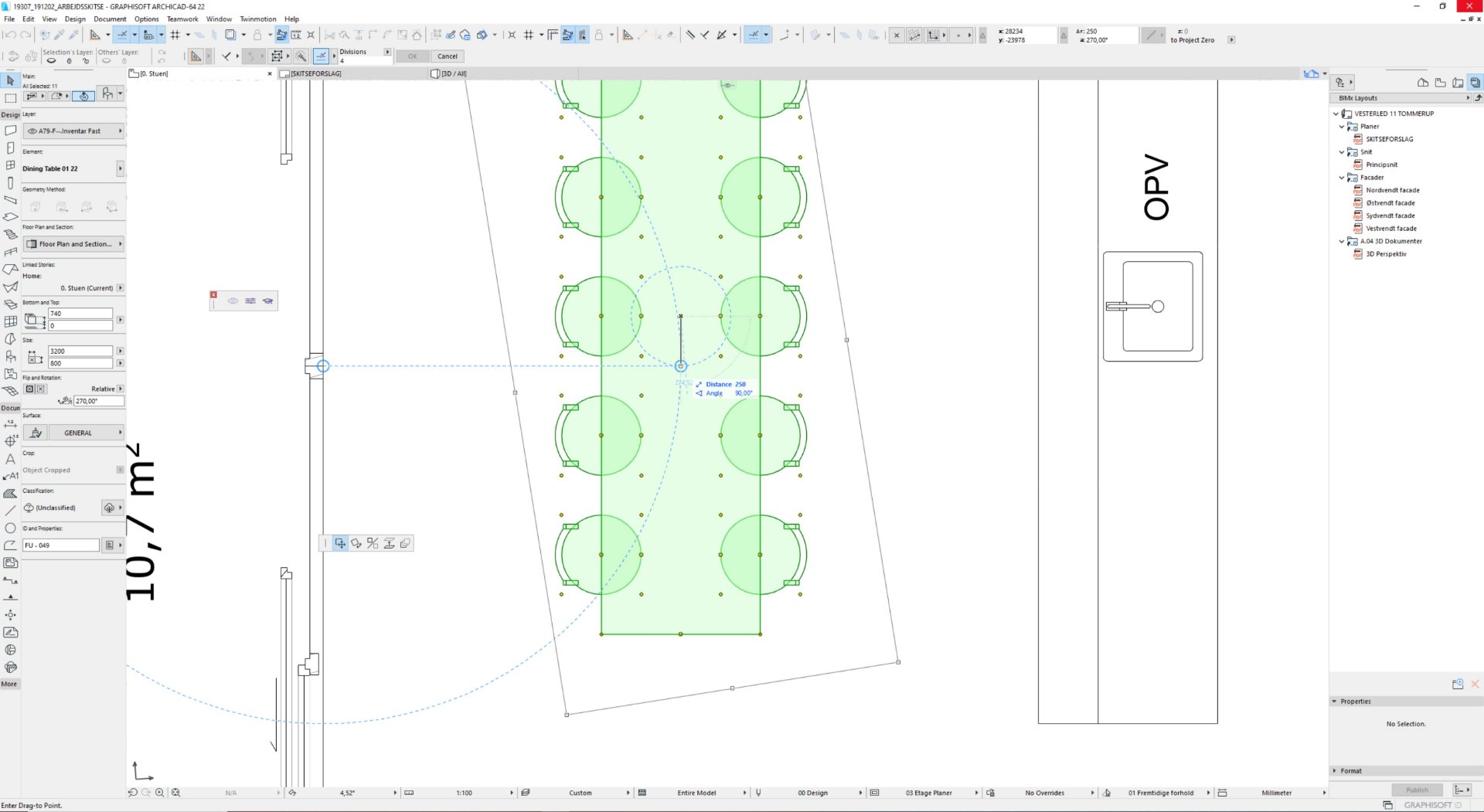
Sometimes the snap reference circle (sometimes multiply circles) is so close to the point where you actually want to move a object to, making it difficult seeing what you're actually snapping to, unless you zoom in a lot.
Can you somehow deactivate the snap reference circle?
I've been working in Archicad for a year now, but still find it difficult getting used to the snap reference circle that appears when using a point as a snap reference.
Sometimes the snap reference circle (sometimes multiply circles) is so close to the point where you actually want to move a object to, making it difficult seeing what you're actually snapping to, unless you zoom in a lot.
Can you somehow deactivate the snap reference circle?
Solved! Go to Solution.
15 Replies 15
D_BRANDT
Contributor
Options
- Mark as New
- Bookmark
- Subscribe
- Mute
- Subscribe to RSS Feed
- Permalink
- Report Inappropriate Content
2021-09-22 11:21 AM
2021-09-22
11:21 AM
Yes, well I partly agree with you.
The reason I marked is as solved, is that you don't get any closer to a solution, even the solution is adjusting your workflow and get to know the software even better.
You cannot blame the software for being different from others.
But even though, a setting to deactivate the circle would be handy, especially for users migrating from other softwares.

DGSketcher
Legend
Options
- Mark as New
- Bookmark
- Subscribe
- Mute
- Subscribe to RSS Feed
- Permalink
- Report Inappropriate Content
2021-09-22 12:16 PM
2021-09-22
12:16 PM
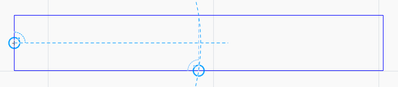
Here's a classic example of the problem. I want the centre point of a rectangle so I tag the mid points on the edges and move to the centre point but then end up with an arc which creates a new intersection just off centre.
Perhaps @Minh Nguyen could get a toggle option for the circle snaps added to the Wishlist?
Apple iMac Intel i9 / macOS Sonoma / AC27UKI (most recent builds.. if they work)
 Laszlo Nagy
Community Admin
Options
- Mark as New
- Bookmark
- Subscribe
- Mute
- Subscribe to RSS Feed
- Permalink
- Report Inappropriate Content
2021-09-22 01:55 PM
2021-09-22
01:55 PM
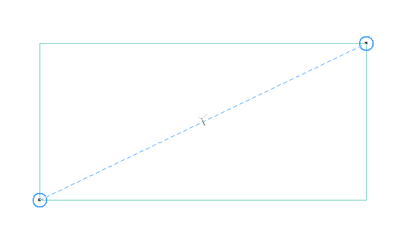
In such a case, I usually place a Guide Circle at the lower-left corner of the Rectangle, another one at the upper-right corner of the Rectangle, then move my cursor to the middle of the Rectangle. A Guide Line will connect the two Guide Circles and its Half Point will be marked, which I can then click.
Loving Archicad since 1995 - Find Archicad Tips at x.com/laszlonagy
AMD Ryzen9 5900X CPU, 64 GB RAM 3600 MHz, Nvidia GTX 1060 6GB, 500 GB NVMe SSD
2x28" (2560x1440), Windows 10 PRO ENG, Ac20-Ac29
AMD Ryzen9 5900X CPU, 64 GB RAM 3600 MHz, Nvidia GTX 1060 6GB, 500 GB NVMe SSD
2x28" (2560x1440), Windows 10 PRO ENG, Ac20-Ac29
DGSketcher
Legend
Options
- Mark as New
- Bookmark
- Subscribe
- Mute
- Subscribe to RSS Feed
- Permalink
- Report Inappropriate Content
2021-09-22 02:16 PM
2021-09-22
02:16 PM
@Laszlo Nagy Thanks for that suggestion it will help. I would still like the hide option, the case above is a simple example, in other situations the needed intersection can get drowned out with multiple snap guides, many of which are unwanted circles.
Apple iMac Intel i9 / macOS Sonoma / AC27UKI (most recent builds.. if they work)
Laszlo Nagy
Community Admin
Options
- Mark as New
- Bookmark
- Subscribe
- Mute
- Subscribe to RSS Feed
- Permalink
- Report Inappropriate Content
2021-09-22 02:27 PM
2021-09-22
02:27 PM
Yes, I understand. My suggestion was for the specific case you mentioned, not to try to imply that the "Hide Guide Circles" option would not be helpful.
Loving Archicad since 1995 - Find Archicad Tips at x.com/laszlonagy
AMD Ryzen9 5900X CPU, 64 GB RAM 3600 MHz, Nvidia GTX 1060 6GB, 500 GB NVMe SSD
2x28" (2560x1440), Windows 10 PRO ENG, Ac20-Ac29
AMD Ryzen9 5900X CPU, 64 GB RAM 3600 MHz, Nvidia GTX 1060 6GB, 500 GB NVMe SSD
2x28" (2560x1440), Windows 10 PRO ENG, Ac20-Ac29

bethd
Newcomer
Options
- Mark as New
- Bookmark
- Subscribe
- Mute
- Subscribe to RSS Feed
- Permalink
- Report Inappropriate Content
2022-08-31 03:49 PM
2022-08-31
03:49 PM
My cursor is not showing the black check or snapping to points while working on interior elevations. I am not able to dimension to nodes or grab corners of objects with the select tool (it only works as a marquee). It works fine in plan view. Help, please! This is very frustrating.

- « Previous
-
- 1
- 2
- Next »
- « Previous
-
- 1
- 2
- Next »
Didn't find the answer?
Check other topics in this Forum
Back to ForumRead the latest accepted solutions!
Accepted SolutionsStart a new conversation!

Suggested topics
- template for version 29 view references problems in Project data & BIM
- ID/Back reference text positioning, drawing title in Documentation
- Curved wall following polyline in Modeling
- Attribute Index-Nr. with High Numbers ... Known Issues?? in Project data & BIM
- Additional levels in sections apart from the storeys (for ceilings, windows, doors, structure) in Documentation
