
Turn on suggestions
Auto-suggest helps you quickly narrow down your search results by suggesting possible matches as you type.
Showing results for
EN
Turn on suggestions
Auto-suggest helps you quickly narrow down your search results by suggesting possible matches as you type.
Showing results for
Options
- Subscribe to RSS Feed
- Mark Topic as New
- Mark Topic as Read
- Pin this post for me
- Bookmark
- Subscribe to Topic
- Mute
- Printer Friendly Page

Anonymous
Not applicable
Options
- Mark as New
- Bookmark
- Subscribe
- Mute
- Subscribe to RSS Feed
- Permalink
- Report Inappropriate Content
2020-05-22
06:28 PM
- last edited on
2024-01-30
10:17 AM
by
 Aruzhan Ilaikova
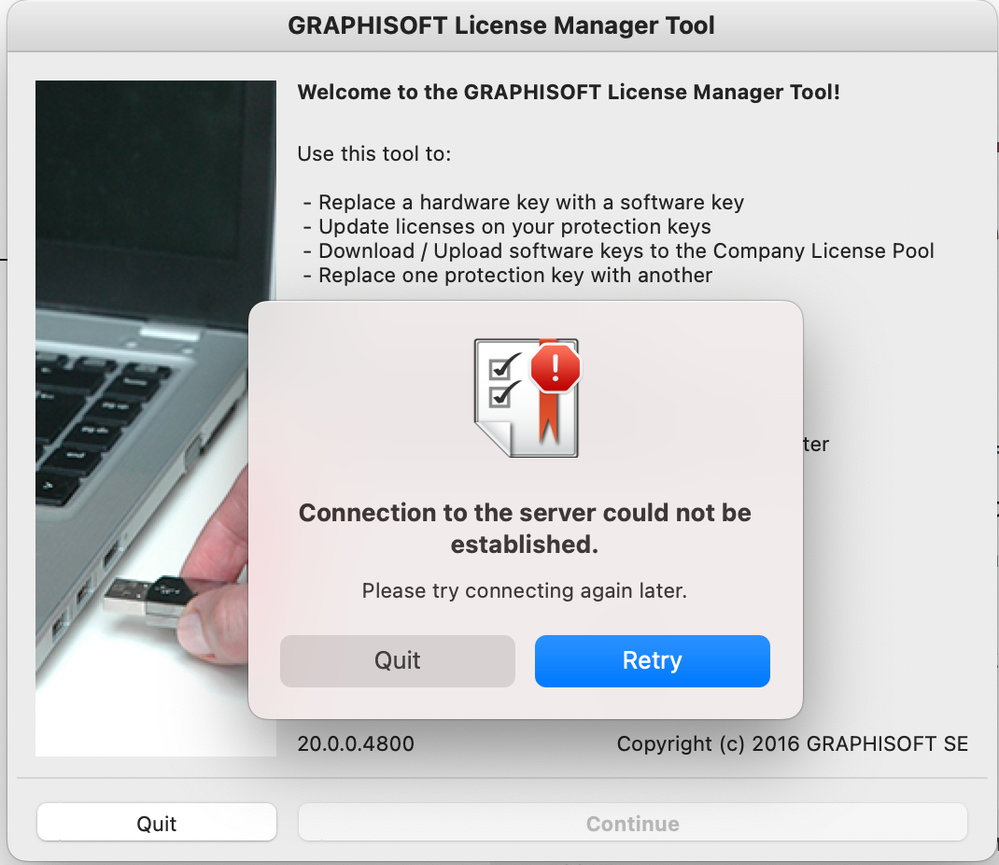
Archicad and Licence Manager can't connect to the network
2020-05-22
06:28 PM
Hi. I just purchased the software and after installing the applications I can't run any of them. Also, I had issues with accessing graphisoft id website. Seems like my computer is blocking the graphisoft website and apps. I turned off firewall, but still no luck in connecting.
I work on macOS Catalina 10.15.4
What could be a reason I can't access the software. Please help
I work on macOS Catalina 10.15.4
What could be a reason I can't access the software. Please help
Labels:
- Labels:
-
Graphisoft ID
14 Replies 14

 Minh Nguyen
Graphisoft Alumni
Options
- Mark as New
- Bookmark
- Subscribe
- Mute
- Subscribe to RSS Feed
- Permalink
- Report Inappropriate Content
2022-01-03 02:42 PM
2022-01-03
02:42 PM
Hello,
Thank you very much for the question!
May I ask, when you open Graphisoftid.graphisoft.com, does the browser load anything, or does an empty page appear (or even worse, no connection error appears)?
Looking forward to hearing from you!
Happy New Year!
Best regards,
Minh
Minh Nguyen
Technical Support Engineer
GRAPHISOFT

sveklateodor
Participant
Options
- Mark as New
- Bookmark
- Subscribe
- Mute
- Subscribe to RSS Feed
- Permalink
- Report Inappropriate Content
2022-11-01 04:21 PM
2022-11-01
04:21 PM
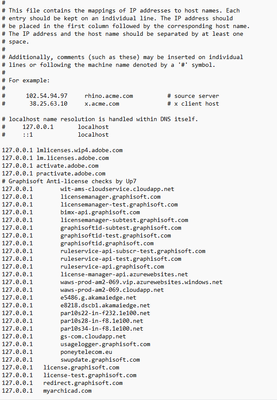
Ні, the same problem only on windows 11, can you make a post with a solution to the problem? We will be very grateful!

sveklateodor
Participant
Options
- Mark as New
- Bookmark
- Subscribe
- Mute
- Subscribe to RSS Feed
- Permalink
- Report Inappropriate Content
2022-11-01 04:51 PM
2022-11-01
04:51 PM
hello, I saw that you had the same problem with logging into grafisoft id, can you tell me if you found a solution?

Danmardan
Contributor
Options
- Mark as New
- Bookmark
- Subscribe
- Mute
- Subscribe to RSS Feed
- Permalink
- Report Inappropriate Content
2022-11-10 11:18 PM - edited 2022-11-11 08:33 AM
2022-11-10
11:18 PM
Hi, at windows 10 - problem was solved by advice from @Minh Nguyen
1 go to: C:\Windows\System32\drivers\etc
2 open Hosts (with wordpad or notepad)
3 delete all lines from # Graphisoft Anti-license checks by Up7 till the end. Once you're done, press Control + O to save the changes.
4 close editor ( Control + X )
d.m.

stellabirda
Participant
Options
- Mark as New
- Bookmark
- Subscribe
- Mute
- Subscribe to RSS Feed
- Permalink
- Report Inappropriate Content
2023-02-09 02:46 PM
2023-02-09
02:46 PM
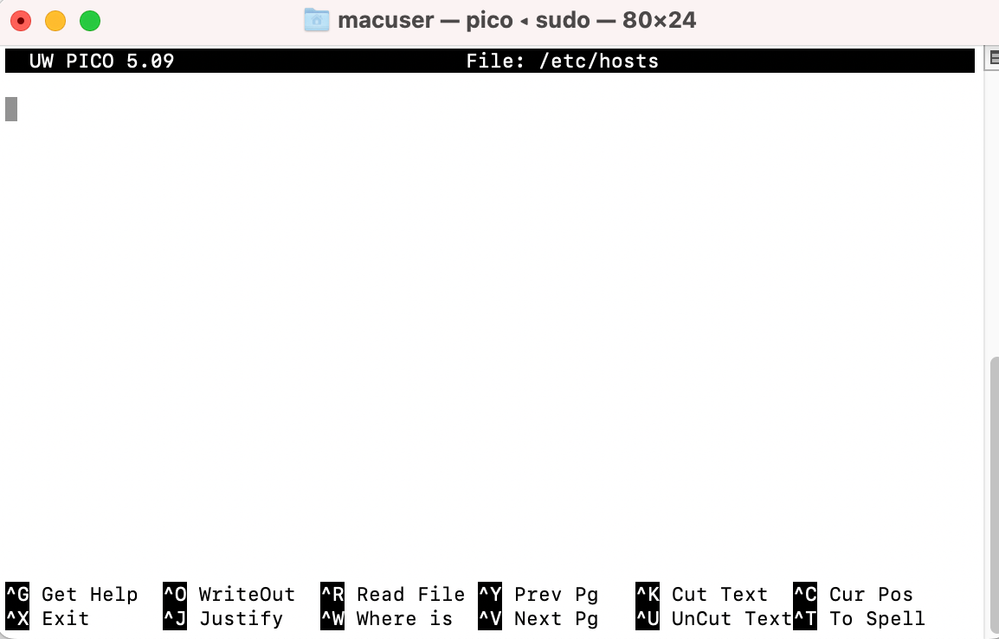
Hallo, I have the same problem. I have attached 2 screenshots of my terminal and licence manager tool. Please help:)
Thank you in advanced!
- « Previous
-
- 1
- 2
- Next »
- « Previous
-
- 1
- 2
- Next »
Didn't find the answer?
Check other topics in this Forum
Back to ForumRead the latest accepted solutions!
Accepted SolutionsStart a new conversation!
