Turn on suggestions
Auto-suggest helps you quickly narrow down your search results by suggesting possible matches as you type.
Showing results for
EN
Turn on suggestions
Auto-suggest helps you quickly narrow down your search results by suggesting possible matches as you type.
Showing results for
Options
- Subscribe to RSS Feed
- Mark Topic as New
- Mark Topic as Read
- Pin this post for me
- Bookmark
- Subscribe to Topic
- Mute
- Printer Friendly Page

Anonymous
Not applicable
Options
- Mark as New
- Bookmark
- Subscribe
- Mute
- Subscribe to RSS Feed
- Permalink
- Report Inappropriate Content
2019-08-20 10:42 AM
5 Replies 5
Anonymous
Not applicable
Options
- Mark as New
- Bookmark
- Subscribe
- Mute
- Subscribe to RSS Feed
- Permalink
- Report Inappropriate Content
2019-08-23 03:44 PM
2019-08-23
03:44 PM
all,
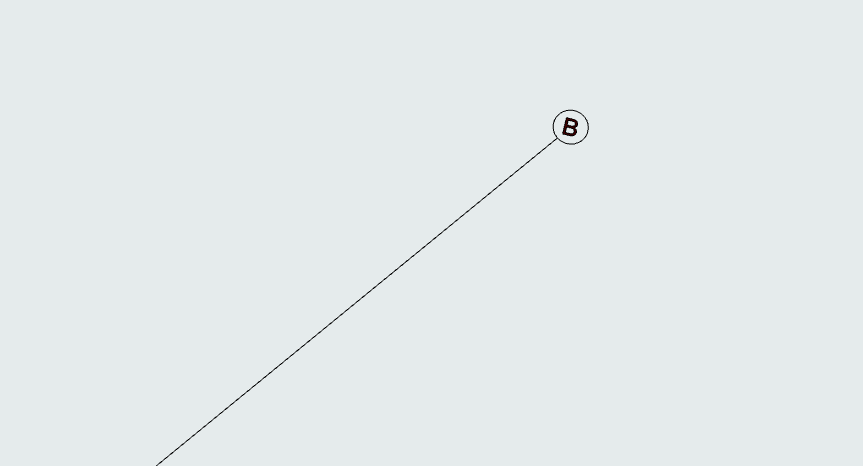
if i zoom in to th grid line - the text is really small.......so- it is showing just tiny.
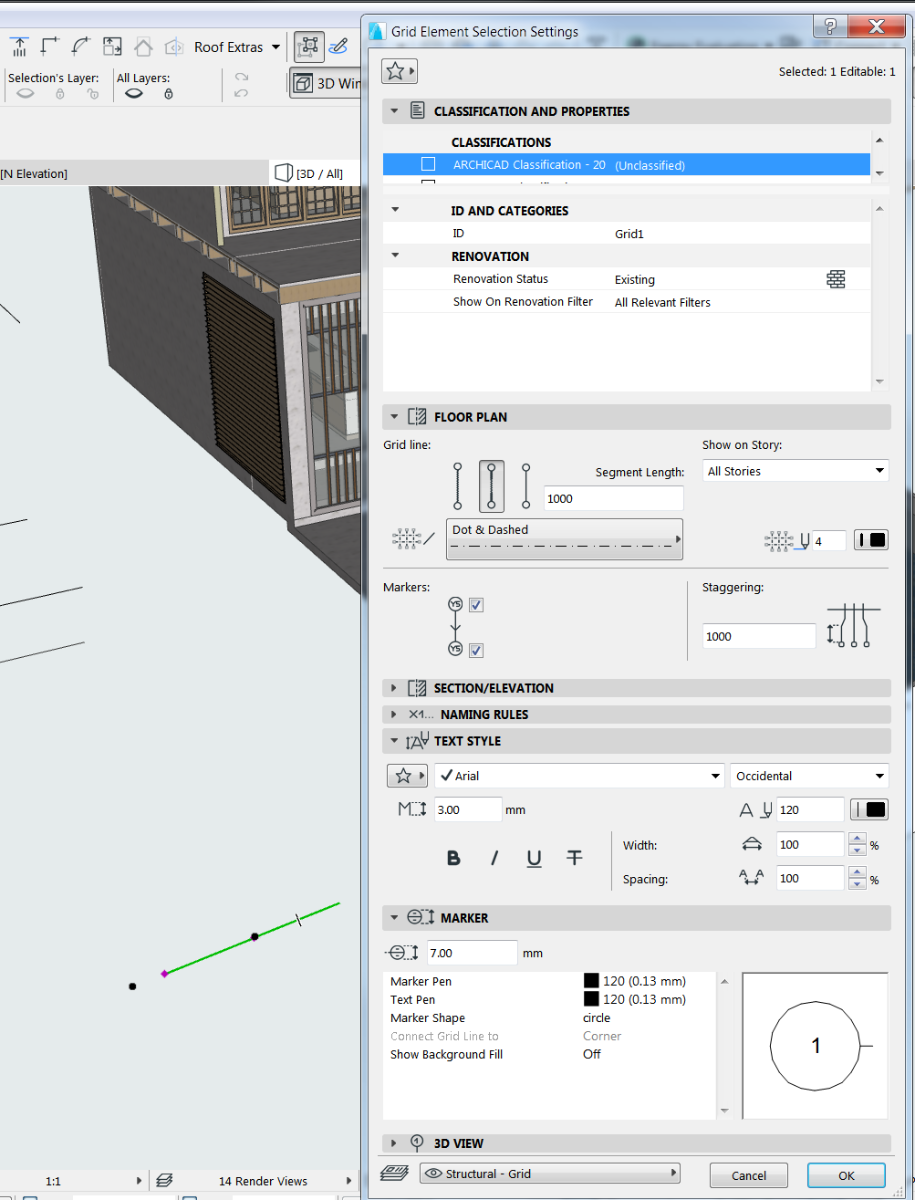
but - I have not changed the settings in grid settings - all other files use same settings...WHY are the grid numbers defaulting to show so small in 3d View ? These are settings...
if i zoom in to th grid line - the text is really small.......so- it is showing just tiny.
but - I have not changed the settings in grid settings - all other files use same settings...WHY are the grid numbers defaulting to show so small in 3d View ? These are settings...

 Laszlo Nagy
Community Admin
Options
- Mark as New
- Bookmark
- Subscribe
- Mute
- Subscribe to RSS Feed
- Permalink
- Report Inappropriate Content
2019-08-24 10:18 AM
2019-08-24
10:18 AM
Could the fact that your Scale is 1:1 have anything to do with it?
What happens if you set the Scale to 1:100? Does it then appear at normal size?
What happens if you set the Scale to 1:100? Does it then appear at normal size?
Loving Archicad since 1995 - Find Archicad Tips at x.com/laszlonagy
AMD Ryzen9 5900X CPU, 64 GB RAM 3600 MHz, Nvidia GTX 1060 6GB, 500 GB NVMe SSD
2x28" (2560x1440), Windows 10 PRO ENG, Ac20-Ac29
AMD Ryzen9 5900X CPU, 64 GB RAM 3600 MHz, Nvidia GTX 1060 6GB, 500 GB NVMe SSD
2x28" (2560x1440), Windows 10 PRO ENG, Ac20-Ac29
Anonymous
Not applicable
Options
- Mark as New
- Bookmark
- Subscribe
- Mute
- Subscribe to RSS Feed
- Permalink
- Report Inappropriate Content
2019-08-24 11:31 AM
2019-08-24
11:31 AM
Dear All,
I re-issue the previous thread on this topic, until I know how to delete the previous one.
Problem = Grid numbering in 3D view is so small that I cant see it, UNLESS i zoom in.
The grid numbers are there, just too small to see in 3D view.
I have to increase text size from the default 3.00mm to 30mm. Same with the marker circle - 7mm to 70mm. This is not workable. Any idea if this can somehow be scaled up?
in 2D view the grid numbering is not a problem at the default sizes ? VERY strange...?
Thanks
SW
I re-issue the previous thread on this topic, until I know how to delete the previous one.
Problem = Grid numbering in 3D view is so small that I cant see it, UNLESS i zoom in.
The grid numbers are there, just too small to see in 3D view.
I have to increase text size from the default 3.00mm to 30mm. Same with the marker circle - 7mm to 70mm. This is not workable. Any idea if this can somehow be scaled up?
in 2D view the grid numbering is not a problem at the default sizes ? VERY strange...?
Thanks
SW

Eduardo Rolon
Moderator
Options
- Mark as New
- Bookmark
- Subscribe
- Mute
- Subscribe to RSS Feed
- Permalink
- Report Inappropriate Content
2019-08-24 05:27 PM
2019-08-24
05:27 PM
Change the scale from 1:1 to 1/4:1
-----
I merged both topics to this one and moved to this forum which is the closest that matches your problem.
-----
Lazslo gave the same answer so you should try it.
-----
I merged both topics to this one and moved to this forum which is the closest that matches your problem.
-----
Lazslo gave the same answer so you should try it.
Eduardo Rolón AIA NCARB
AC29 US/INT -> AC08
AC29 US/INT -> AC08
Mac Studio M4 Max 64GB ram, OS X 10.XX latest
Anonymous
Not applicable
Options
- Mark as New
- Bookmark
- Subscribe
- Mute
- Subscribe to RSS Feed
- Permalink
- Report Inappropriate Content
2019-08-24 05:46 PM
2019-08-24
05:46 PM
Thanks.....
LASZLO was correct....!! 1:1 killed the scale on the numbers..
LASZLO was correct....!! 1:1 killed the scale on the numbers..
Still looking?