
Turn on suggestions
Auto-suggest helps you quickly narrow down your search results by suggesting possible matches as you type.
Showing results for
EN
Turn on suggestions
Auto-suggest helps you quickly narrow down your search results by suggesting possible matches as you type.
Showing results for
Options
- Subscribe to RSS Feed
- Mark Topic as New
- Mark Topic as Read
- Pin this post for me
- Bookmark
- Subscribe to Topic
- Mute
- Printer Friendly Page

Hannah77
Participant
Options
- Mark as New
- Bookmark
- Subscribe
- Mute
- Subscribe to RSS Feed
- Permalink
- Report Inappropriate Content
2022-10-07 06:16 AM
Wavy lines in 3D perspective when saved and placed on layout.
2022-10-07
06:16 AM
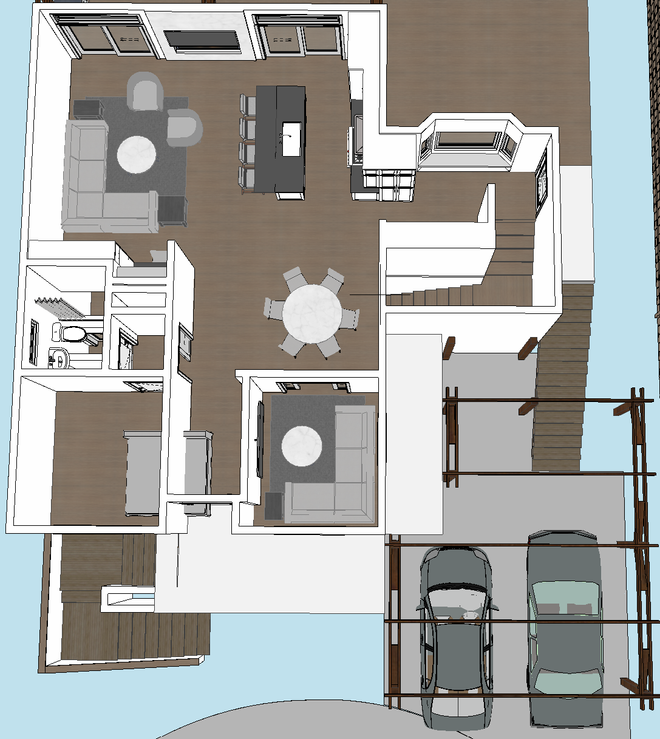
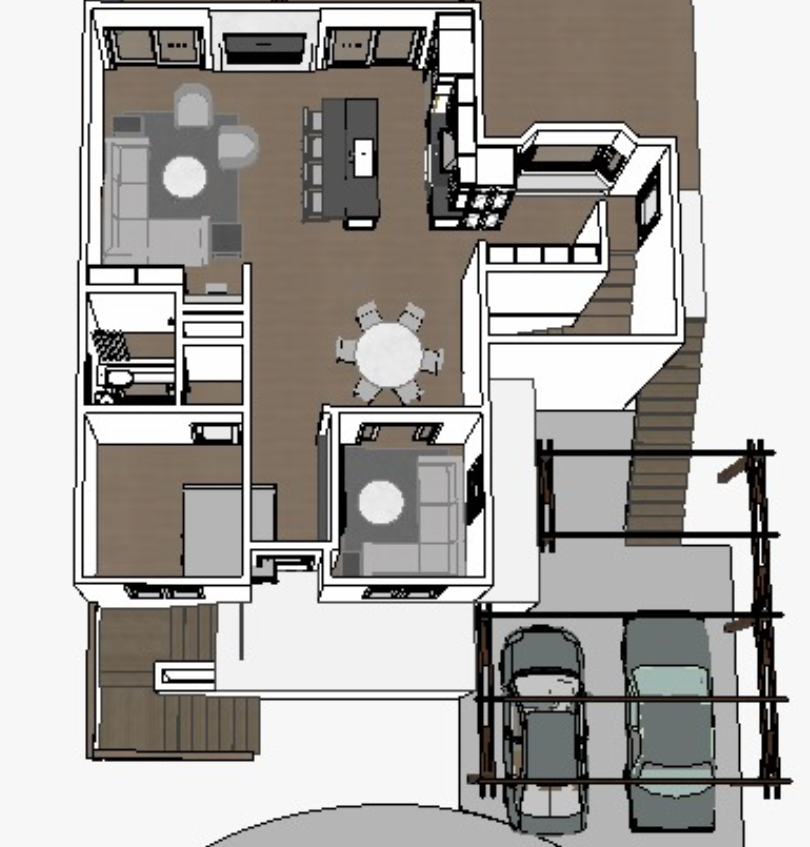
Hi All, I have been trying to figure out how to not get wavey lines when I place a 3D view on my layout. It looks great in my 3D window, everything is straight & can see all the details. I have watched videos and have taken all the advice. I have changed my Window size to be 4k up 6K, also changed increased the DPI. I still think I am missing something or is AC not capable? This was not as bad in version 24 & 25.
See images below (sorry not the greatest examples but I think you can see what I am saying)
View from 3D window
Saved view, placed on layout
Thanks, Hannah
2 Replies 2

Lingwisyer
Guru
Options
- Mark as New
- Bookmark
- Subscribe
- Mute
- Subscribe to RSS Feed
- Permalink
- Report Inappropriate Content
2022-10-07 10:38 AM
2022-10-07
10:38 AM
Your saved view is not using your "4-6k". How are you saving your view? 4k should be like 300 dpi on A4?
| AC22-29 AUS 3200 | Help Those Help You - Add a Signature |
| Self-taught, bend it till it breaks | Creating a Thread |
| Win11 | i9 10850K | 64GB | RX6600 | Win11 | 7800X3D | 32GB | RTX5070TI |
Hannah77
Participant
Options
- Mark as New
- Bookmark
- Subscribe
- Mute
- Subscribe to RSS Feed
- Permalink
- Report Inappropriate Content
2022-10-08 06:48 AM
2022-10-08
06:48 AM
I right click on the 3D view and click on "Save View and Place on Layout". I also get a little better result if I "Save View" under View Map and then place on Layout.

Still looking?

Suggested topics
- Surface texture in elevation won't publish to pdf in Documentation
- Is there a way to hyperlink files in order to place their drawings into a common layout book? in Documentation
- doors and window missing in reference when publishing layout in Documentation
- Publisher: Use Layout ID as exported filename in Documentation
- all text missing on plan layouts in Documentation
