
Turn on suggestions
Auto-suggest helps you quickly narrow down your search results by suggesting possible matches as you type.
Showing results for
EN
Turn on suggestions
Auto-suggest helps you quickly narrow down your search results by suggesting possible matches as you type.
Showing results for
- English
- :
- Forum
- :
- Project data & BIM
- :
- Betreff: Issue Organizer Bug?
Options
- Subscribe to RSS Feed
- Mark Topic as New
- Mark Topic as Read
- Pin this post for me
- Bookmark
- Subscribe to Topic
- Mute
- Printer Friendly Page

concepsys
Enthusiast
Options
- Mark as New
- Bookmark
- Subscribe
- Mute
- Subscribe to RSS Feed
- Permalink
- Report Inappropriate Content
2024-02-14
06:22 PM
- last edited on
2024-02-15
09:42 PM
by
 Laszlo Nagy
Issue Organizer Bug?
2024-02-14
06:22 PM
Hello.
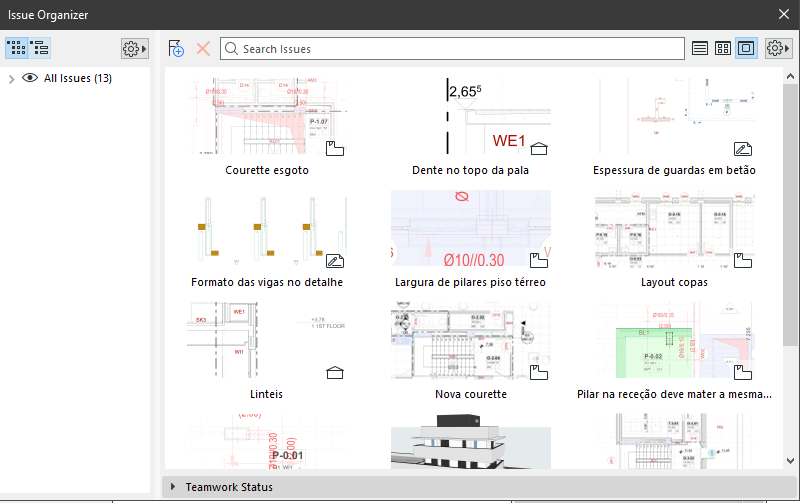
My issue organizer shows issues in Large Thumbnail View,
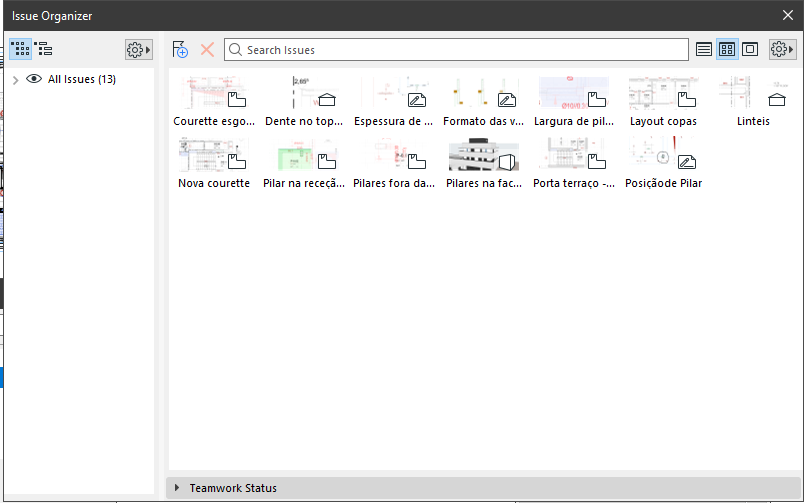
in Medium Thumbnail View,
but not in List view.
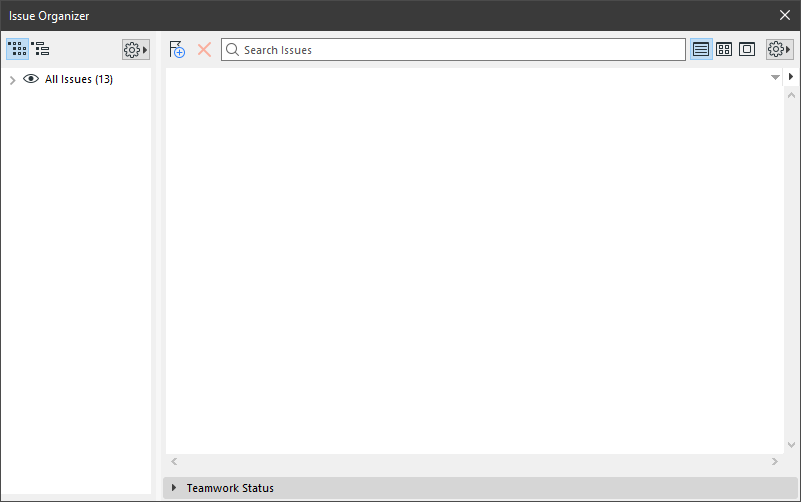
I can't get to see any issue in List view.
This seems to be happening only inmy computer. Doesn't happen in other computer connected in teamwork in the same office to the same project.
Do I have any wrong configuration?
Could this be a bug?
Solved! Go to Solution.
Solved
Labels:
- Labels:
-
Change & Issue Management
1 Solution
Accepted Solutions
concepsys
Enthusiast
Options
- Mark as New
- Bookmark
- Subscribe
- Mute
- Subscribe to RSS Feed
- Permalink
- Report Inappropriate Content
2024-03-07 12:03 PM
Solution
3 Replies 3
concepsys
Enthusiast
Options
- Mark as New
- Bookmark
- Subscribe
- Mute
- Subscribe to RSS Feed
- Permalink
- Report Inappropriate Content
2024-03-07 12:03 PM
2024-03-07
12:03 PM
I solved the problem by uninstalling and reinstalling Archicad.
Solution

BPNN
Contributor
Options
- Mark as New
- Bookmark
- Subscribe
- Mute
- Subscribe to RSS Feed
- Permalink
- Report Inappropriate Content
2026-04-22 11:03 AM
2026-04-22
11:03 AM
I'm having this issue now and noticed it's happening also on my coworkers computers, within the same Teamwork project.
I really hope reinstalling isn't the only solution. Would I have to do it in all computers? 😅

Stefan L_
Rockstar
Options
- Mark as New
- Bookmark
- Subscribe
- Mute
- Subscribe to RSS Feed
- Permalink
- Report Inappropriate Content
4 weeks ago
4 weeks ago
I had a similar problem; title/column alignment, "Has Selected..." was missing... Astra and me are best buddies now:
Close AC, start RegEdit and navigate to:
HKEY_CURRENT_USER\SOFTWARE\GRAPHISOFT\Archicad\Archicad 27.0.0 GER R1\Dialog Manager Custom Data
There's an entry
78174A22-5C3D-48EB-B75D-0958BED24C71
which - at least on my machine - is responsible for the Issue Organizer's column structure and what not.
Delete, restart AC.
Sorry, Windows only; and I just checked; AC26, AC29 have the same key.
Stefan - AC ...-29GER, WIN11

Didn't find the answer?
Check other topics in this Forum
Back to ForumRead the latest accepted solutions!
Accepted SolutionsStart a new conversation!

Suggested topics
- Missing library parts - unable to find these items and remove in Libraries & objects
- Issue Organizer Bug? in Project data & BIM
- Missing list view in issue organizer in Documentation
- Selecting Elements in Issue Manager ( when layer is off) in Collaboration with other software
- Archicad crashes on macOS 12.3 when closing a tab with the Tab Bar in Installation & update
