
Turn on suggestions
Auto-suggest helps you quickly narrow down your search results by suggesting possible matches as you type.
Showing results for
EN
Turn on suggestions
Auto-suggest helps you quickly narrow down your search results by suggesting possible matches as you type.
Showing results for
- English
- :
- Forum
- :
- Documentation
- :
- Floor Plan Display on different Layer States
Options
- Subscribe to RSS Feed
- Mark Topic as New
- Mark Topic as Read
- Pin this post for me
- Bookmark
- Subscribe to Topic
- Mute
- Printer Friendly Page

Anonymous
Not applicable
Options
- Mark as New
- Bookmark
- Subscribe
- Mute
- Subscribe to RSS Feed
- Permalink
- Report Inappropriate Content
2015-07-24
09:12 PM
- last edited on
2025-02-07
12:06 PM
by
 Aruzhan Ilaikova
Floor Plan Display on different Layer States
2015-07-24
09:12 PM
I am trying to show rafter tails on two different layer states and want to have the "Floor Plan Display" option set different in each layer state in order to show a dotted line in one (ie "Projected with Overhead") and "solid" in the other.
Does anybody know how to do this?
Does anybody know how to do this?
Read-Only
Labels:
- Labels:
-
Lines & Arcs & Circles
2 Replies 2

Eduardo Rolon
Moderator
Options
- Mark as New
- Bookmark
- Subscribe
- Mute
- Subscribe to RSS Feed
- Permalink
- Report Inappropriate Content
2015-07-25 01:31 AM
Anonymous
Not applicable
Options
- Mark as New
- Bookmark
- Subscribe
- Mute
- Subscribe to RSS Feed
- Permalink
- Report Inappropriate Content
2015-07-27 08:10 PM
2015-07-27
08:10 PM
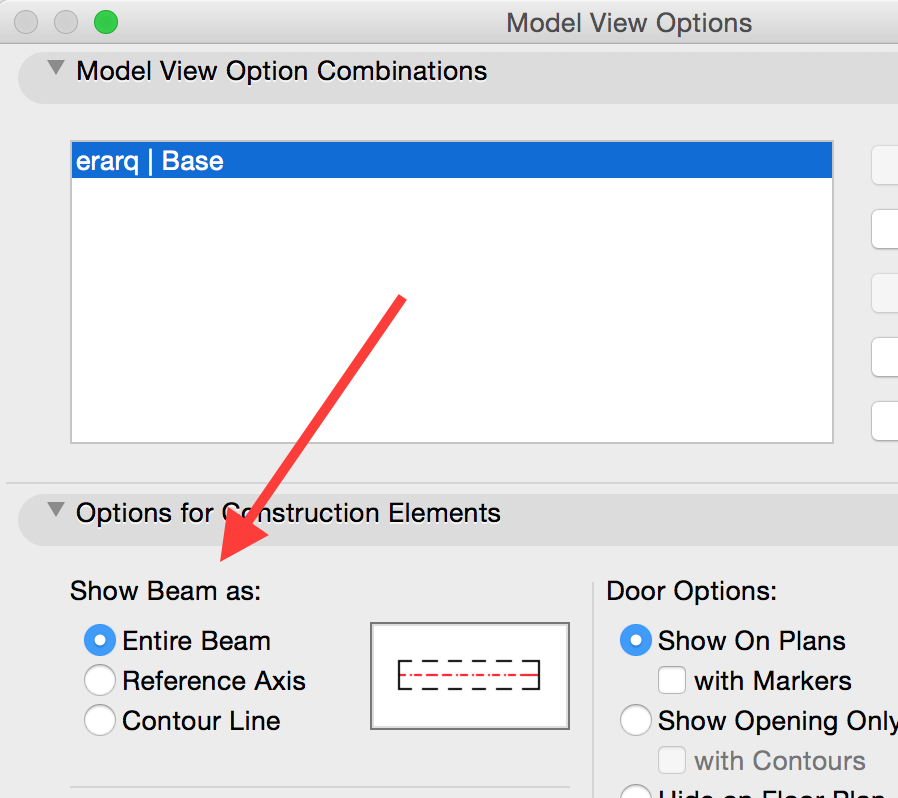
Thank you for the response, but I think setting the model view options sets a "global" condition for all beams in the project to show that way, whereas I would like only to show the rafter tails like that, any other suggestions?
Still looking?

Suggested topics
- Archicad 30 Light mode: where did the contrast go? in General discussions
- After 3 years with Archicad, I'm honestly disappointed in General discussions
- Rounded Wall Corner displays correctly in Floor Plan but glitches in 3D Document in Modeling
- Number of Section Elevation and Detail Markers (Total Number of Viewpoints) in Documentation
- MEP AC29 Incorrect behavior of the Z mark in the tracking display when editing the Z mark of a pipe in Modeling
