
Turn on suggestions
Auto-suggest helps you quickly narrow down your search results by suggesting possible matches as you type.
Showing results for
EN
Turn on suggestions
Auto-suggest helps you quickly narrow down your search results by suggesting possible matches as you type.
Showing results for
- English
- :
- Forum
- :
- Visualization
- :
- Re: Distorted Mapping on Rendering
Options
- Subscribe to RSS Feed
- Mark Topic as New
- Mark Topic as Read
- Pin this post for me
- Bookmark
- Subscribe to Topic
- Mute
- Printer Friendly Page

Anonymous
Not applicable
Options
- Mark as New
- Bookmark
- Subscribe
- Mute
- Subscribe to RSS Feed
- Permalink
- Report Inappropriate Content
2019-07-24
06:01 PM
- last edited on
2023-05-11
11:52 AM
by
 Noemi Balogh
Distorted Mapping on Rendering
2019-07-24
06:01 PM
I am testing some new surfaces, particularly "3D printed" surfaces or textures on Archicad 19.
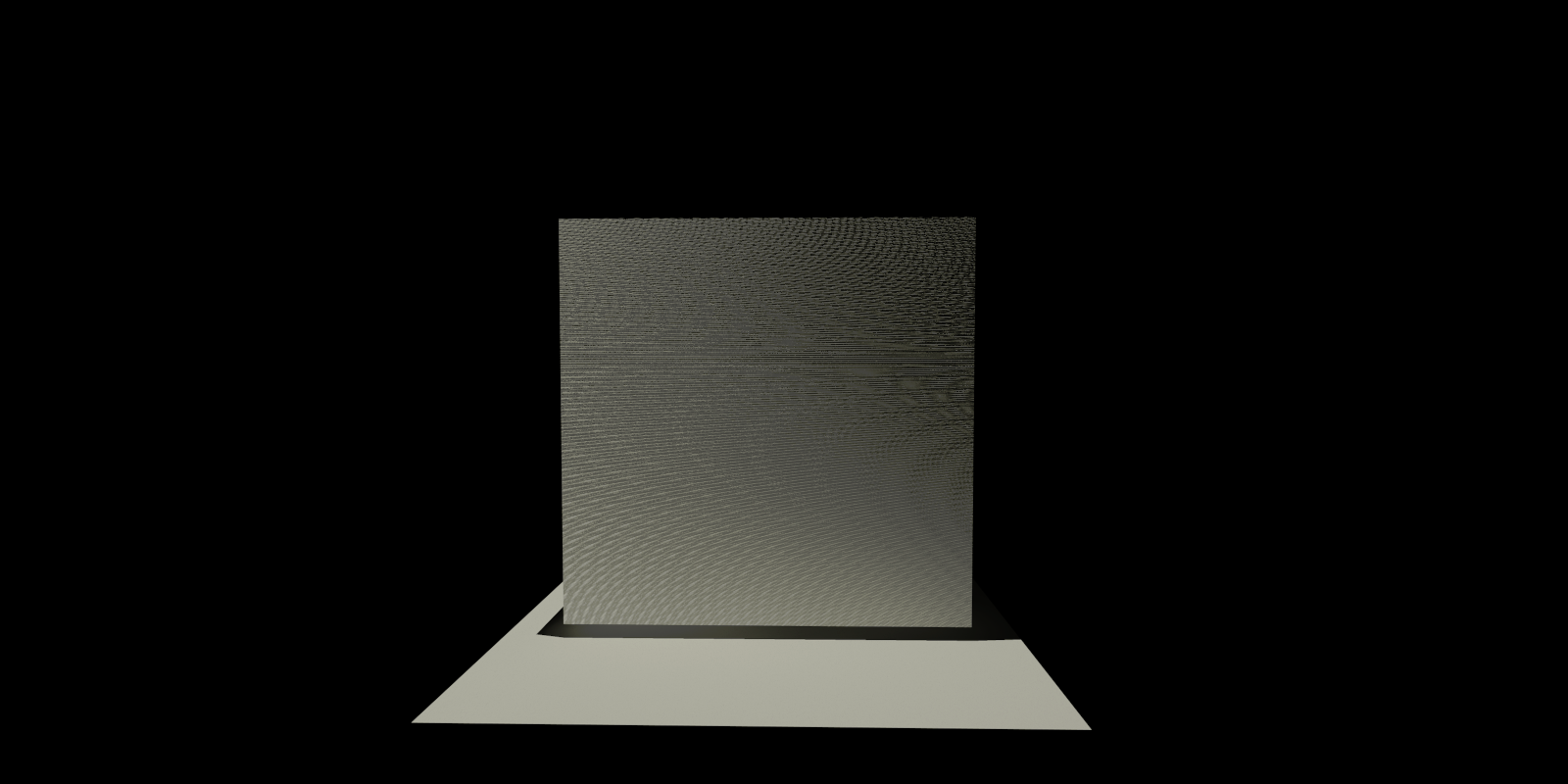
This particular one seems to register the normal and bump maps but instead of the texture direction to be straight up or down, it seems to distort it as shown in the image attached.
Does anyone have an idea of the cause to this problem?
Thanks.

3 Replies 3

Erwin Edel
Rockstar
Options
- Mark as New
- Bookmark
- Subscribe
- Mute
- Subscribe to RSS Feed
- Permalink
- Report Inappropriate Content
2019-07-25 09:40 AM
2019-07-25
09:40 AM
Hard to tell, but it sort of looks like Moiré pattern.
What sort of pattern are you trying to bump? What is the 'space' setting for the bump?
What sort of pattern are you trying to bump? What is the 'space' setting for the bump?
Erwin Edel, Project Lead, Leloup Architecten
www.leloup.nl
ArchiCAD 9-29NED FULL
Windows 11 Pro for Workstations
Adobe Design Premium CS5
www.leloup.nl
ArchiCAD 9-29NED FULL
Windows 11 Pro for Workstations
Adobe Design Premium CS5
Anonymous
Not applicable
Options
- Mark as New
- Bookmark
- Subscribe
- Mute
- Subscribe to RSS Feed
- Permalink
- Report Inappropriate Content
2019-07-26 06:30 PM
2019-07-26
06:30 PM
Spacing is based on an image size for the normal map. I also discovered that the pattern changes its orientation as one revolves around the object. Meaning the more parallel I get to a face of the cube the straighter the "lines" seem to appear (as they should) and the distortion effect is minimized, almost eliminated.

Lingwisyer
Guru
Options
- Mark as New
- Bookmark
- Subscribe
- Mute
- Subscribe to RSS Feed
- Permalink
- Report Inappropriate Content
2019-07-29 03:12 AM
2019-07-29
03:12 AM
Straight lines, definitely moire effect. Will occur when looking at any pattern that consists of relatively narrow spaced parallel lines.
Ling.
Ling.
| AC22-29 AUS 3200 | Help Those Help You - Add a Signature |
| Self-taught, bend it till it breaks | Creating a Thread |
| Win11 | i9 10850K | 64GB | RX6600 | Win11 | 7800X3D | 32GB | RTX5070TI |
Didn't find the answer?
Check other topics in this Forum
Back to ForumRead the latest accepted solutions!
Accepted SolutionsStart a new conversation!

Suggested topics
- Creating 2D-only Objects that can be updated at scale and in-place? in Libraries & objects
- Datasmith ETA? in Visualization
- Distorted Texture Lines when rendering in Visualization
- Texture mapping in Modeling
- Cinerender procedurally generated texture won't rotate unless basic engine also has a texture in Visualization
