Turn on suggestions
Auto-suggest helps you quickly narrow down your search results by suggesting possible matches as you type.
Showing results for
Turn on suggestions
Auto-suggest helps you quickly narrow down your search results by suggesting possible matches as you type.
Showing results for
- Graphisoft Community (INT)
- :
- Forum
- :
- Modeling
- :
- Morph editing
Options
- Subscribe to RSS Feed
- Mark Topic as New
- Mark Topic as Read
- Pin this post for me
- Bookmark
- Subscribe to Topic
- Mute
- Printer Friendly Page
Modeling
About Archicad's design tools, element connections, modeling concepts, etc.
Morph editing

Options
- Mark as New
- Bookmark
- Subscribe
- Mute
- Subscribe to RSS Feed
- Permalink
- Report Inappropriate Content
2021-10-06
02:26 PM
- last edited on
2025-01-30
04:36 PM
by
 Molinda Prey
2021-10-06
02:26 PM
Is there a way to select more than one vertex on a morph at once
and then move them?
I mean with window selection...
I tried with Ctrl+Shift+Click with window select but with no luck...
7 REPLIES 7

Options
- Mark as New
- Bookmark
- Subscribe
- Mute
- Subscribe to RSS Feed
- Permalink
- Report Inappropriate Content
2021-10-06 04:04 PM - edited 2021-10-06 04:05 PM
2021-10-06
04:04 PM
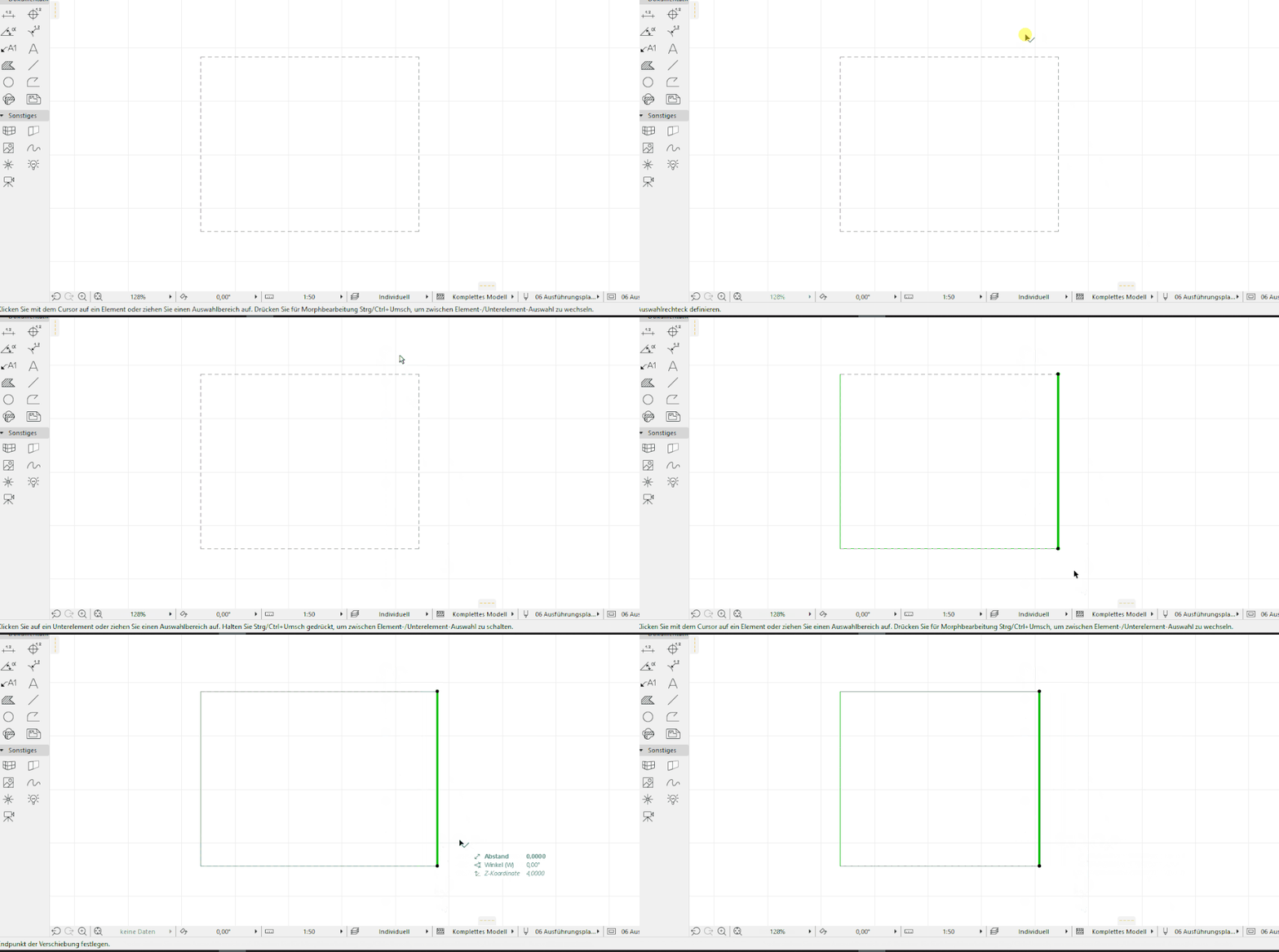
Normaly ctrl+shift+click works. What type of view are you in?
(Notice how the cursor color changes when I press ctrl+shift)

Options
- Mark as New
- Bookmark
- Subscribe
- Mute
- Subscribe to RSS Feed
- Permalink
- Report Inappropriate Content
2021-10-06 04:48 PM
2021-10-06
04:48 PM
Hello AttilaBalogh ,
You can also use the area selection tool from any kind of view to deform any shape.

Options
- Mark as New
- Bookmark
- Subscribe
- Mute
- Subscribe to RSS Feed
- Permalink
- Report Inappropriate Content
2021-10-06 05:50 PM
2021-10-06
05:50 PM
You can also select Edges and moving the Edge will move the two Nodes at the two ends of that Edge.
Loving Archicad since 1995 - Find Archicad Tips at x.com/laszlonagy
AMD Ryzen9 5900X CPU, 64 GB RAM 3600 MHz, Nvidia GTX 1060 6GB, 500 GB NVMe SSD
2x28" (2560x1440), Windows 10 PRO ENG, Ac20-Ac29
AMD Ryzen9 5900X CPU, 64 GB RAM 3600 MHz, Nvidia GTX 1060 6GB, 500 GB NVMe SSD
2x28" (2560x1440), Windows 10 PRO ENG, Ac20-Ac29

Options
- Mark as New
- Bookmark
- Subscribe
- Mute
- Subscribe to RSS Feed
- Permalink
- Report Inappropriate Content
2021-10-07 04:02 AM
2021-10-07
04:02 AM
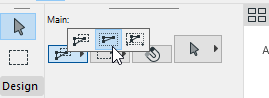
With the selection tool, you can set it to 'Partial', "Entire' or 'Direction Dependent'.
If you set to 'Entire', this will allow you to select nodes, edges and surfaces that are only entirely within the selection area.
Those even partly outside of the area will not be selected.
Barry.
One of the forum moderators.
Versions 6.5 to 27
i7-10700 @ 2.9Ghz, 32GB ram, GeForce RTX 2060 (6GB), Windows 10
Lenovo Thinkpad - i7-1270P 2.20 GHz, 32GB RAM, Nvidia T550, Windows 11
Versions 6.5 to 27
i7-10700 @ 2.9Ghz, 32GB ram, GeForce RTX 2060 (6GB), Windows 10
Lenovo Thinkpad - i7-1270P 2.20 GHz, 32GB RAM, Nvidia T550, Windows 11
Options
- Mark as New
- Bookmark
- Subscribe
- Mute
- Subscribe to RSS Feed
- Permalink
- Report Inappropriate Content
2021-10-07 10:07 AM
2021-10-07
10:07 AM
Thank you for all for your help,
nevertheless, I couldn't really use these, maybe it is not yet possible...
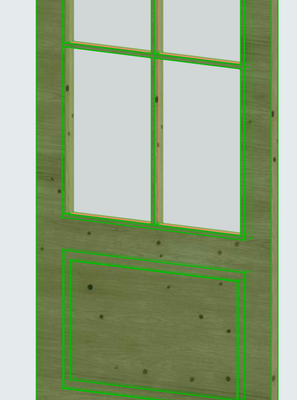
My original idea was to convert a door to morph and change the vertical
position of the different parts by stretching the model.
I have quite many points or vertexes to move so some kind of window selection
would be handy somehow...
Thx, again!
Options
- Mark as New
- Bookmark
- Subscribe
- Mute
- Subscribe to RSS Feed
- Permalink
- Report Inappropriate Content
2021-10-07 10:26 AM
2021-10-07
10:26 AM
If you can't control what you want in the door object, then convert to a morph.
Then ...
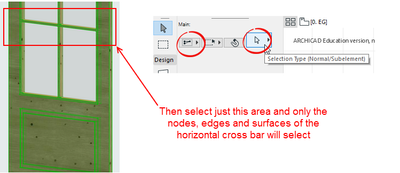
Now you can select what you want and move just those bits selected.
Save it back as a door panel object if you want to use it in your door object again.
Barry.
One of the forum moderators.
Versions 6.5 to 27
i7-10700 @ 2.9Ghz, 32GB ram, GeForce RTX 2060 (6GB), Windows 10
Lenovo Thinkpad - i7-1270P 2.20 GHz, 32GB RAM, Nvidia T550, Windows 11
Versions 6.5 to 27
i7-10700 @ 2.9Ghz, 32GB ram, GeForce RTX 2060 (6GB), Windows 10
Lenovo Thinkpad - i7-1270P 2.20 GHz, 32GB RAM, Nvidia T550, Windows 11
Options
- Mark as New
- Bookmark
- Subscribe
- Mute
- Subscribe to RSS Feed
- Permalink
- Report Inappropriate Content
2021-10-07 11:16 AM
2021-10-07
11:16 AM
Thx, I will try. I tried something like this already but I will
run another round.

Suggested content
- Coloring objects. in Libraries & objects
- Warning..."ArchiCAD will Load the corresponding editable library instead of the built-in library" in Libraries & objects
- Revit file true import translator to Archicad in Collaboration with other software
- Stair UP-DN text in AC27 USA, can't find show on relevant/above setting in Modeling
- In-Place Hotlink Edit And Management in Project data & BIM
Still looking?
