
Turn on suggestions
Auto-suggest helps you quickly narrow down your search results by suggesting possible matches as you type.
Showing results for
EN
Turn on suggestions
Auto-suggest helps you quickly narrow down your search results by suggesting possible matches as you type.
Showing results for
- English
- :
- Knowledge Base
- :
- Getting started
- :
- Archicad 26
Options
- Subscribe to RSS Feed
- Mark as New
- Mark as Read
- Bookmark
- Subscribe to Topic
- Printer Friendly Page
- Report Inappropriate Content
Archicad 26
2022-05-23 02:49 PM - edited 2026-08-14 09:54 PM
Options
- Subscribe to RSS Feed
- Mark as New
- Mark as Read
- Bookmark
- Subscribe to Topic
- Printer Friendly Page
- Report Inappropriate Content
Labels:
Stay focused, design more
Graphisoft® has released Archicad 26, the latest version of its award-winning BIM software.
Archicad keeps getting better
Stay focused – Design more. With powerful improvements to automated design, documentation, and collaboration workflows, and professional out-of-the-box visualization solutions, Archicad 26 lets you focus on what you do best: design great buildings.
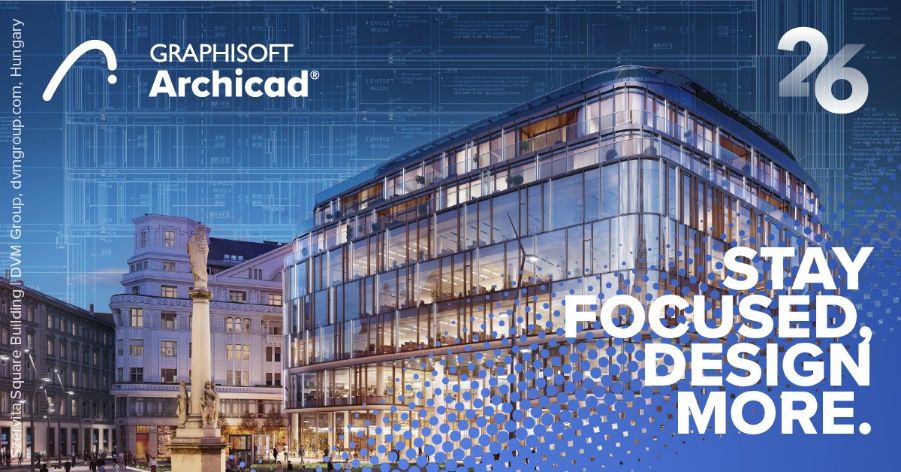
Szervita Square Building | DVM Group, dvmgroup.com, Hungary
New features
Design
Spend less time on project management and more time on design — Archicad 26 helps your team stay organized and files streamlined even as the size and complexity of projects continue to grow.
Improved Attribute Management
Save time and reduce the risk of errors while you focus on your design — even on large and complex projects. Easier and more intuitive navigation and management of attributes through a structured hierarchy.

Learn more:
Improved Attribute Management with Hierarchically Structured Attributes
Faster Project Navigation
No more endless scrolling! Quickly and easily find specific items with the new Navigator Search for faster navigation inside of a project.
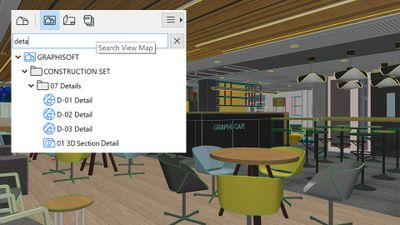
Learn more:
Search in the Navigator
Enhanced Surface Overrides
Faster modeling and documentation of openings with fewer workarounds thanks to greater control over openings' surfaces and enhanced Graphic Override options.
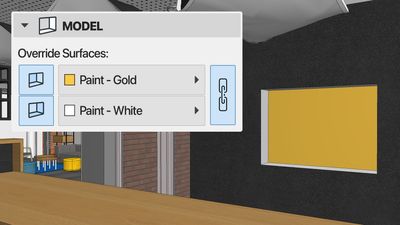
Learn more:
Opening Tool - Surface Overrides
Smart Object Creation with Library Part Maker
Develop your own parametric object library without scripting! Create doors, windows, and other parametric objects easily with graphical editing methods. The Library Part Maker tool makes object creation a breeze.
Available for Graphisoft Forward and SSA subscribers only.
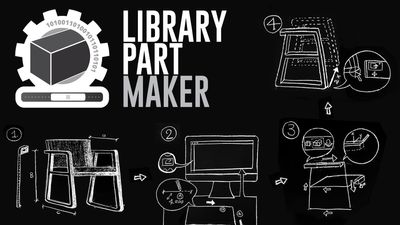
Learn more:
Library Part Maker Now in All Localized Archicad Versions
Customized Kitchen Cabinetry
First introduced with Archicad 25, now you can quickly and easily customize the look and style of kitchen cabinetry while still meeting local and company standards and requirements — all without manual workarounds.
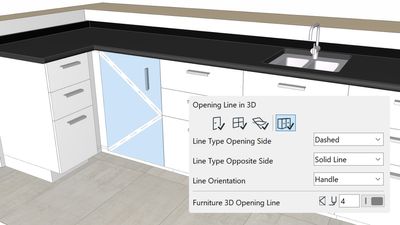
Learn more:
Enhanced Documentation and Modeling Capabilities for Kitchen Cabinets
Improved 2D Editing
Based on user feedback, the efficient and user-friendly 2D editing enhancement in Archicad 26 saves time and helps maintain consistency among interactions when using Radial Stretch of circles and ellipses.
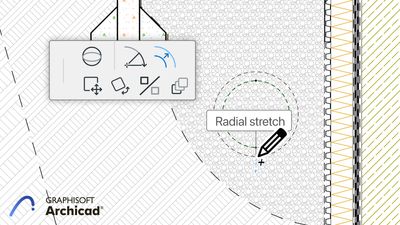
Learn more:
Create a Copy When Stretching Circles
Improved IFC Output of Space Volumes
During certain workflows, it is necessary to model space volumes using the Morph Tool. Space volumes can now also be derived from morphs and translated to IfcSpace entities on the IFC output.
Learn more:
Morphs Exported as IfcSpace
Visualize
Faster client approvals — Create stunning visualizations quickly and easily thanks to professional out-of-the-box solutions, modern textures and furniture, and powerful BIMx web and desktop viewer updates.
New Professional Textures
Engaging, modern visualizations make client approvals fast and easy thanks to the fresh content added to the Additional Surface Catalog.
Available for Graphisoft Forward and SSA subscribers only.
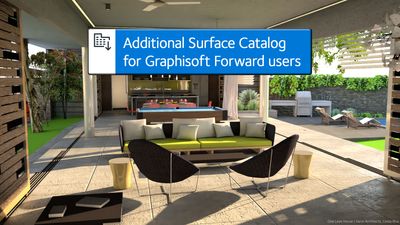
One Love House | Sarco Architects, Costa Rica
Learn more:
Renewed Additional Surface Catalog
Optimized Archicad Export and Enhanced BIMx Web and Desktop Viewers
Archicad 26 introduces powerful 3D model export with a simpler, more informative Publisher workflow and easier control over texture size to optimize file size and export time. Create more realistic visualizations with on-the-fly rendering, reflecting project orientation and Camera View Cone in the 3D model thanks to updates to BIMx Web Viewer and BIMx Desktop Viewer.
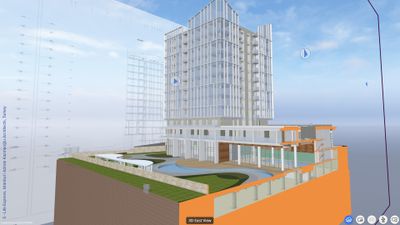
S - Life Express, Istanbul | Adnan Kazmaoğlu Architects, Turkey
Learn more:
BIMx: More functional BIMx Web and Desktop Viewers
Additional Improvements in Archicad 26
Archicad-Enscape Connection
When it comes to finding the best visualization tool for your needs, Graphisoft offers freedom of choice. In addition to the built-in high-end rendering engines Cineware and Redshift, you can also work with a wide variety of external rendering solutions, including Twinmotion from Epic Games and Enscape.
Enscape is a real-time rendering plugin that integrates smoothly with Archicad, giving you an uninterrupted design and visualization workflow.
Get more out of your Graphisoft Forward subscription by taking advantage of a special offer. Sign up for a two-year Enscape subscription and get the first year free!
If you are already a Graphisoft Forward subscriber, visit this webpage and follow the purchase and installation steps.
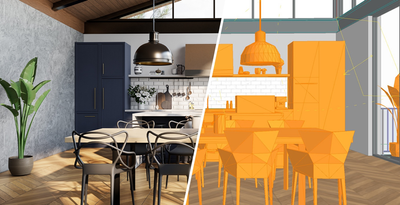
courtesy of Enscape
Learn more about Enscape online through video tutorials and the Enscape Knowledge Base.
Collaborate
Archicad 26 brings improved structural analytical model workflows and usability enhancements for faster, smoother interoperability between architects and structural engineers.
Structural Workflow
Collaboration between structural engineers and architects has become critical to the success of building projects that are being developed at extraordinary speed by today’s standards. Graphisoft enables structural engineers and architects to seamlessly exchange information regardless of the software solutions used.
Automatic Live Load Generation
Faster, automated interoperability between architects and structural engineers in Archicad 26 saves time and increases access to detailed information in the model.
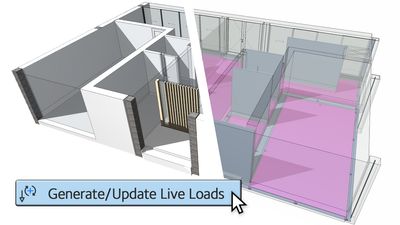
Learn more:
Automatic Live Load Generation
Faster Export to FRILO
Save time when working with the new Archicad - FRILO one-click direct export feature.
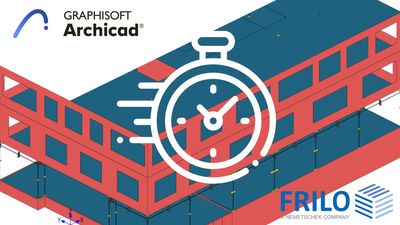
SAF Translator Enhancements
Smoother, faster information exchange between Archicad and Structural Analysis applications with the touch of a button keeps architects and structural engineers in sync and on track.
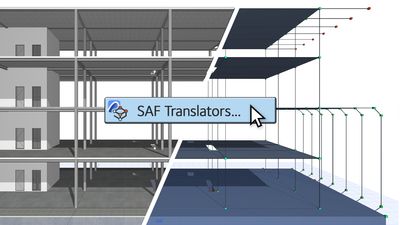
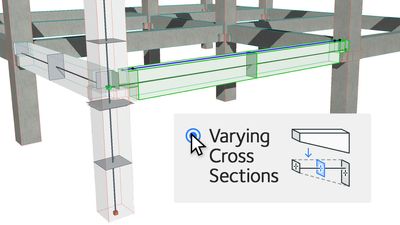
Support for Multi-Segmented Columns and Beams
Get more accurate Structural Analysis calculations with multi-profiled analytical elements that better describe complex segments.
BIMcloud Enhancements
No project is too big for BIMcloud, now with an increased file capacity of up to 100K+ files. Improvements to security and control over file version history make BIMcloud your best project team collaboration tool.

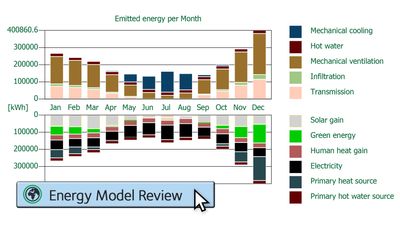
Accurate Building Energy Evaluations
New in Archicad 26 — Get reliable, out-of-the-box energy and CO2 building material data for
accurate building lifecycle analysis and sustainability reports.
Currently available for select localized versions of Archicad 26.
Learn more:
New Building Material Property Set for Life Cycle Assessment and Sustainability Calculations
IFC Export Improvements
Export your IFC models to include information about the properties and functions of complex Archicad elements' components. Thanks to Archicad's enhanced IFC export capabilities, your models will be more informative, better meeting the information needs of the receiving party.
Learn more:
Export Component-Level Data to IFC
Faster Labeling of MEP Elements
Save time by quickly and easily setting a clear graphical representation of the slope data of your MEP elements.
Learn more:
Representation of MEP Element Slope Direction
Document
Archicad 26 introduces faster, more accurate documentation with fewer manual workarounds thanks to powerful enhancements to the documentation workflow.
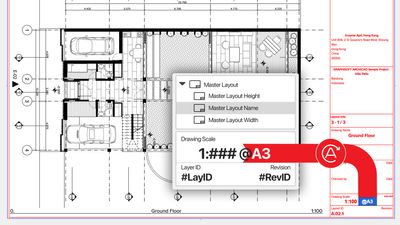
New Autotext for Master Layouts
Save time and reduce errors with faster, more accurate documentation thanks to new autotexts in automated layouts.
Learn more:
New Autotext Options for Master Layout and Subset Information
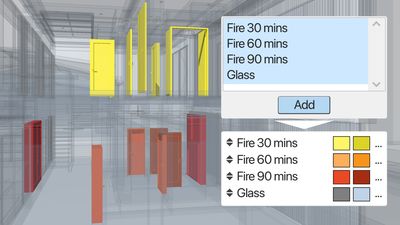
Graphic Override Enhancements
Quickly create Graphic Override combinations — Archicad 26 makes it easy to find and add multiple rules to combinations at once without unnecessary scrolling.
Learn more:
Easier Management of Graphic Override Combinations
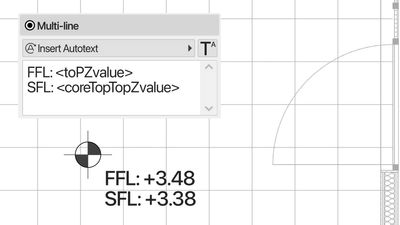
Level Dimensions Updates
Another time saver — Documentation is fast and easy when you use the information already available in the model in different ways.
Learn more:
Improvements of the Level Dimension Tool
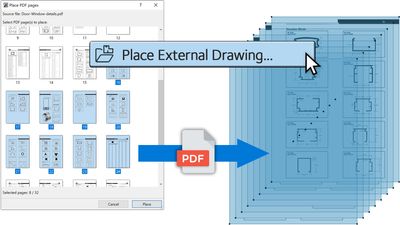
PDF Import Enhancements
Save time by spending less time on repetitive tasks — Import multiple pages from a PDF with just one click.
Learn more:
Improved PDF import
Additional improvements
Apart from the feature developments listed above, you’ll also find many additional changes and fixes throughout the Archicad interface.
Learn more:
Additional Improvements in Archicad 26
Get started with Archicad 26
Before installing
Archicad is available on both Windows and macOS. Data exchange between the two platforms is fully supported through compatible file formats and collaboration methods such as Teamwork, so they can be used even in mixed environments.
The System Requirements for our products can be found here.
A list of the certified hardware configurations tested by Graphisoft can be found here:
Certified Hardware for Archicad
As with every new Archicad release, we tested how some graphics cards perform with smaller and larger projects in Archicad. The description of the test environment and the results can be found here:
Graphics Cards' Performance Review with 3D Navigation in Archicad 26
Hardware recommendations and a summary of the above-mentioned information can be found here:
Recommended Hardware
The file types processed by both Archicad and BIMcloud are listed here:
Import/Export File Formats in Archicad
The article describes the import and export possibilities and the supported versions of the file formats created by Graphisoft products or third-party applications.
Download and install
Go to the Downloads page on graphisoft.com to download
- the latest version of Archicad
- Archicad extensions: add-ons, BIM content, and libraries
- Archicad updates
Everything you need to know about Archicad installation (install, add or repair, network installation, uninstall, etc.) can be found here.
If you face any issues during the installation or start-up of Archicad, this article will help you determine the possible cause and guide you to solutions:
Archicad 26 Install and Startup Troubleshooting Guide
License types
Archicad 26 can be activated using one of several license types. Read more about Archicad license types here.
Archicad 26 User Guide
The Archicad 26 User Guide is filled with useful information about every tool, feature, and function. Take a look!
Didn't find the answer?
Check other topics in this Forum
Back to ForumRead the latest accepted solutions!
Accepted Solutions


Suggested topics
- macOS 27 Golden Gate in Installation & update
- Archicad trial activation troubleshooting checklist in Installation & update
- Built-in Cineware rendering in Archicad: Beyond basic visualization in Visualization
- Hotlinks in Archicad: copy once, update everywhere in Project data & BIM
- How to use GDL algorithms and parameters to generate procedural terrain in Archicad in Libraries & objects
